Sponsored

Help! My Taycan Wi-Fi has decided to take over…

Fsudoles

Well-Known Member
First Name
Tom
Joined
Dec 27, 2021
Threads
12
Messages
444
Reaction score
271
Location
Lauderdale by the Sea, Florida
Vehicles
2022 Porsche Taycan RWD
Country flag
All,

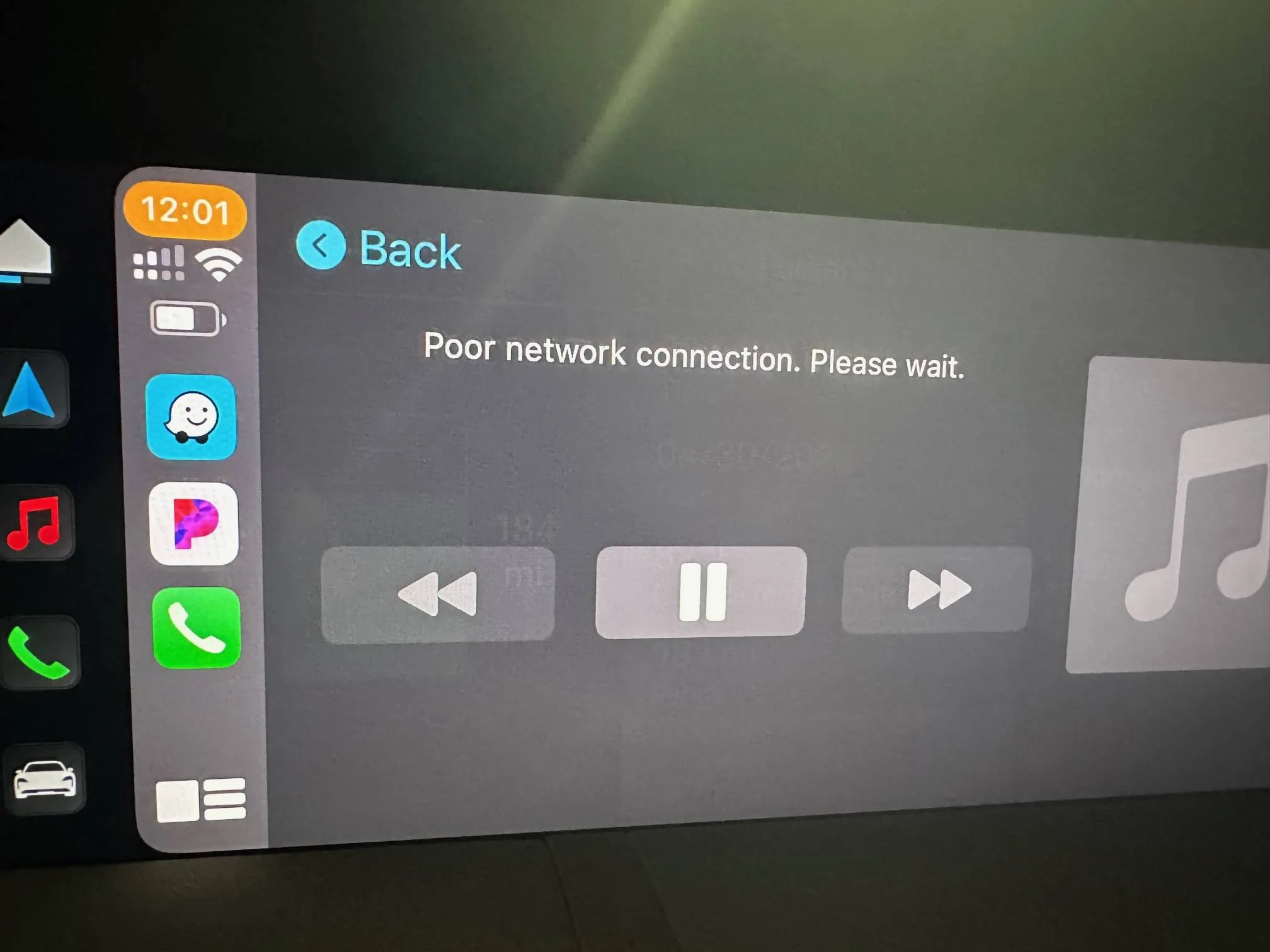
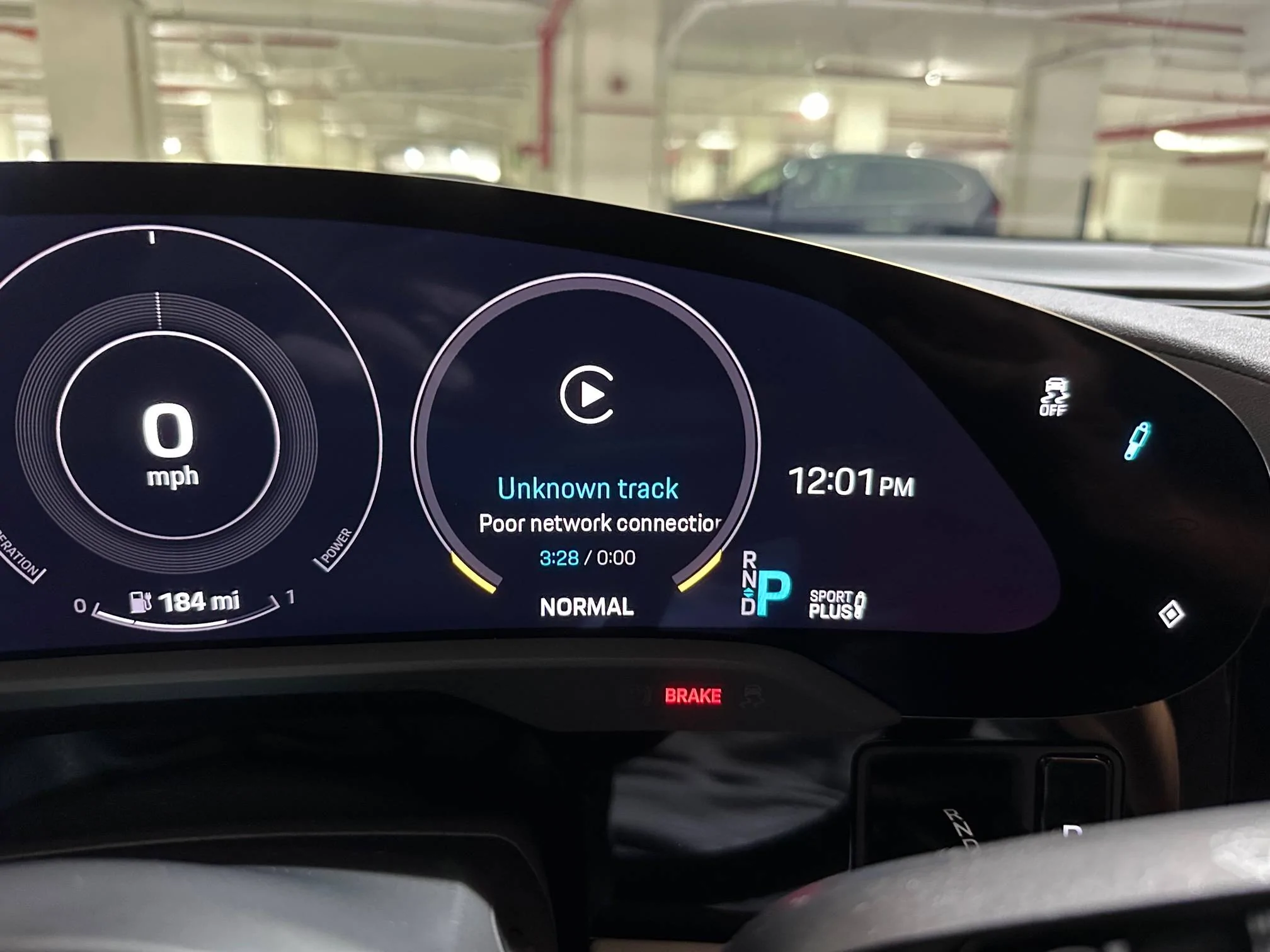
I have a pending appointment at the dealer waiting on a loaner, but for the past few days (after months of seamless CarPlay use) my Taycan‘s Wi-Fi is now knocking my Iphone off of the desired ATT 5G setting with the typical Taycan Wi-Fi being a background means of communication. When it does this, typically after a few minutes of driving, the Taycan Wi-Fi takes over my Iphone rendering CarPlay useless, and even renders internet usage on my IPhone useless because of the poor signal of the Taycan Wi-Fi. The MyPorsche App is also unavailable due to the Wi-Fi poor signal, it’s maddening. I’ve reset the PCM, removed my Iphone from “devices” and reconnected, all to no avail. If I turn off my Wifi on the phone, my IPhone is fine, but wireless CarPlay is not available due to the need for a Wi-Fi connection. It’s bizarre since it came out of nowhere. Has anyone heard of this anomaly before? The Porsche Tech says he definitely needs to put it on the computer to see if there are issues visible. Ugh…

Porsche Taycan Help!  My Taycan Wi-Fi has decided to take over… FD6598DE-65BC-4505-93A4-F399A0B89E4E
Porsche Taycan Help!  My Taycan Wi-Fi has decided to take over… CDA8BA29-6F9A-46CD-84D5-7EBF6A9A2154


Porsche Taycan Help!  My Taycan Wi-Fi has decided to take over… 0803A846-9413-442E-875D-6E23E6AEC9AB
Sponsored


OzzieT

Well-Known Member
First Name
Oz
Joined
Mar 25, 2022
Threads
15
Messages
286
Reaction score
295
Location
Sydney
Vehicles
2023 Taycan GTS
Country flag
@Fsudoles this is a bit of a long shot. Can you try switching off Wi-Fi Calling in your mobile /cellular settings. If this makes no difference switch off Personal Hotspot in the same settings list and try with both switched off. If no luck then reset your ATT network settings, which is under settings, general, reset (don’t reset the phone, just the network settings).
 

whitex

Well-Known Member
Joined
Jul 30, 2021
Threads
87
Messages
8,218
Reaction score
7,253
Location
WA, USA
Vehicles
2023 Taycan TCT, 2024 Q8 eTron P+
Country flag
Can you just “forget” the Taycan WiFi in your iPhone network settings? It cannot connect to it if it doesn’t know the password or know that network. CarPlay should still connect as it’s supposed to use a separate WiFi connection. Alternatively, switch off “Auto Join” for that network.
 
OP
OP
Fsudoles

Fsudoles

Well-Known Member
First Name
Tom
Joined
Dec 27, 2021
Threads
12
Messages
444
Reaction score
271
Location
Lauderdale by the Sea, Florida
Vehicles
2022 Porsche Taycan RWD
Country flag
@Fsudoles this is a bit of a long shot. Can you try switching off Wi-Fi Calling in your mobile /cellular settings. If this makes no difference switch off Personal Hotspot in the same settings list and try with both switched off. If no luck then reset your ATT network settings, which is under settings, general, reset (don’t reset the phone, just the network settings).
Thanks Oz, I’ll try turning off the hotspot later this morning. Wi-Fi calling is off…it’s always been off. I appreciate you responding. Tom
 
OP
OP
Fsudoles

Fsudoles

Well-Known Member
First Name
Tom
Joined
Dec 27, 2021
Threads
12
Messages
444
Reaction score
271
Location
Lauderdale by the Sea, Florida
Vehicles
2022 Porsche Taycan RWD
Country flag
Can you just “forget” the Taycan WiFi in your iPhone network settings? It cannot connect to it if it doesn’t know the password or know that network. CarPlay should still connect as it’s supposed to use a separate WiFi connection. Alternatively, switch off “Auto Join” for that network.
I need the Taycan Wifi network connected to get OTA updates, to receive Porsche messages, for the car to communicate with MyPorsche App, and for Wireless CarPlay to function, no? I’m going to try turning off the hotspot option first, to see if that does anything.


OP
OP
Fsudoles

Fsudoles

Well-Known Member
First Name
Tom
Joined
Dec 27, 2021
Threads
12
Messages
444
Reaction score
271
Location
Lauderdale by the Sea, Florida
Vehicles
2022 Porsche Taycan RWD
Country flag
@Fsudoles this is a bit of a long shot. Can you try switching off Wi-Fi Calling in your mobile /cellular settings. If this makes no difference switch off Personal Hotspot in the same settings list and try with both switched off. If no luck then reset your ATT network settings, which is under settings, general, reset (don’t reset the phone, just the network settings).
Struck out, now I wait for the call they have a loaner for me. I can still use Sirius through the PCM, but no wireles CarPlay, I’ll survive.
 

whitex

Well-Known Member
Joined
Jul 30, 2021
Threads
87
Messages
8,218
Reaction score
7,253
Location
WA, USA
Vehicles
2023 Taycan TCT, 2024 Q8 eTron P+
Country flag
I need the Taycan Wifi network connected to get OTA updates, to receive Porsche messages, for the car to communicate with MyPorsche App, and for Wireless CarPlay to function, no? I’m going to try turning off the hotspot option first, to see if that does anything.
I don’t think so. I get all of the above functionality and never even setup Taycan Wifi hotspot (don’t pay for the extra data plan either). Carplay connects through WiFi but automatically, not me selecting any network.
 
OP
OP
Fsudoles

Fsudoles

Well-Known Member
First Name
Tom
Joined
Dec 27, 2021
Threads
12
Messages
444
Reaction score
271
Location
Lauderdale by the Sea, Florida
Vehicles
2022 Porsche Taycan RWD
Country flag
I don’t think so. I get all of the above functionality and never even setup Taycan Wifi hotspot (don’t pay for the extra data plan either). Carplay connects through WiFi but automatically, not me selecting any network.
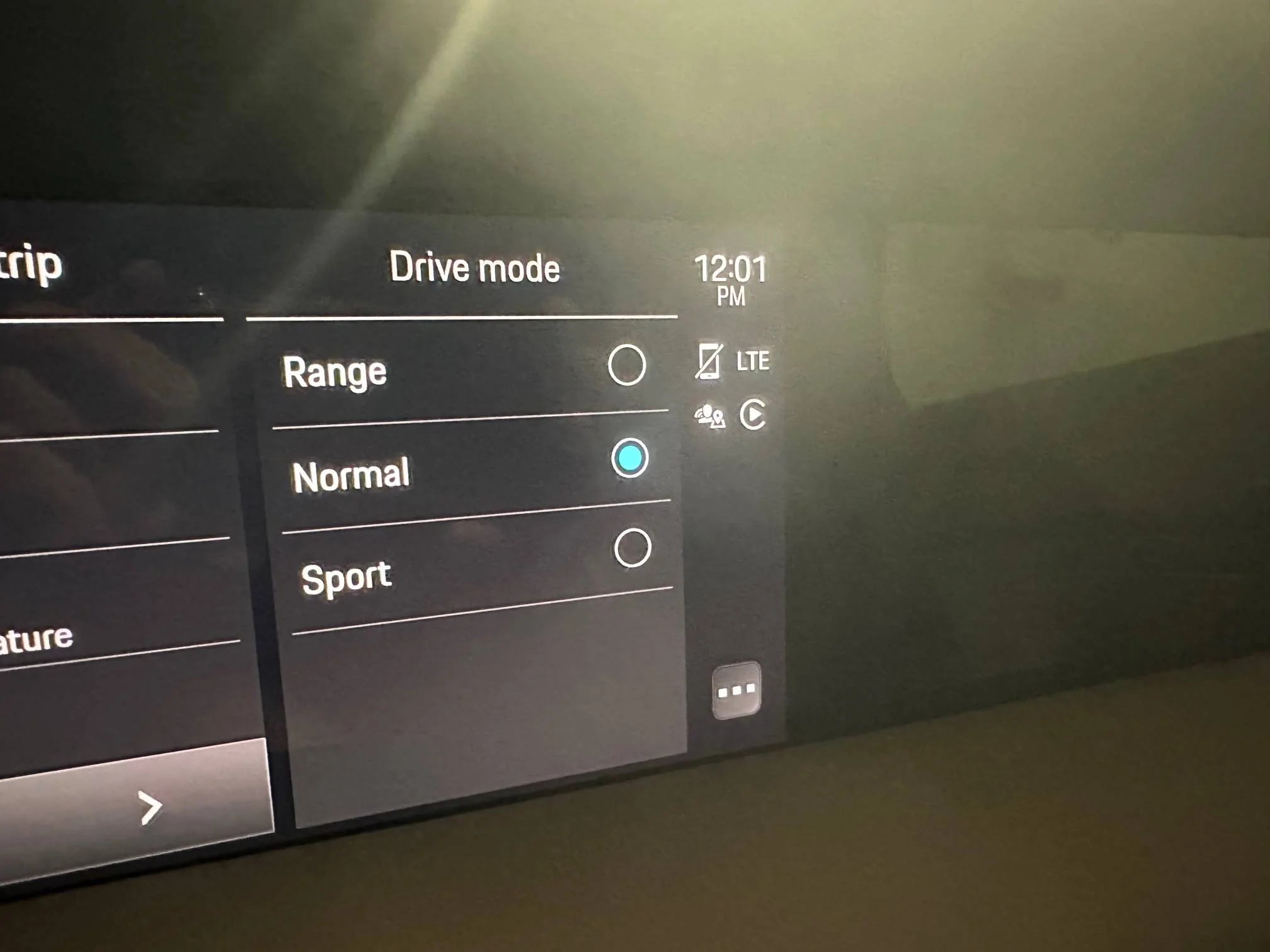
Hey, I don’t pay for the Taycan WiFi either, but if you look at your PCM, you’ll see a LTE indicator if the Taycan Wi-Fi is functioning properly. I turned my IPhone WiFi off and the air prompted me that I need to turn on WiFi to use wireless CarPlay. I don’t use my IPhone Wi-Fi…I use the 5G to gather my Pandora signal, etc. and the Taycan WiFi is used to receive OTA updates, transmit data to your My Porsche app regarding vehicle lock status, charging status, battery pre conditioning etc. all when I’m nowhere by the vehicle.

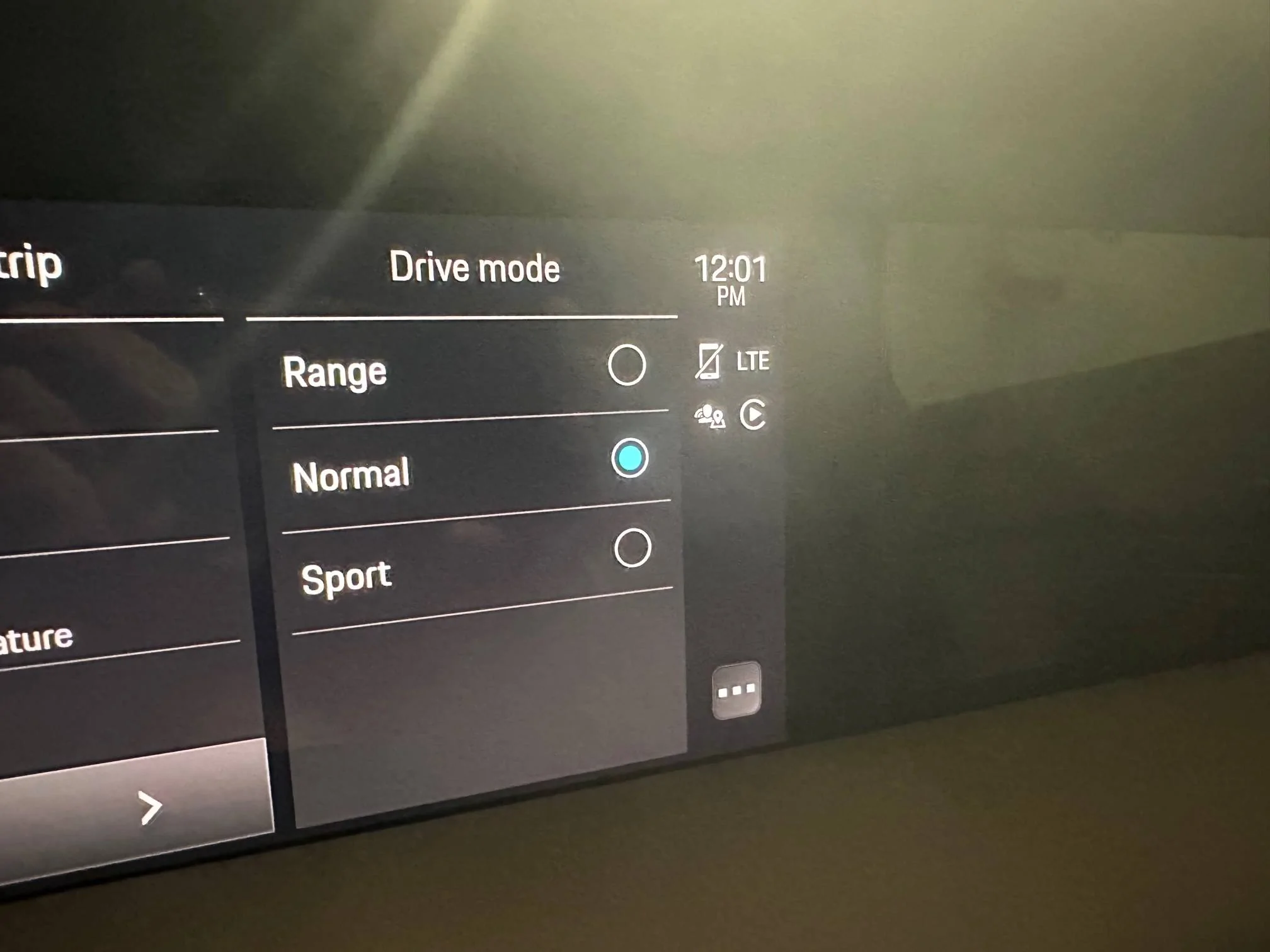
Anyhow, over the past few hours, my ATT 5G is now staying on as it should with the Taycan Wifi working stealthy in the background. Check out the attached photo…the LTE indicator in the upper right is the Taycan Wi-Fi indicator.

Porsche Taycan Help!  My Taycan Wi-Fi has decided to take over… 0DDFD5B7-DC8A-4F4D-9F98-944B06B002BA


OP
OP
Fsudoles

Fsudoles

Well-Known Member
First Name
Tom
Joined
Dec 27, 2021
Threads
12
Messages
444
Reaction score
271
Location
Lauderdale by the Sea, Florida
Vehicles
2022 Porsche Taycan RWD
Country flag
@Fsudoles this is a bit of a long shot. Can you try switching off Wi-Fi Calling in your mobile /cellular settings. If this makes no difference switch off Personal Hotspot in the same settings list and try with both switched off. If no luck then reset your ATT network settings, which is under settings, general, reset (don’t reset the phone, just the network settings).
It’s back to normal with no corrective action, ghost in the machine. I’ll keep monitoring closely. Bizarre.
 

whitex

Well-Known Member
Joined
Jul 30, 2021
Threads
87
Messages
8,218
Reaction score
7,253
Location
WA, USA
Vehicles
2023 Taycan TCT, 2024 Q8 eTron P+
Country flag
Hey, I don’t pay for the Taycan WiFi either, but if you look at your PCM, you’ll see a LTE indicator if the Taycan Wi-Fi is functioning properly. I turned my IPhone WiFi off and the air prompted me that I need to turn on WiFi to use wireless CarPlay. I don’t use my IPhone Wi-Fi…I use the 5G to gather my Pandora signal, etc. and the Taycan WiFi is used to receive OTA updates, transmit data to your My Porsche app regarding vehicle lock status, charging status, battery pre conditioning etc. all when I’m nowhere by the vehicle.

Anyhow, over the past few hours, my ATT 5G is now staying on as it should with the Taycan Wifi working stealthy in the background. Check out the attached photo…the LTE indicator in the upper right is the Taycan Wi-Fi indicator.

0DDFD5B7-DC8A-4F4D-9F98-944B06B002BA.jpeg
LTE is not WiFi, those are two different connection types to the internet - same as on your phone, LTE/5G is different than WiFi. So LTE indicator is not a WiFi indicator. Taycan WiFi hotspot is separate from CarPlay using WiFi too. Carplay will automatically connect without you having to specify the WiFi network or password. When using Carplay, WiFi is unavailable to connect to anything else, such as your home WiFi. Taycan WiFi is only used as a hotspot for your phone to connect to internet via Taycan LTE, unless you live in Russia where Porsche allows WiFi to be used as the internet connection instead of LTE.

But I'm glad it started working for you. Sounds like you're all set.
 

Speuk

Well-Known Member
First Name
Simon
Joined
May 6, 2022
Threads
11
Messages
1,142
Reaction score
615
Location
United Kingdom
Vehicles
MY 2023 CT 4S in Dolomite Silver/ MY2025 4S ST in Volcano Grey
Country flag
LTE is not WiFi, those are two different connection types to the internet - same as on your phone, LTE/5G is different than WiFi. So LTE indicator is not a WiFi indicator. Taycan WiFi hotspot is separate from CarPlay using WiFi too. Carplay will automatically connect without you having to specify the WiFi network or password. When using Carplay, WiFi is unavailable to connect to anything else, such as your home WiFi. Taycan WiFi is only used as a hotspot for your phone to connect to internet via Taycan LTE, unless you live in Russia where Porsche allows WiFi to be used as the internet connection instead of LTE.

But I'm glad it started working for you. Sounds like you're all set.
Yep, LTE is the Taycan's integrated SIM connection that handles OTA updates, traffic info for navigation, PVTS integrated Spotify etc?
 

OzzieT

Well-Known Member
First Name
Oz
Joined
Mar 25, 2022
Threads
15
Messages
286
Reaction score
295
Location
Sydney
Vehicles
2023 Taycan GTS
Country flag
It’s back to normal with no corrective action, ghost in the machine. I’ll keep monitoring closely. Bizarre.
Gremlins are very frustrating. The value of this forum is we more often than not get to root cause. Or someone else has experienced the same issue. As I don’t have my Taycan yet, I’ve exhausted my idea bank. Hanging with you on this one.
 
OP
OP
Fsudoles

Fsudoles

Well-Known Member
First Name
Tom
Joined
Dec 27, 2021
Threads
12
Messages
444
Reaction score
271
Location
Lauderdale by the Sea, Florida
Vehicles
2022 Porsche Taycan RWD
Country flag
LTE is not WiFi, those are two different connection types to the internet - same as on your phone, LTE/5G is different than WiFi. So LTE indicator is not a WiFi indicator. Taycan WiFi hotspot is separate from CarPlay using WiFi too. Carplay will automatically connect without you having to specify the WiFi network or password. When using Carplay, WiFi is unavailable to connect to anything else, such as your home WiFi. Taycan WiFi is only used as a hotspot for your phone to connect to internet via Taycan LTE, unless you live in Russia where Porsche allows WiFi to be used as the internet connection instead of LTE.

But I'm glad it started working for you. Sounds like you're all set.
Thank you for the clarification…hopefully the “self fix” holds, fingers crossed.
 
OP
OP
Fsudoles

Fsudoles

Well-Known Member
First Name
Tom
Joined
Dec 27, 2021
Threads
12
Messages
444
Reaction score
271
Location
Lauderdale by the Sea, Florida
Vehicles
2022 Porsche Taycan RWD
Country flag
LTE is not WiFi, those are two different connection types to the internet - same as on your phone, LTE/5G is different than WiFi. So LTE indicator is not a WiFi indicator. Taycan WiFi hotspot is separate from CarPlay using WiFi too. Carplay will automatically connect without you having to specify the WiFi network or password. When using Carplay, WiFi is unavailable to connect to anything else, such as your home WiFi. Taycan WiFi is only used as a hotspot for your phone to connect to internet via Taycan LTE, unless you live in Russia where Porsche allows WiFi to be used as the internet connection instead of LTE.

But I'm glad it started working for you. Sounds like you're all set.
Good afternoon. Once again, the Taycan WiFi has taken control and is the primary signal on my IPhone, knocking me off my ATT 5G, thus rendering CarPlay and my phone’s internet access inoperable. If I forget the Taycan Wi-Fi or turn off Wi-Fi on my phone, CarPlay will not be functional, along with some other items, MyPorsche app for example. I‘m back on line waiting for a loaner and a shop visit, can you think of any other workarounds in the interim? I’ve resigned myself to just listening to Sirius through the PCM, turning off the Wi-Fi on my IPhone bypassing my IPhone altogether.
 

xyeahtony

Well-Known Member
First Name
Tony
Joined
Jan 6, 2023
Threads
5
Messages
358
Reaction score
387
Location
Baton Rouge
Vehicles
23 Integra 6MT, 23 CT4S
Country flag
Use wired carplay until its fixed. It sounds glitchy but you can just use wired carplay until then.

the LTE you see on the taycan screen is not for internet, its for the porsche to communicate with Porsche servers and for your porsche app to work. You dont get any hotspot function out of that (unless you're paying for it). None of these OTA things you mention are done through your phone. A person with a Taycan can not have a smartphone and still get all the same navigation and update stuff as anyone else. The car has its own LTE connection independent from any smartphone.
Sponsored


Top