Sponsored

Can't update Mobile Porsche Charger Connect beyond version 2925

D00notD00d

Well-Known Member
First Name
D00notD00d
Joined
May 17, 2023
Threads
4
Messages
979
Reaction score
605
Location
Newcastle
Vehicles
L461 Range Rover Sport. Gone: Taycan 4s, Cayenne, 911 C4S.
Country flag
I’ll send you my PMCC network settings late today so you can compare against yours
Sponsored


Valentin

Member
First Name
Valentin
Joined
Apr 20, 2025
Threads
0
Messages
10
Reaction score
1
Location
Denmark
Vehicles
Taycan Turbo S
Country flag
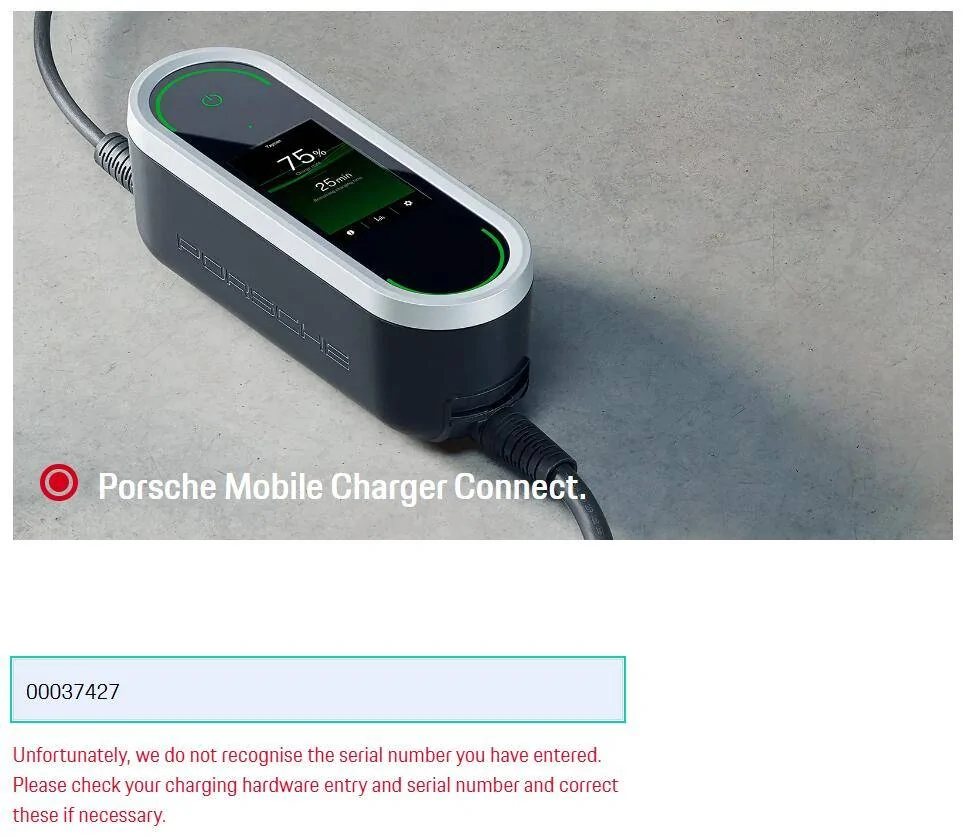
I tried your SN on the website and I got the following error

1725265909619-7b.webp


I then dropped the first leading zero and got:

1725266077443-l6.webp


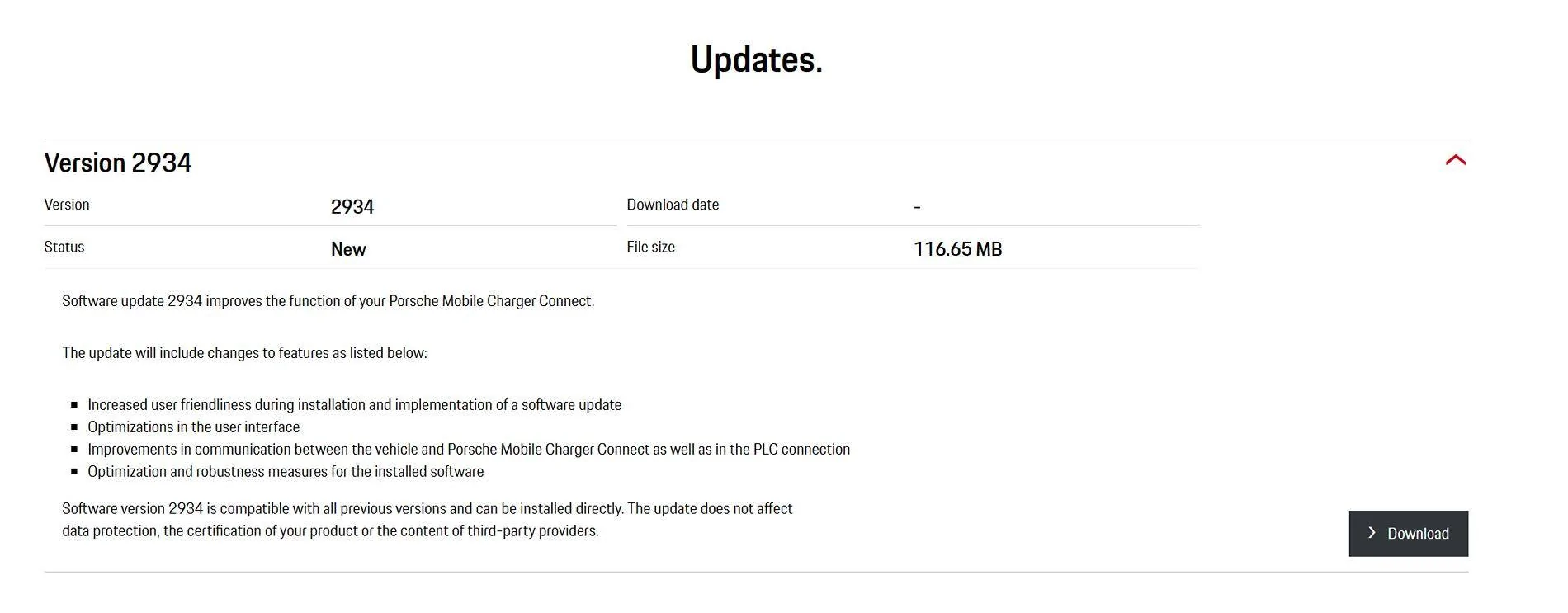
I have placed a copy of the software here:

PMCC 2934

1725266420502-ri.webp

Hi Winge,
Is it possible for you to make the PMCC v.2934 firmware file available again? Seems like the link has expired. Please :)
 

Valentin

Member
First Name
Valentin
Joined
Apr 20, 2025
Threads
0
Messages
10
Reaction score
1
Location
Denmark
Vehicles
Taycan Turbo S
Country flag
Porsche Taycan Can't update Mobile Porsche Charger Connect beyond version 2925 1749848325689-12


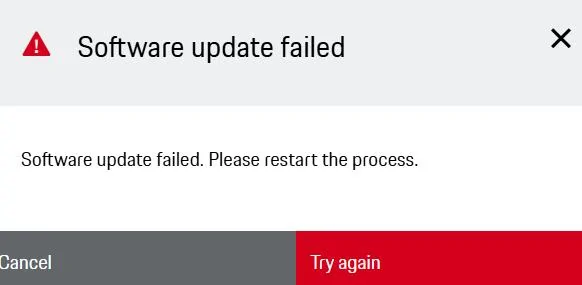
Not an option to revert to previous firmware versions. I guess my charger is wasted .. like complete useless. I can't go back to v2934 from v3031, resulting in not able to connect to "Porsche cloud". Porsche DK isn't of much help. They say: bring it in for repair. With no warranty left, this isn't an option i like. Paying hourly labour for a "simple" firmware update. No thanks.

Any one out there managed to connect to the PMCC service at port 22 (internal access methods with SSH)? It respond alright, but the 'home user' or 'customer service' login isn't of any use.


Valentin

Member
First Name
Valentin
Joined
Apr 20, 2025
Threads
0
Messages
10
Reaction score
1
Location
Denmark
Vehicles
Taycan Turbo S
Country flag
Has any one of you guys been able to charge your car with the PMCC, but WITHOUT a profile + vehichle set up in the PMCC settings page?

Porsche (DK) say it should be possible! My car just turns into "red charge button" after a minut or so.
 

W1NGE

Well-Known Member
First Name
Adrian
Joined
Jan 11, 2021
Threads
53
Messages
11,016
Reaction score
6,805
Location
Aberdeen, Scotland
Vehicles
992.2, ex GTS ST owner, Macan T
Country flag
Has any one of you guys been able to charge your car with the PMCC, but WITHOUT a profile + vehichle set up in the PMCC settings page?

Porsche (DK) say it should be possible! My car just turns into "red charge button" after a minut or so.
Is the PMCC new to you and had no previous owner? If a previous owner was the PMCC disassociated from the original owners Porsche ID? If required, go to Settings -> User profiles and unpair.

Have you disabled all security in the PMCC so that no PIN is needed?
.
Have you removed the PMCC from any network (you'll have to manage a charging session via the PMC instead).

There's nothing in the Operating Instructions which mandates you must pair the PMCC to your Porsche ID and logically it should be possible to manage a charging session without connectivity providing no leftovers from prior setups.
 

Valentin

Member
First Name
Valentin
Joined
Apr 20, 2025
Threads
0
Messages
10
Reaction score
1
Location
Denmark
Vehicles
Taycan Turbo S
Country flag
Is the PMCC new to you and had no previous owner? If a previous owner was the PMCC disassociated from the original owners Porsche ID? If required, go to Settings -> User profiles and unpair.

Have you disabled all security in the PMCC so that no PIN is needed?
.
Have you removed the PMCC from any network (you'll have to manage a charging session via the PMC instead).

There's nothing in the Operating Instructions which mandates you must pair the PMCC to your Porsche ID and logically it should be possible to manage a charging session without connectivity providing no leftovers from prior setups.
Yes, the PMCC is new to me. It came with my used Taycan. User 'profile' page is greyed out and not accessible, like the 'vehicle' page. I've reset to factory default (multiple times) which should remove any previous user profile associations. No PIN security is activated.

When connecting the PMCC to my Taycan the car goes into "charging not possible" after a short while. I've also tried with/without 'PLC to vehicle' switched on (power line communication).

One thing i find pretty stange though, after I've performed a 'reset to factory default', I can still read the charging history of the PMCC???? btw, 1½ hour of total charging... and now dead? Bravo Porsche ... sorry.

Thanks @W1NGE
 
Last edited:


dooby

Active Member
First Name
Pete
Joined
Apr 19, 2024
Threads
0
Messages
25
Reaction score
21
Location
East Anglia
Vehicles
4S CT
Country flag
Having happened to poke around with update files today (was charging a non-Porsche over the weekend) I do not believe the updates are cumulative.

If you like poking around embedded Linux running on Arm chips, it's interesting decompressing those tarballs and investigating. Looks to me (I have 2934 and 3031 to hand) that amongst other things, the underlying Linux OS and/or various of its components all got upgraded. The fact both tarballs are ~117MB also points to non-cumulative updates.

The PMCC itself when on 2934 claimed there was no newer firmware (may be related to stale Porsche ID credentials?) but I saw 3031 was available and downloaded it. For me (UK) 3031 installed manually via uploading to the PMCC's webserver from my laptop. I still have WiFi and Cloud icons after this update.

The PMCC itself had been showing (on 2934):

Connectivity Error
No authorisation for the service:
PnC
Ensure you have an active Internet connection. Should the problem become permanent, please contact a specialist workshop.
OK

And sadly still did on 3031. I assume PnC is Plug & Charge? It could be my Porsche ID credentials are out of date on the PMCC but I don't believe it's stopping me charge.

I'm sure I previously tried connecting to the PMCC via SSH but I don't recall how far I got, will see if I can try again.
 

dooby

Active Member
First Name
Pete
Joined
Apr 19, 2024
Threads
0
Messages
25
Reaction score
21
Location
East Anglia
Vehicles
4S CT
Country flag
So the PMCC does listen for SSH requests on port 22 but I don't have credentials that work.

The PMCC linked from the My Porsche app had got stale and disconnected (was named "Mobile Charger Connect 3" like there had been 2 previous pairings, and wasn't showing current data). In the end I did opt to "Delete charging equipment" but I can't re-add it via QR code unless I factory reset it (which I may yet do). The manual option (via 7-digit serial number and PUK) does not work either: "The charging equipment could not be added"

I've also lost the cloud icon, and "User profile" is greyed out, saying when clicked "User profile only available with server connection" so perhaps nothing wrong with my Porsche ID credentials, but their server back end...

E.T.A. oh and I can't "Deactivate link" of my account via the web UI - clicking it spins briefly but does nothing. Again, perhaps because it can't reach whatever back end it's trying to, to deactivate...
 
Last edited:

D00notD00d

Well-Known Member
First Name
D00notD00d
Joined
May 17, 2023
Threads
4
Messages
979
Reaction score
605
Location
Newcastle
Vehicles
L461 Range Rover Sport. Gone: Taycan 4s, Cayenne, 911 C4S.
Country flag
Has any one of you guys been able to charge your car with the PMCC, but WITHOUT a profile + vehichle set up in the PMCC settings page?

Porsche (DK) say it should be possible! My car just turns into "red charge button" after a minut or so.
[/QUOTE]
It is certainly possible. Before I was able to get internet connectivity

… I used PMCC successfully for about 15 months with no external connectivity. The only functionality that was missing was writing the PMCC charging history to a MyPorsche User Profile.

Has your PMCC ever successfully charged your car?

As an initial starting point, I’d suggest determining whether you can use the PMCC as a basic stand alone, completely dumb charger.

- Turn off PLC - this is needed only if you’re using PMCC in conjunction with a local network, e.g. subordinate to an Energy Manager. Also use the PMCC browser interface to check that PLC is off - in my case at one point the device UI said PLC was off but the browser interface said it was on.
- Turn off all PMCC network connectivity, both WiFI and hotspot.
- Connect the car to the charger, check the connections, then try to direct charge the car.
- If that doesn’t work, try the opposite charging port.
- If that also doesn’t work either the supply, the charger or the charging cable are suspect.
I’m assuming here that each charging port and the car’s charging system all work elsewhere

if your supply, PMCC charger and cable all worked reliably prior to your various software version installations, but do not now work, that may indicate that one or more of the versions is incremental in some respect, or reversion is not possible. But if you’re lucky, the PMCC may still function as a dumb charger.
 

W1NGE

Well-Known Member
First Name
Adrian
Joined
Jan 11, 2021
Threads
53
Messages
11,016
Reaction score
6,805
Location
Aberdeen, Scotland
Vehicles
992.2, ex GTS ST owner, Macan T
Country flag
I think OP already has PLC ,(to the car) set to OFF.

Note that PLC network is also a connectivity option using the plug socket and ethernet adapter to handle a data connection to / from the router and therefore the Internet. Not solely for the purpose of a HEM (Home Energy Manager).

Also, in the early days PLC to the car (charge port cable to EVSE) was problematic and led to 12v battery drain. Since then I've always disabled it.
 

D00notD00d

Well-Known Member
First Name
D00notD00d
Joined
May 17, 2023
Threads
4
Messages
979
Reaction score
605
Location
Newcastle
Vehicles
L461 Range Rover Sport. Gone: Taycan 4s, Cayenne, 911 C4S.
Country flag
Having happened to poke around with update files today (was charging a non-Porsche over the weekend) I do not believe the updates are cumulative.

If you like poking around embedded Linux running on Arm chips, it's interesting decompressing those tarballs and investigating. Looks to me (I have 2934 and 3031 to hand) that amongst other things, the underlying Linux OS and/or various of its components all got upgraded. The fact both tarballs are ~117MB also points to non-cumulative updates.

The PMCC itself when on 2934 claimed there was no newer firmware (may be related to stale Porsche ID credentials?) but I saw 3031 was available and downloaded it. For me (UK) 3031 installed manually via uploading to the PMCC's webserver from my laptop. I still have WiFi and Cloud icons after this update.

The PMCC itself had been showing (on 2934):

Connectivity Error
No authorisation for the service:
PnC
Ensure you have an active Internet connection. Should the problem become permanent, please contact a specialist workshop.
OK

And sadly still did on 3031. I assume PnC is Plug & Charge? It could be my Porsche ID credentials are out of date on the PMCC but I don't believe it's stopping me charge.

I'm sure I previously tried connecting to the PMCC via SSH but I don't recall how far I got, will see if I can try again.
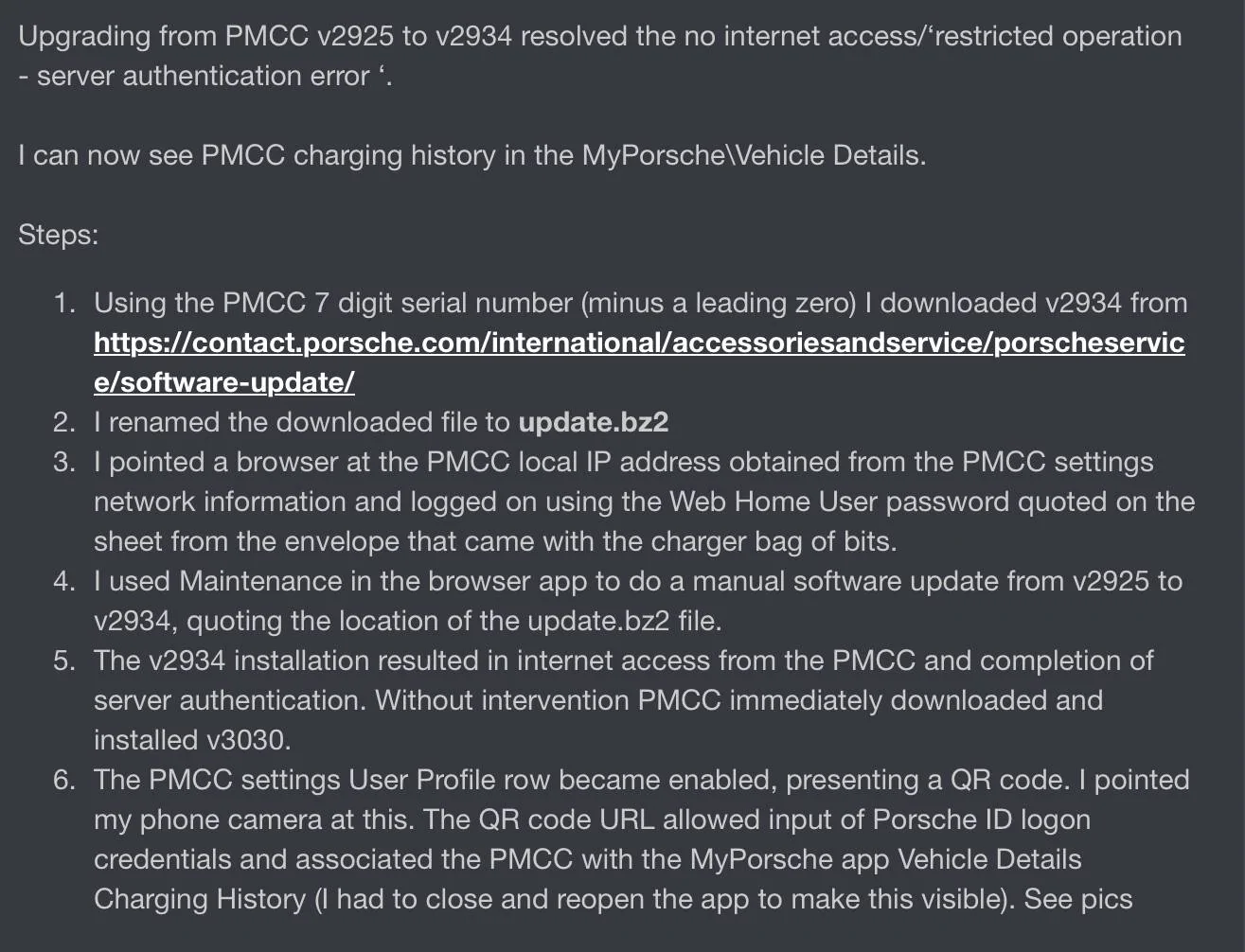
First, other than the satisfaction of not seeing authentication errors and of getting this working, being able to see charging history in the MyPorsche app is not a significantly useful gain.
Based upon size alone you can’t be certain that the updates are not cumulative?
You‘re missing v3030.
Also from my evidence, during updates, Porsche credentials are not significant.

How do your steps compare with my earlier post?
And is PLC turned off on both the device UI and the browser UI? I don’t know if that’s significant but in my case they were contradictory. Not a good sign.
Can you try going back to v2925?
Porsche Taycan Can't update Mobile Porsche Charger Connect beyond version 2925 IMG_0050
 
Last edited:

W1NGE

Well-Known Member
First Name
Adrian
Joined
Jan 11, 2021
Threads
53
Messages
11,016
Reaction score
6,805
Location
Aberdeen, Scotland
Vehicles
992.2, ex GTS ST owner, Macan T
Country flag
First, other than the satisfaction of not seeing authentication errors and of getting this working, being able to see charging history in the MyPorsche app is not a significantly useful gain.
Based upon size alone you can’t be certain that the updates are not cumulative?
You‘re missing v3030.
Also from my evidence, during updates, Porsche credentials are not significant.

How do your steps compare with my earlier post?
And is PLC turned off on both the device UI and the browser UI? I don’t know if that’s significant but in my case they were contradictory. Not a good sign.
Can you try going back to v2925?
IMG_0050.jpeg
PLC has 2 separate purposes.

1. For networking the PMCC to your router if no WiFi.

2. PLC to car independent of 1 above and is for comms between PMCC and EVSE.

As you have WiFi you don't need 1 and no use for 2 so disable both.
 

D00notD00d

Well-Known Member
First Name
D00notD00d
Joined
May 17, 2023
Threads
4
Messages
979
Reaction score
605
Location
Newcastle
Vehicles
L461 Range Rover Sport. Gone: Taycan 4s, Cayenne, 911 C4S.
Country flag
@W1NGE - my understanding at the time was that the charger UI and the browser UI were communicating a different data value for the same PLC attribute, possibly due to a data mapping problem. The charger said PLC was off, the browser said it was on. As you say, the majority will not require this to be turned on, so just in case the charger UI has a bug which is contributing to the issues, my suggestion is validate what the charger UI says against the browser value, both should have this switched off. That worked for me, even my rationale was faulty.
Sponsored


Top