dnanian
Well-Known Member
- First Name
- David
- Joined
- May 18, 2020
- Threads
- 21
- Messages
- 350
- Reaction score
- 248
- Location
- Massachusetts
- Vehicles
- Taycan, Tesla Model S, BMW i3

- Thread starter
- #1
I have to say, I find the whole Profile concept in Connect quite confusing. Not so much about how to select them, but rather, what they're trying to do.
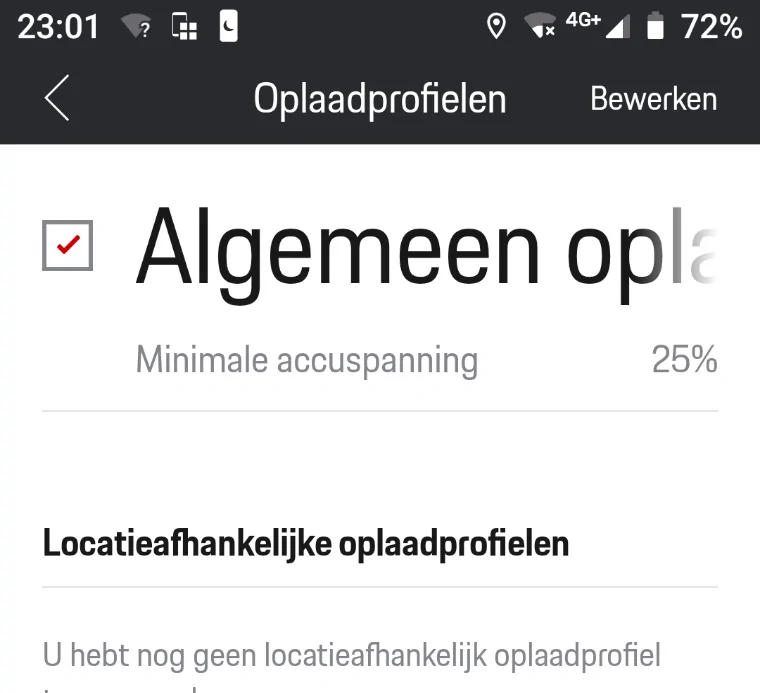
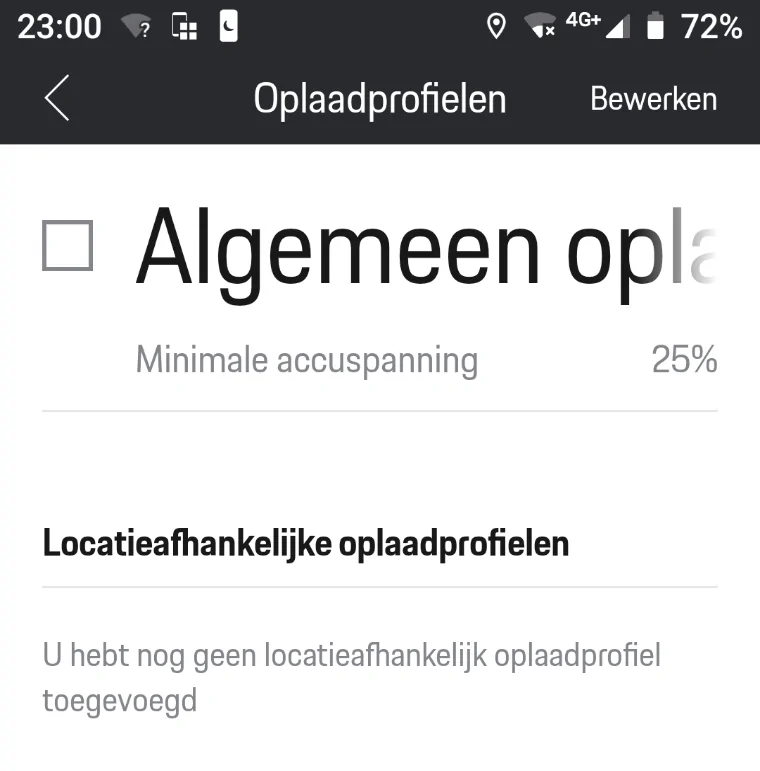
First, rather than setting a maximum charge, you seem to be setting a "minimum" charge. If the Taycan is at or above minimum... it does not charge. I left it overnight: no charge.
So, if you set a "home" charging profile at your house, and set it for, say, 80%, it'll charge to 80% and stay there.
That isn't a "minimum". That's basically a charge target - a ceiling, not a floor as defined. What they say is:

So that that, at that point, the charging process "can be optimized", but it's not clear what they mean. Are they optimizing the charging? Do we do so by "activating additional charging settings"? What settings? Direct? Because that would just charge to 100% immediately.
Unless it's not doing it because the charge setting is set to "Optimized". Now, "optimized" does a bit of handwaving:

So, it seems to want to interact with other things to "optimize" charging, but...how? When left overnight, it did not charge. Should it have done so?
I find the whole thing vaguely baffling.
First, rather than setting a maximum charge, you seem to be setting a "minimum" charge. If the Taycan is at or above minimum... it does not charge. I left it overnight: no charge.
So, if you set a "home" charging profile at your house, and set it for, say, 80%, it'll charge to 80% and stay there.
That isn't a "minimum". That's basically a charge target - a ceiling, not a floor as defined. What they say is:
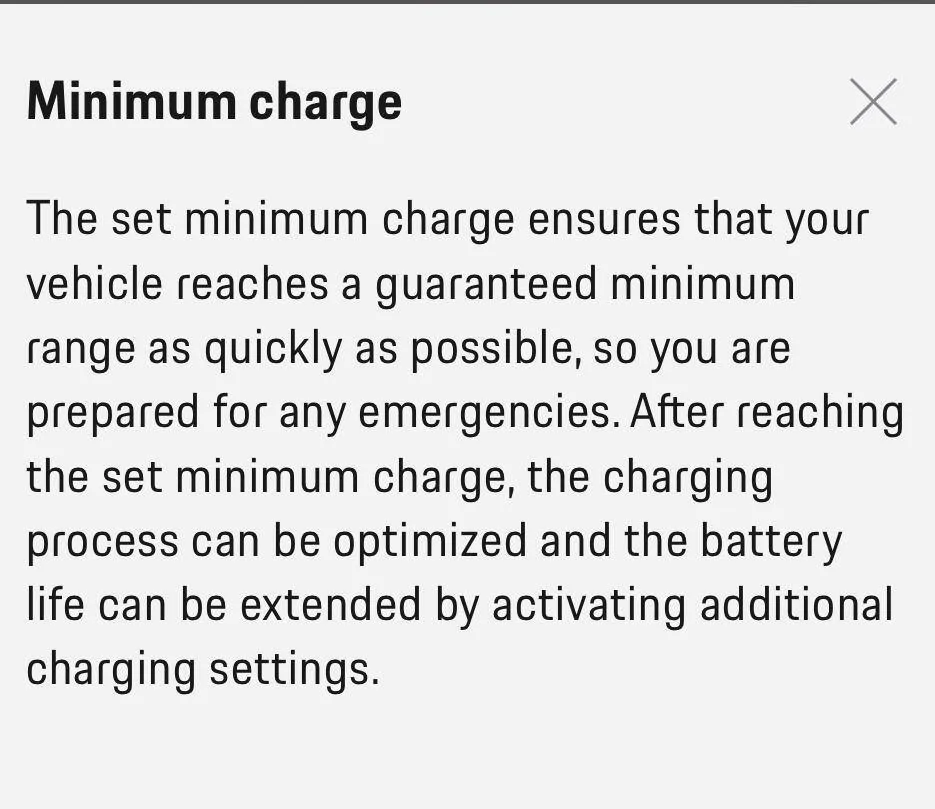
So that that, at that point, the charging process "can be optimized", but it's not clear what they mean. Are they optimizing the charging? Do we do so by "activating additional charging settings"? What settings? Direct? Because that would just charge to 100% immediately.
Unless it's not doing it because the charge setting is set to "Optimized". Now, "optimized" does a bit of handwaving:
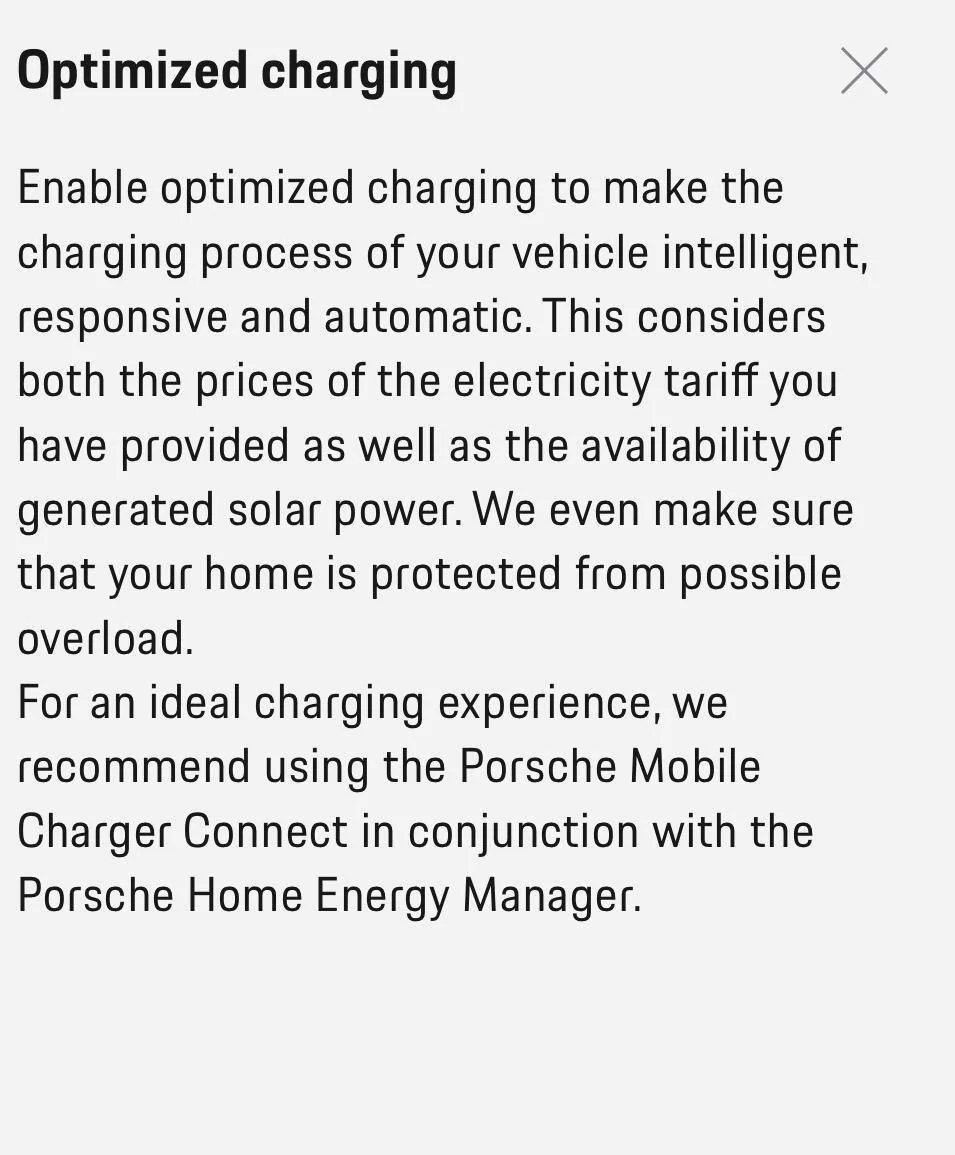
So, it seems to want to interact with other things to "optimize" charging, but...how? When left overnight, it did not charge. Should it have done so?
I find the whole thing vaguely baffling.
Sponsored