Sponsored

In big recent recall, was there update for the charger connect that allowed it to display the battery percentage?

tuptaycan4S

Active Member
First Name
Lowell
Joined
Oct 23, 2020
Threads
4
Messages
41
Reaction score
16
Location
Pelham Ontario
Vehicles
2020 Taycan 4S
Country flag
Does anyone know if, among all the updates included in the big recent recall, there was an update for the charger connect that allowed it to display the battery percentage?
I’m sure I read this on the letter I got from Porsche. Of course I threw out the letter, and can’t find a copy of it anywhere online. Having had all the updates recently performed, my charger doesn’t display battery percentage. Any online reports covering software updates only really detail the changes to the car. Any help would be appreciated.
Sponsored

 

W1NGE

Well-Known Member
First Name
Adrian
Joined
Jan 11, 2021
Threads
53
Messages
11,017
Reaction score
6,805
Location
Aberdeen, Scotland
Vehicles
992.2, ex GTS ST & 4S owner, Macan T
Country flag
I don't recall that specific enhancement being called out but that more compatibility with more EVSEs (charge points).

Also, if you have the PMCC do you have PLC to the vehicle enabled?

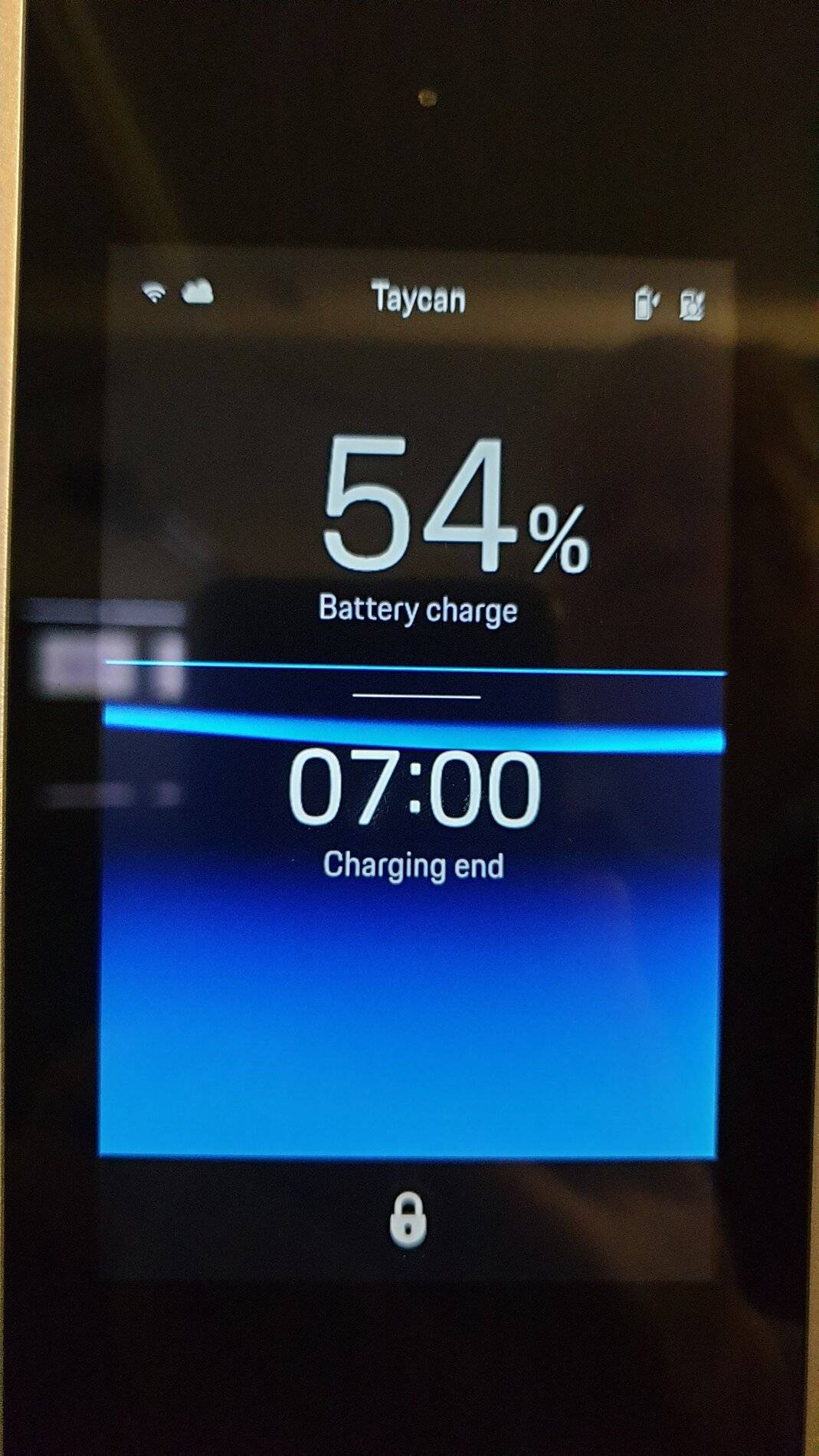
I have this setting and I get the SOC displayed whilst the PMCC is in pause mode - blue screen. Turns green when changing is in progress.
 
OP
OP

tuptaycan4S

Active Member
First Name
Lowell
Joined
Oct 23, 2020
Threads
4
Messages
41
Reaction score
16
Location
Pelham Ontario
Vehicles
2020 Taycan 4S
Country flag
Thank you….I had no idea it was model year dependant. Kind of disappointing.
I appreciate the response.
 

SwissTaycan

Well-Known Member
First Name
Dieter
Joined
Oct 7, 2020
Threads
14
Messages
227
Reaction score
225
Location
Zurich
Vehicles
4S arrived on 23.12.20 and 718 Spyder on order
Country flag
Different question: does the Porsche charger "recognise" your car with a full serial number and further details? Mine just says that a car is connected but can not identify it beyond that. I seem to remember that others had more detail visible.

Oddly when I go in for the recall at the end of the month, they were very insistent that I bring the PMCC with me.


W1NGE

Well-Known Member
First Name
Adrian
Joined
Jan 11, 2021
Threads
53
Messages
11,017
Reaction score
6,805
Location
Aberdeen, Scotland
Vehicles
992.2, ex GTS ST & 4S owner, Macan T
Country flag
Different question: does the Porsche charger "recognise" your car with a full serial number and further details? Mine just says that a car is connected but can not identify it beyond that. I seem to remember that others had more detail visible.

Oddly when I go in for the recall at the end of the month, they were very insistent that I bring the PMCC with me.
If you have PMCC then enable 'PLC to vehicle' within the PMCC setup (you may need to logon to PMC Connect Web to do this).

When enabled your car will send a dummy PID (VIN) which the PMCC recognises as 'Taycan'. Add this entry to your trusted vehicle list on the PMCC. Enable PIN (if not already) and when you next connect the handshake will be done, no PIN required, will display 'Taycan' at the top and start / pause charging session as per below:

Porsche Taycan In big recent recall, was there update for the charger connect that allowed it to display the battery percentage? 20210303_164428
 

W1NGE

Well-Known Member
First Name
Adrian
Joined
Jan 11, 2021
Threads
53
Messages
11,017
Reaction score
6,805
Location
Aberdeen, Scotland
Vehicles
992.2, ex GTS ST & 4S owner, Macan T
Country flag
Some PMCC's need a firmware update. Mine didn't (Nov'20 delivery) so it could be for this reason.
 
OP
OP

tuptaycan4S

Active Member
First Name
Lowell
Joined
Oct 23, 2020
Threads
4
Messages
41
Reaction score
16
Location
Pelham Ontario
Vehicles
2020 Taycan 4S
Country flag
If you have PMCC then enable 'PLC to vehicle' within the PMCC setup (you may need to logon to PMC Connect Web to do this).

When enabled your car will send a dummy PID (VIN) which the PMCC recognises as 'Taycan'. Add this entry to your trusted vehicle list on the PMCC. Enable PIN (if not already) and when you next connect the handshake will be done, no PIN required, will display 'Taycan' at the top and start / pause charging session as per below:

20210303_164428.jpg
I will give this a try. Thank you for the advice.


SwissTaycan

Well-Known Member
First Name
Dieter
Joined
Oct 7, 2020
Threads
14
Messages
227
Reaction score
225
Location
Zurich
Vehicles
4S arrived on 23.12.20 and 718 Spyder on order
Country flag
Thanks @W1NGE . Think I need a firmware update then as when I try to do this I get an error on the PMCC.

Maybe that is why they want me to bring it in. Software is up to date by maybe there is a firmware only Porsche can do…
 
OP
OP

tuptaycan4S

Active Member
First Name
Lowell
Joined
Oct 23, 2020
Threads
4
Messages
41
Reaction score
16
Location
Pelham Ontario
Vehicles
2020 Taycan 4S
Country flag
I’m not seeing the “enable plc to vehicle” on the pmcc. Should be under settings? Not sure what I’m doing wrong.
 

W1NGE

Well-Known Member
First Name
Adrian
Joined
Jan 11, 2021
Threads
53
Messages
11,017
Reaction score
6,805
Location
Aberdeen, Scotland
Vehicles
992.2, ex GTS ST & 4S owner, Macan T
Country flag
Have you logged on to the PMCC using the username and password provided in the white envelope you got with the PMCC?
 

SwissTaycan

Well-Known Member
First Name
Dieter
Joined
Oct 7, 2020
Threads
14
Messages
227
Reaction score
225
Location
Zurich
Vehicles
4S arrived on 23.12.20 and 718 Spyder on order
Country flag
@tuptaycan4S not on the PMCC but you have to log into it via the PMCC web application.
 
OP
OP

tuptaycan4S

Active Member
First Name
Lowell
Joined
Oct 23, 2020
Threads
4
Messages
41
Reaction score
16
Location
Pelham Ontario
Vehicles
2020 Taycan 4S
Country flag
Ok. I was able to login to pmcc web app.
found the plc pairing button on pmcc.
located the PLC menu on the web app
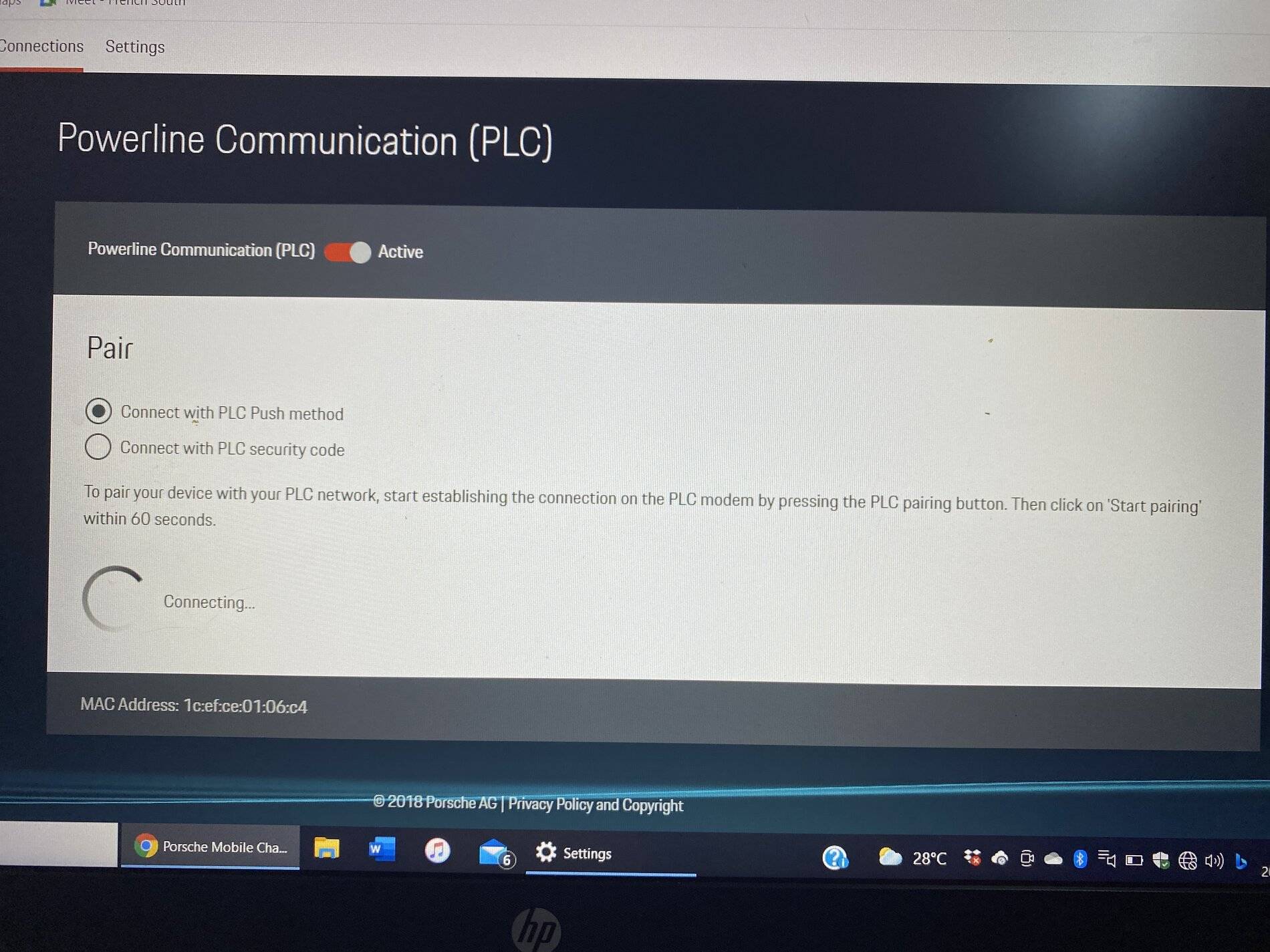
Selected “connect with PLC push method”
Then pressed PLC pairing button on PMCC.
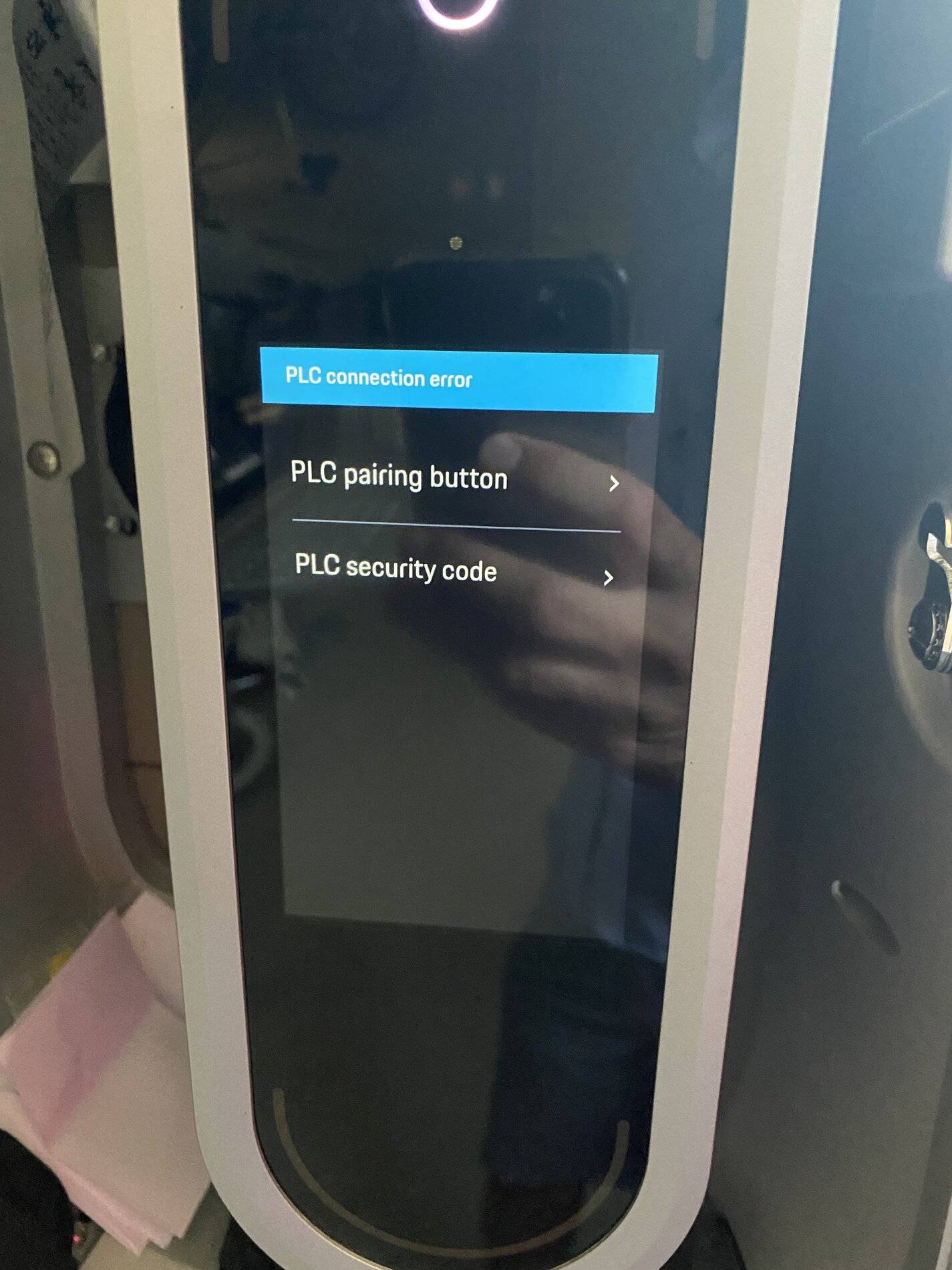
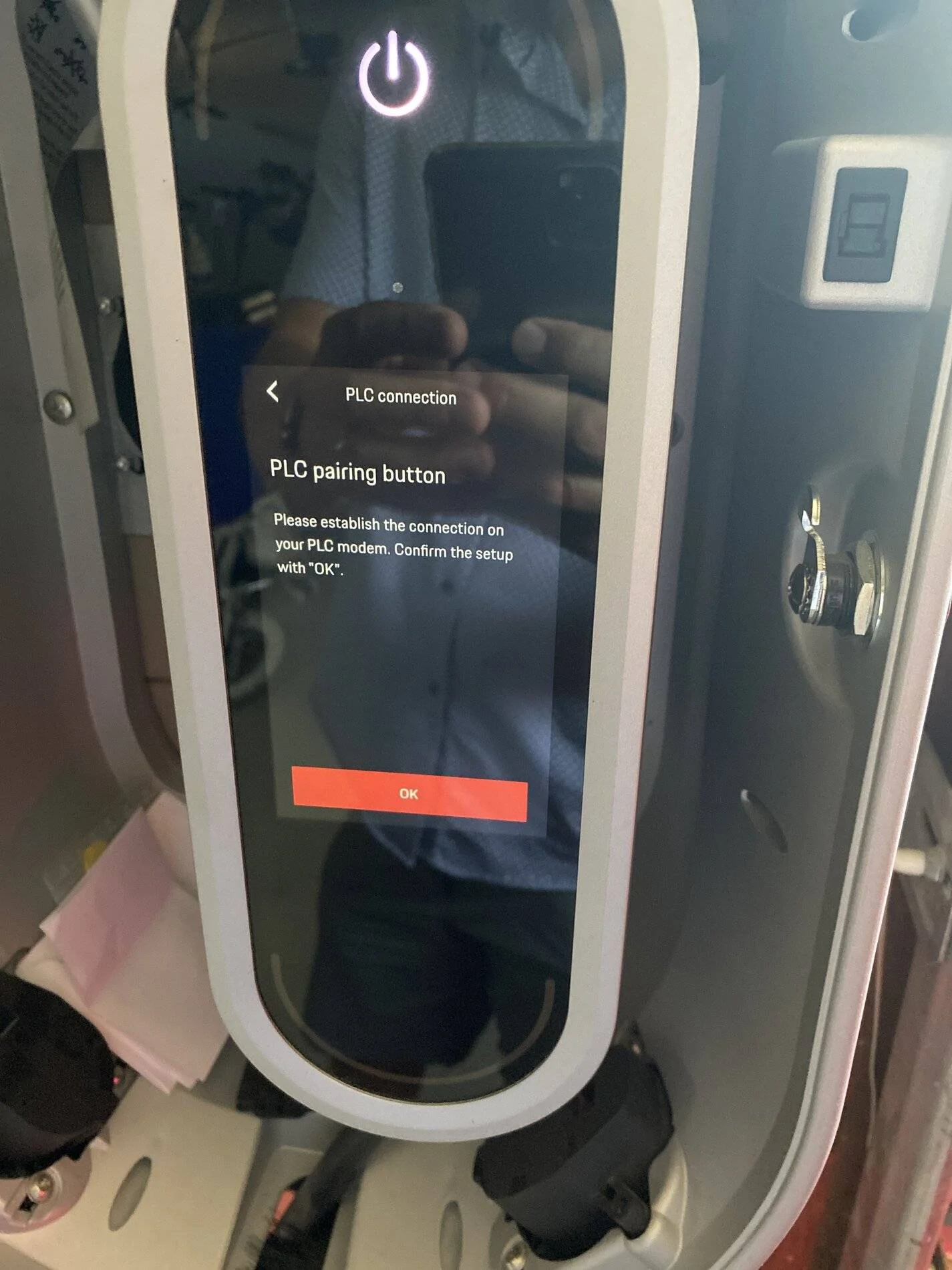
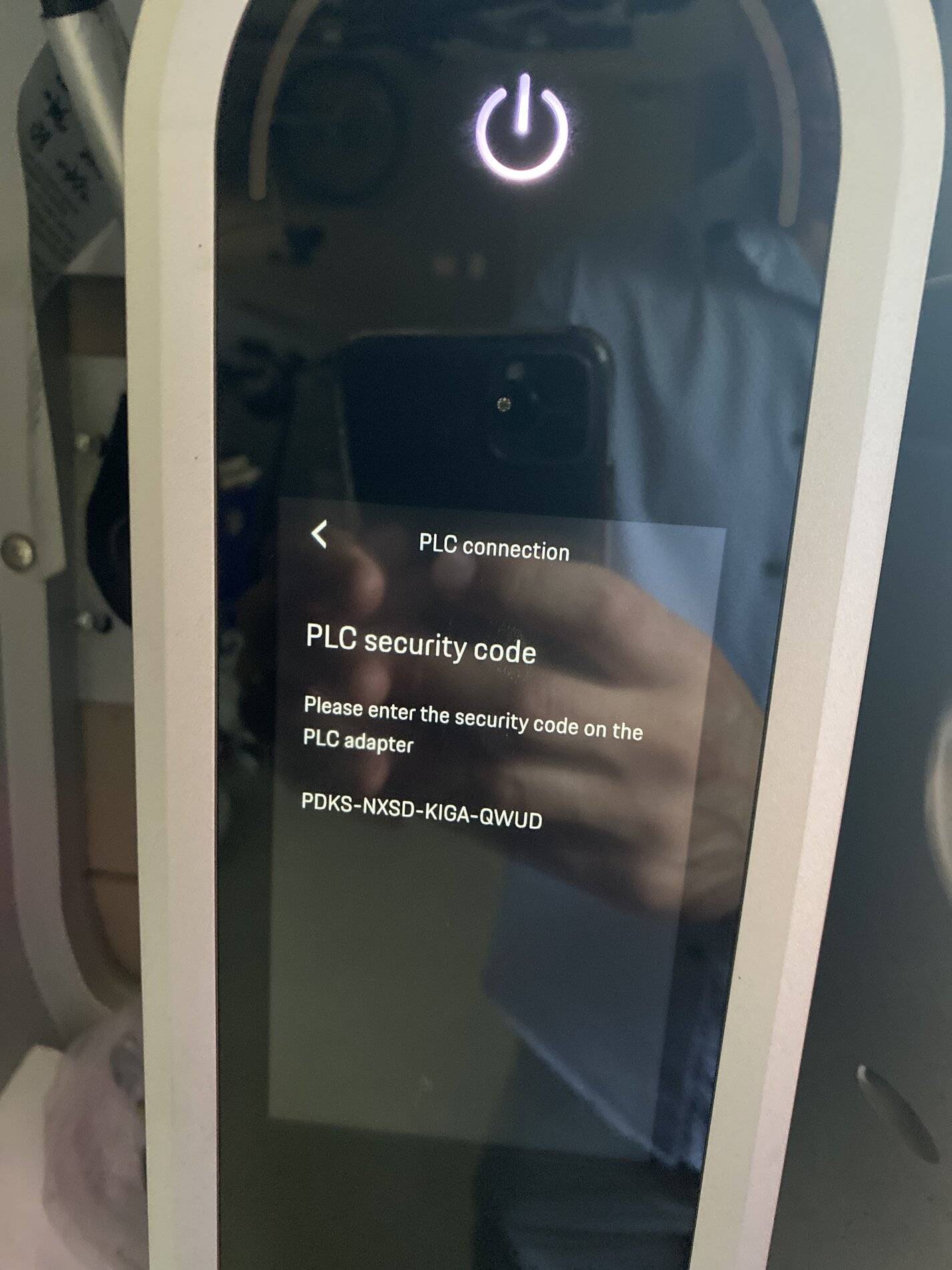
got the following results: see images.
And I have no idea what a PLC adapter is.
I’m at a loss here. What am I missing?

Porsche Taycan In big recent recall, was there update for the charger connect that allowed it to display the battery percentage? DE931417-B5DB-4F28-8630-40CDC6F583DC


Porsche Taycan In big recent recall, was there update for the charger connect that allowed it to display the battery percentage? imag


Porsche Taycan In big recent recall, was there update for the charger connect that allowed it to display the battery percentage? image


Porsche Taycan In big recent recall, was there update for the charger connect that allowed it to display the battery percentage? image
 

W1NGE

Well-Known Member
First Name
Adrian
Joined
Jan 11, 2021
Threads
53
Messages
11,017
Reaction score
6,805
Location
Aberdeen, Scotland
Vehicles
992.2, ex GTS ST & 4S owner, Macan T
Country flag
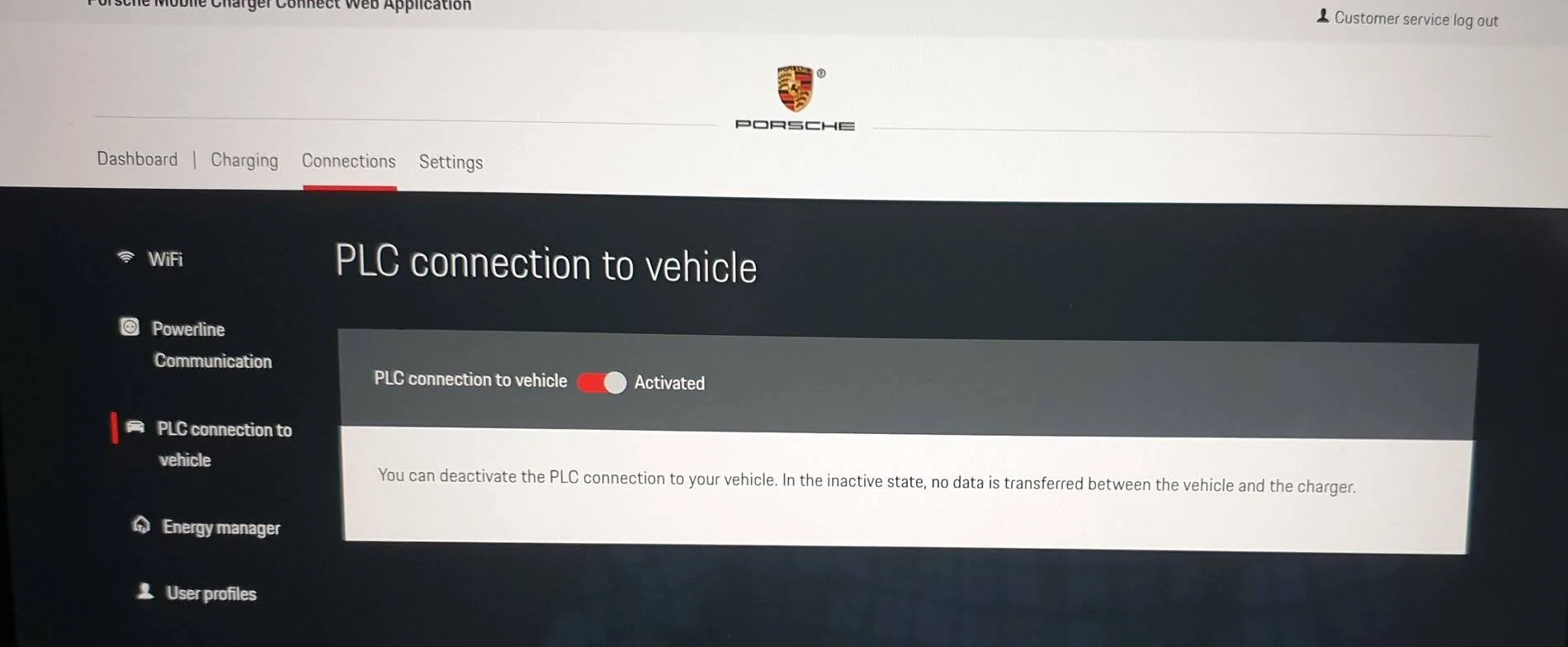
No, no instruction was given to enable PLC pairing so please disable that as your PMCC is already WiFi connected.

Login as Customer Service via the web portal.

From the Connections menu select PLC connection to vehicle and activate.

Porsche Taycan In big recent recall, was there update for the charger connect that allowed it to display the battery percentage? 20210822_083408
 

SwissTaycan

Well-Known Member
First Name
Dieter
Joined
Oct 7, 2020
Threads
14
Messages
227
Reaction score
225
Location
Zurich
Vehicles
4S arrived on 23.12.20 and 718 Spyder on order
Country flag
Still does not work for me. Something is failing for some reason.

On PMCC I can choose Network status (the option below PLC on the PMCC menu) and I can see that the PMCC is connected to my wireless connection in the garage bit that PLC is not connected.

When I then activate PLC on the web application (so @W1NGE picture above) I actually see on the PMCC that the connection status changes to “connecting”…. However after a minute or so it fails and nothing connects.

I PIN protected my PMCC as I thought maybe it only works if PIN protected. Now whilst writing this I realized the car was connected to the PMCC during the process. Could that be the mistake?
Sponsored


Top