Sponsored

Navi favorites change name

Pytek

Member
First Name
Kris
Joined
Oct 13, 2020
Threads
1
Messages
5
Reaction score
0
Location
China
Vehicles
Macan , Taycan
Country flag
Hello,
How to rename an entry in the navigation favorites ? Instead of displayed address I would like to see something more simple like “gym“ , “ uncle Ben “ . I cannot find it in the Taycan manual .
Sponsored


 

esortho

Well-Known Member
First Name
Soren
Joined
Mar 16, 2020
Threads
4
Messages
58
Reaction score
44
Location
Stockholm, Sweden
Vehicles
Taycan 4S
Country flag
You can edit it using the Porsche Connect web portal. There you can also add new ones as well as send the next target to your car in advance.
 

evanevery

Well-Known Member
First Name
Ed
Joined
Sep 10, 2019
Threads
38
Messages
998
Reaction score
1,143
Location
Wisconsin
Vehicles
2020 Taycan Turbo S, 2019 BMW i8, 2023 BMW iXM60
Country flag
You can edit it using the Porsche Connect web portal. There you can also add new ones as well as send the next target to your car in advance.
Be aware that if you send down the address of a charging station to the nav system (via the web site), the car will not recognize it as a charging location! You will have to "convert" the address to a charging location by selecting the favorite (you sent down) -> "Find Nearby Chargers" -> "Porsche Charging Service" and then selecting the EXACT SAME ADDRESS as a new "favorite". You will then want to delete the original favorite to eliminate the duplicate...

If you don't "convert" the favorite you will have to fight with the Nav system as it inexplicably tries to route you to some other charger (sometimes 20-30 miles away) even though you specify a "stopover" at a charging address. Brain dead...

Ask me how I know....
 
OP
OP

Pytek

Member
First Name
Kris
Joined
Oct 13, 2020
Threads
1
Messages
5
Reaction score
0
Location
China
Vehicles
Macan , Taycan
Country flag
Be aware that if you send down the address of a charging station to the nav system (via the web site), the car will not recognize it as a charging location! You will have to "convert" the address to a charging location by selecting the favorite (you sent down) -> "Find Nearby Chargers" -> "Porsche Charging Service" and then selecting the EXACT SAME ADDRESS as a new "favorite". You will then want to delete the original favorite to eliminate the duplicate...

If you don't "convert" the favorite you will have to fight with the Nav system as it inexplicably tries to route you to some other charger (sometimes 20-30 miles away) even though you specify a "stopover" at a charging address. Brain dead...

Ask me how I know....
Thanks for sharing your experience.
 
OP
OP

Pytek

Member
First Name
Kris
Joined
Oct 13, 2020
Threads
1
Messages
5
Reaction score
0
Location
China
Vehicles
Macan , Taycan
Country flag
You can edit it using the Porsche Connect web portal. There you can also add new ones as well as send the next target to your car in advance.
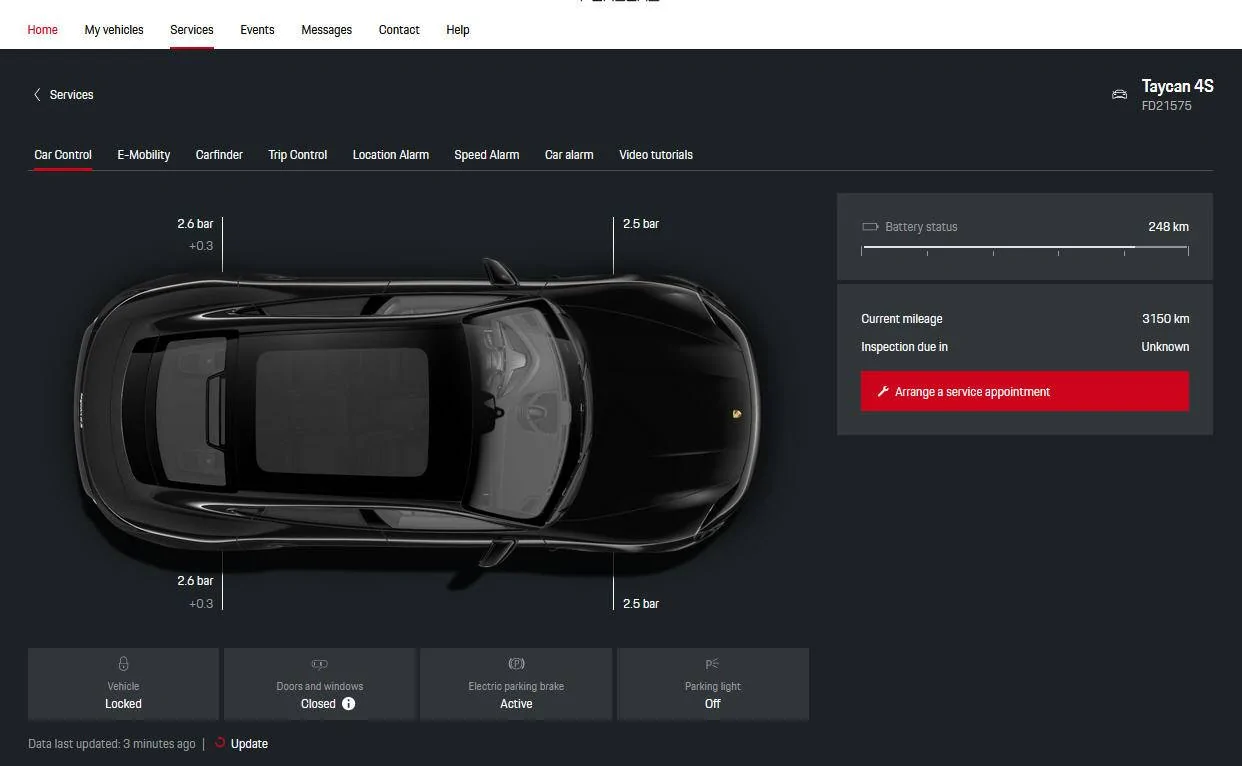
How to edit navigation entries via Porsche Connect web portal , i am struggling to find it, or maybe in china this function is not active ? I am attaching screenshot , anybody can help , thanks

Porsche Taycan Navi favorites change name porsche connect
 

Attachments


TIM

Well-Known Member
First Name
Philippe
Joined
Mar 10, 2019
Threads
33
Messages
200
Reaction score
294
Location
Switzerland
Vehicles
Yes!
Country flag
Hello,
How to rename an entry in the navigation favorites ? Instead of displayed address I would like to see something more simple like “gym“ , “ uncle Ben “ . I cannot find it in the Taycan manual .
Hi Kris,
I also had this problem, the only I found to do it is when you create the adress through the connect portal, here is my step-by-step to see if you have any difference in China.

Cheers


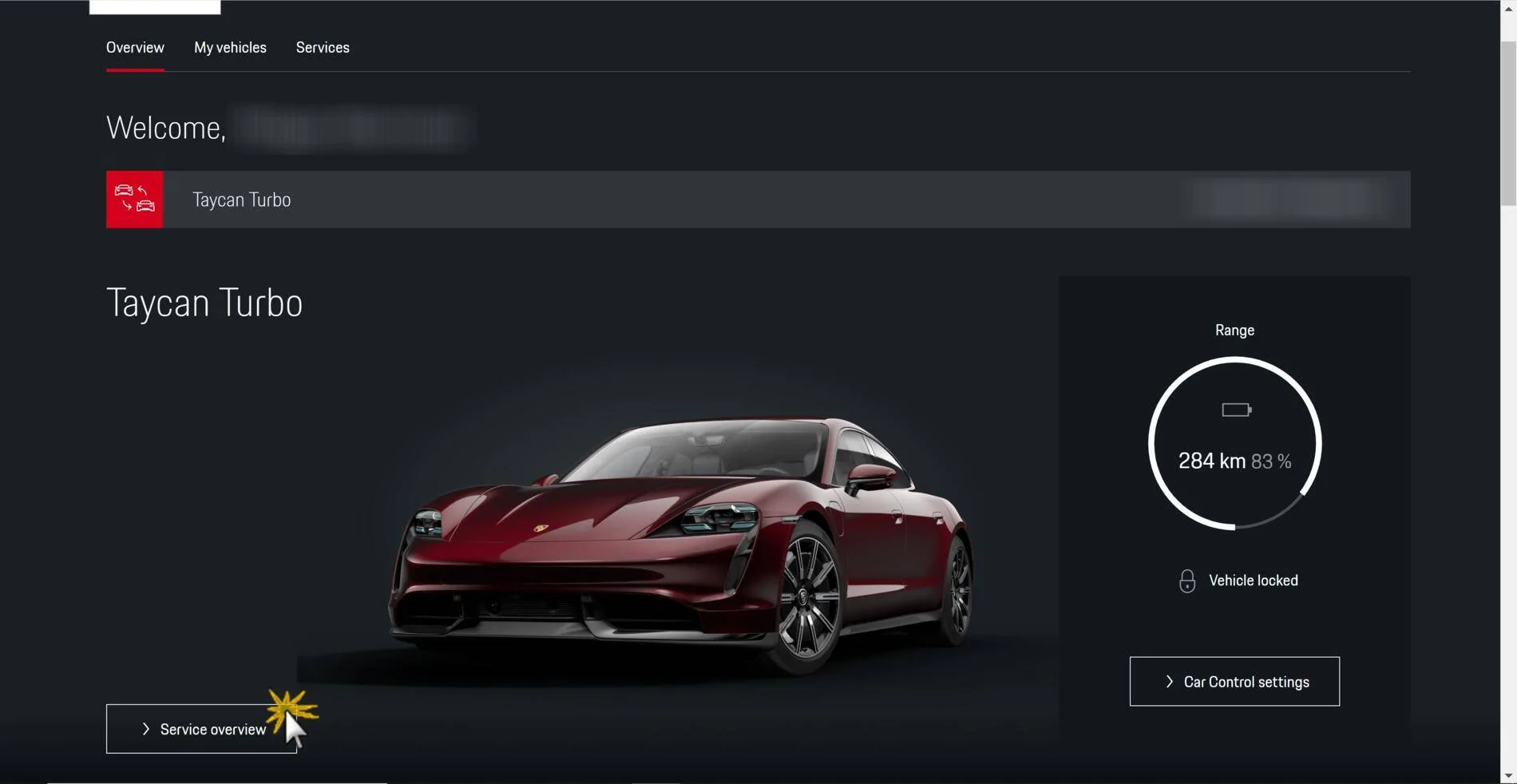
1. Login to Porsche Connect and click "overview services"
Porsche Taycan Navi favorites change name 1609650594152


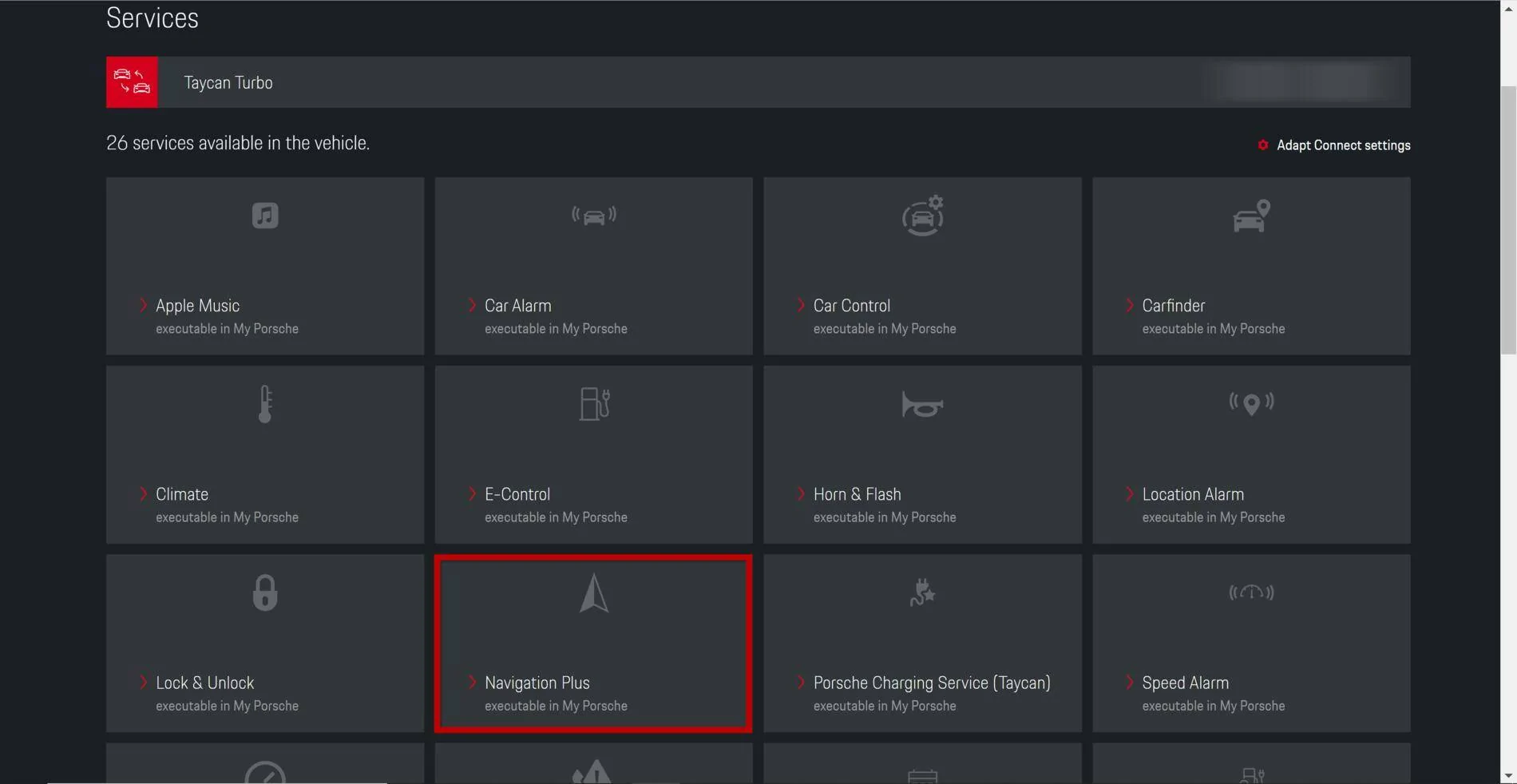
2. Click "navigation plus"
Porsche Taycan Navi favorites change name 1609650647242


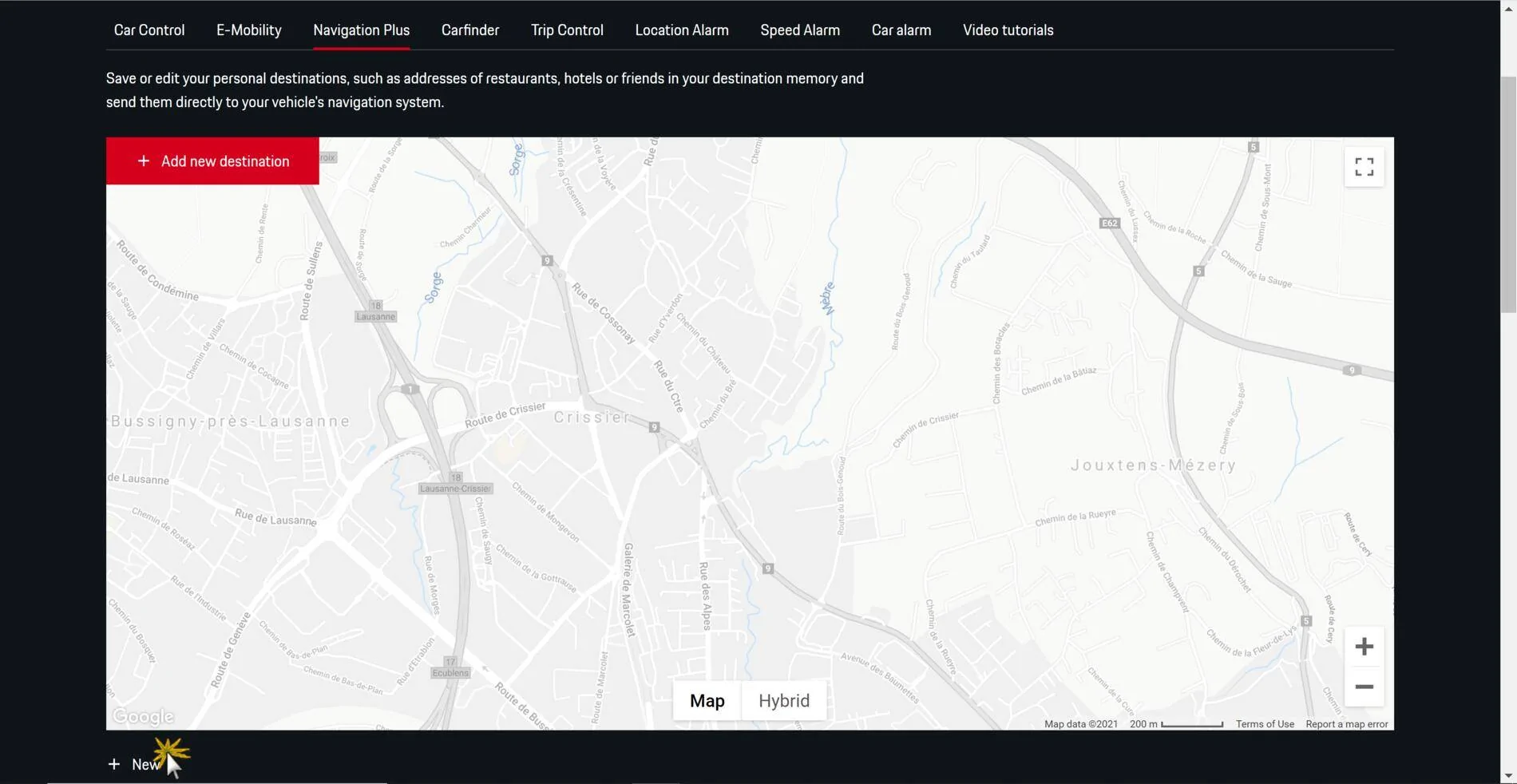
3. Click "new"
Porsche Taycan Navi favorites change name 1609650686820


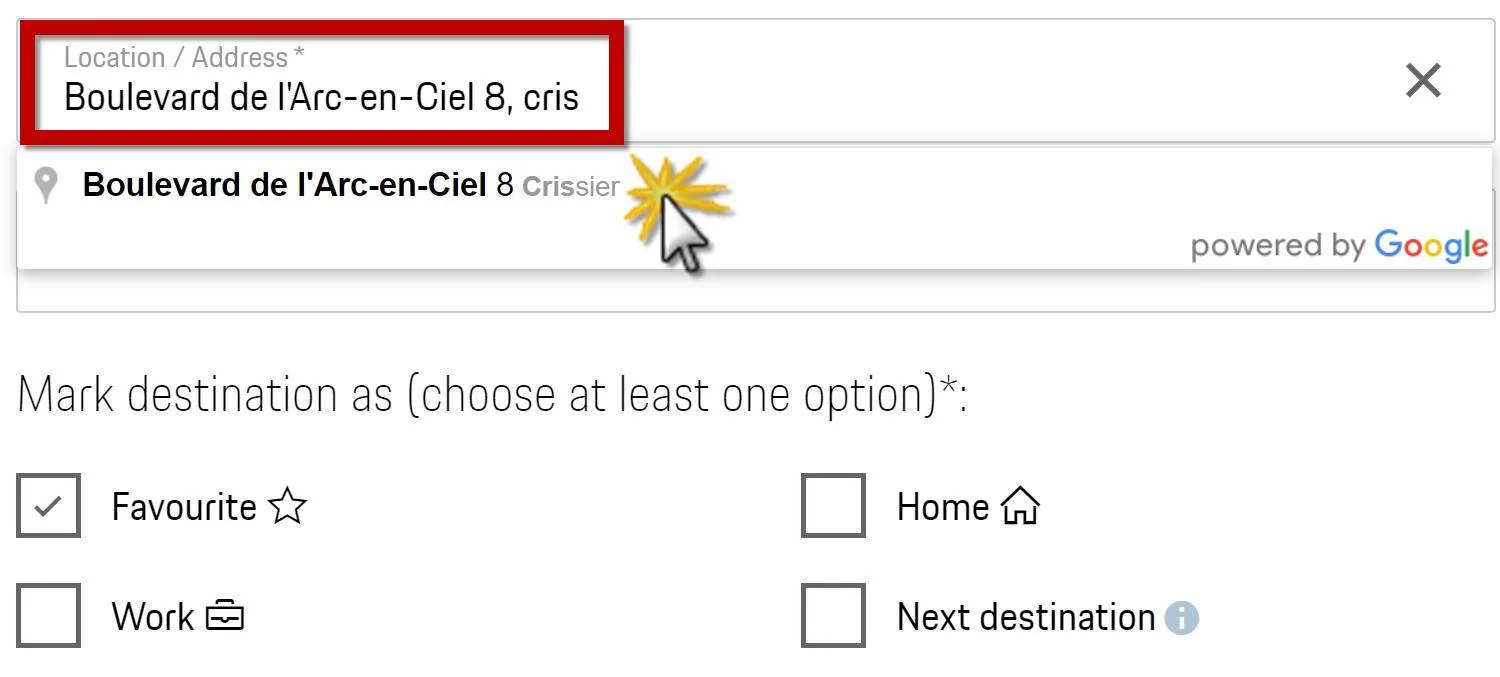
4.1 Type in your adress until you have a "more-or-less" fittable google adress
4.2 Select the google adress
Porsche Taycan Navi favorites change name 1609650769458


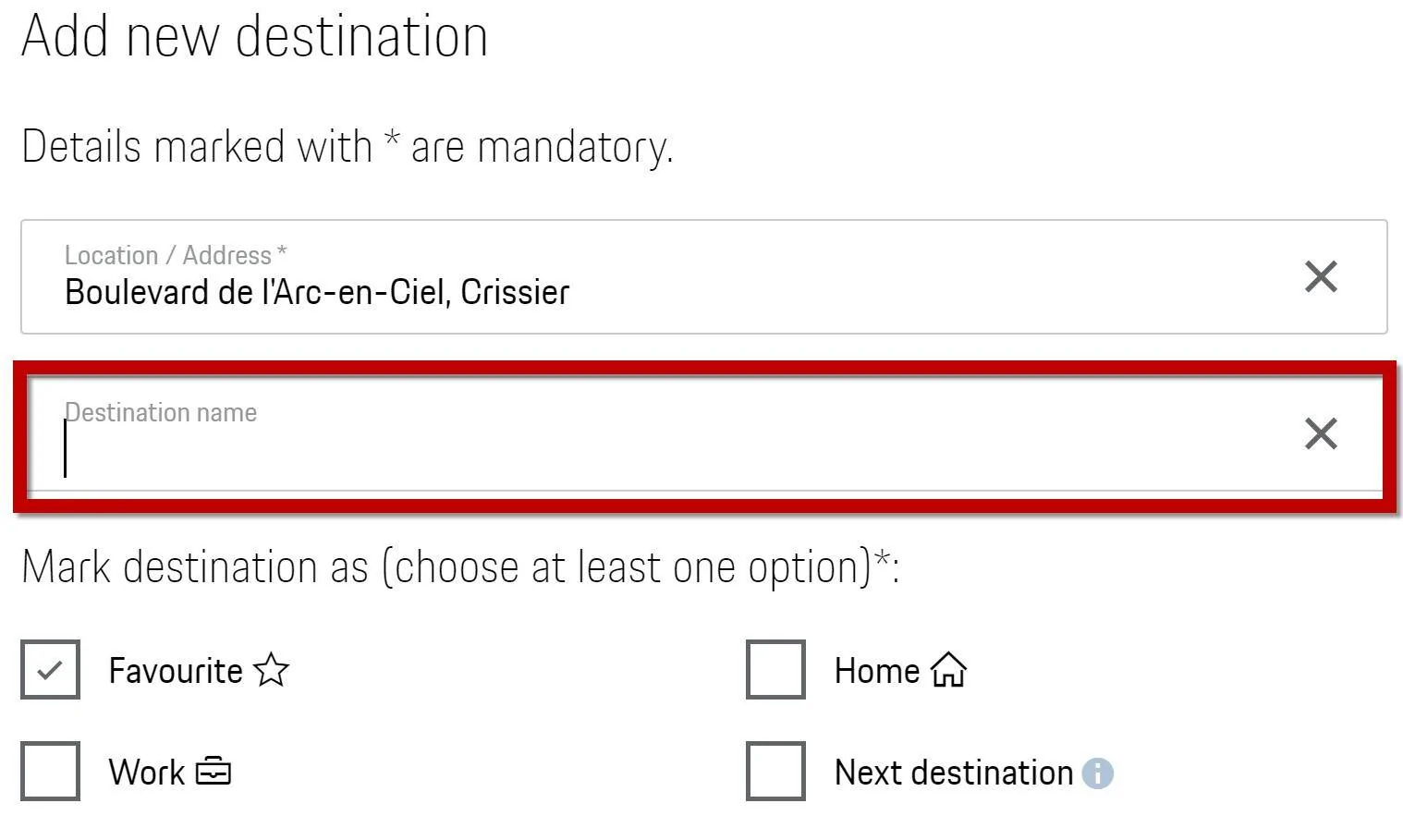
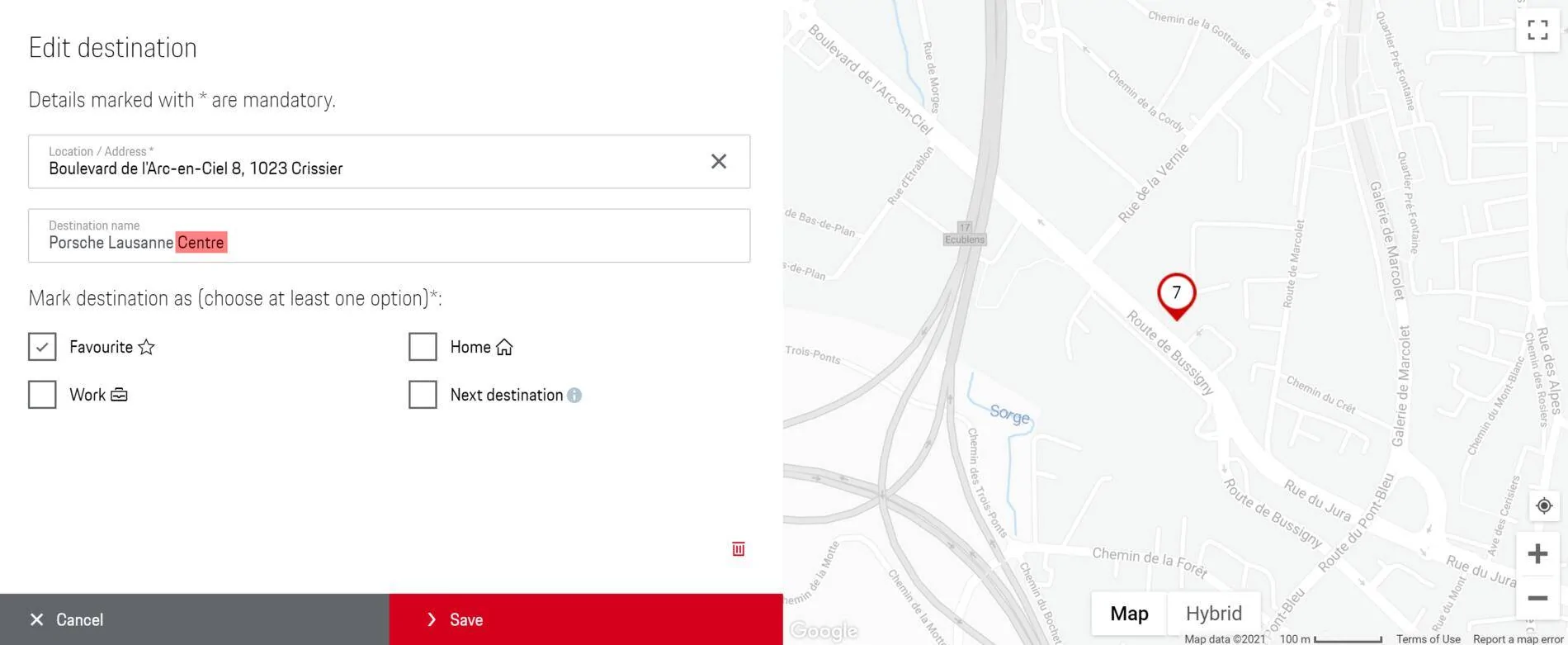
5. Type in your destination name (in this case Porsche Lausanne). BE CAREFUL YOU WON'T HAVE POSSIBILITY TO EDIT IT AFTERWARD update 1: you can change the destination name if you slightly move the destination on the map "up and down - back to it's initial position" you 'll see that a "cross" will come that will let you edit the destination name
Porsche Taycan Navi favorites change name 1609650875971


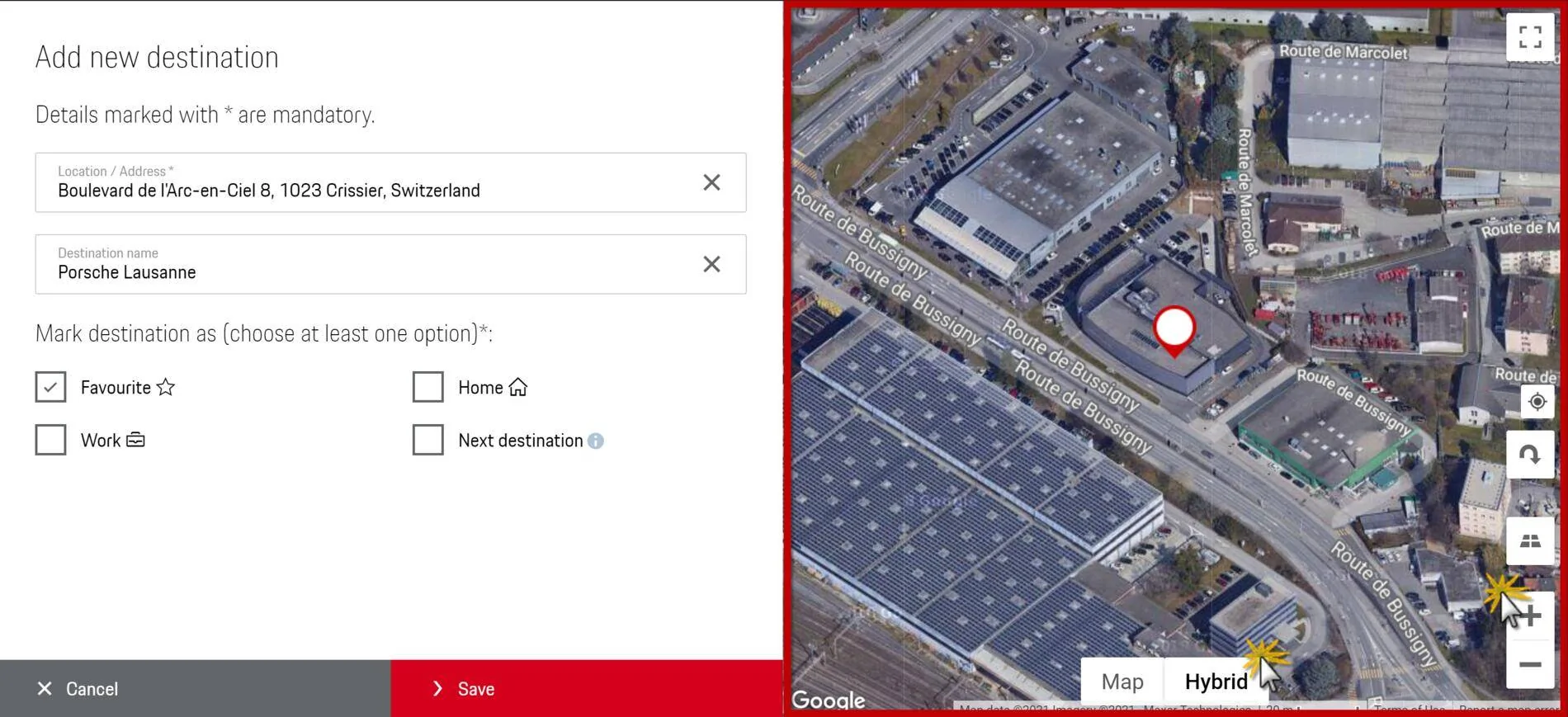
6. You can use the map to define exactly where you want to "place" your location
Porsche Taycan Navi favorites change name 1609650973692


Result

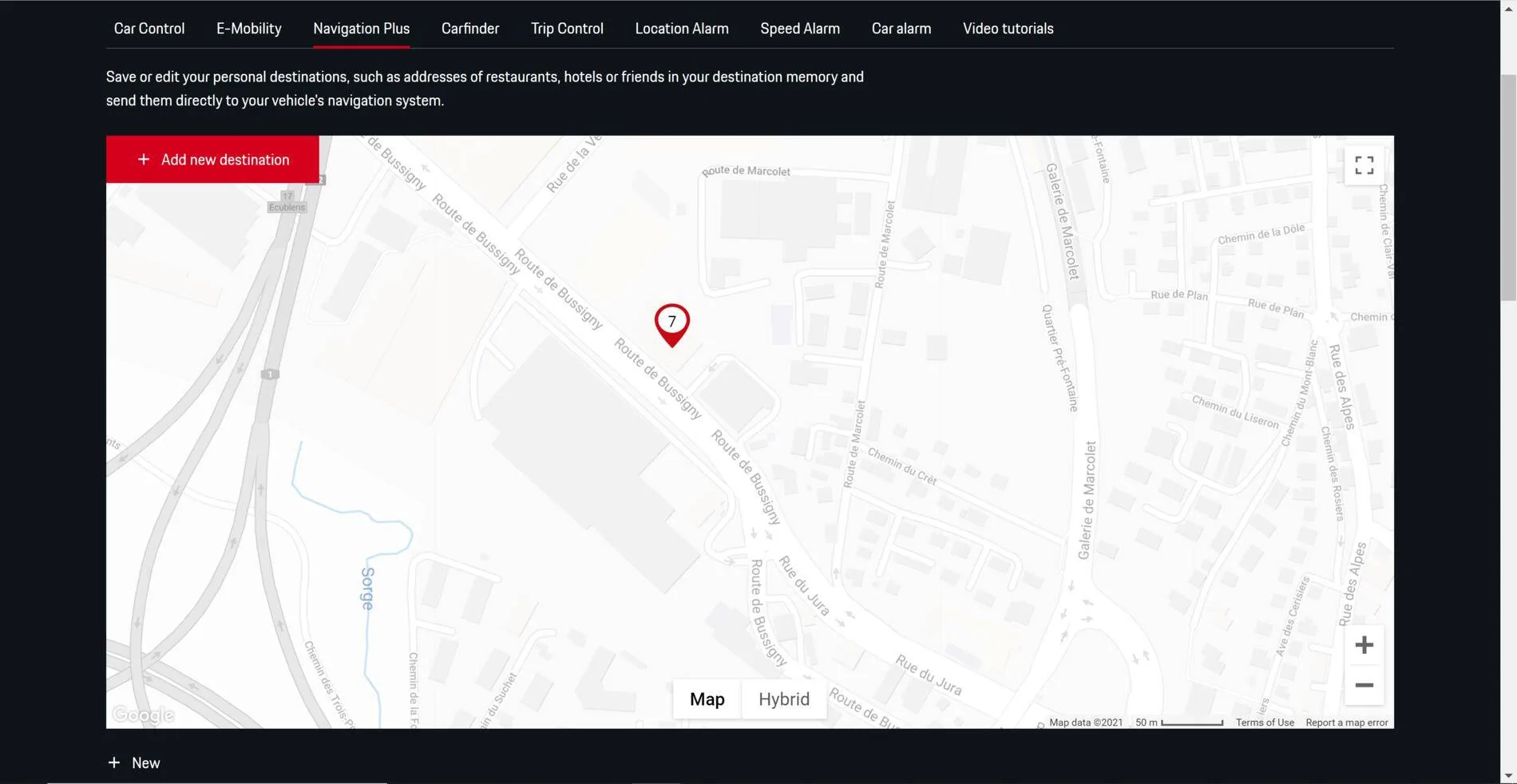
7.1 on the map
Porsche Taycan Navi favorites change name 1609651093081


7.2 on the favorites from the connect portal
Porsche Taycan Navi favorites change name 1609651143860


7.3 the detailled adress
Porsche Taycan Navi favorites change name 1609651232525

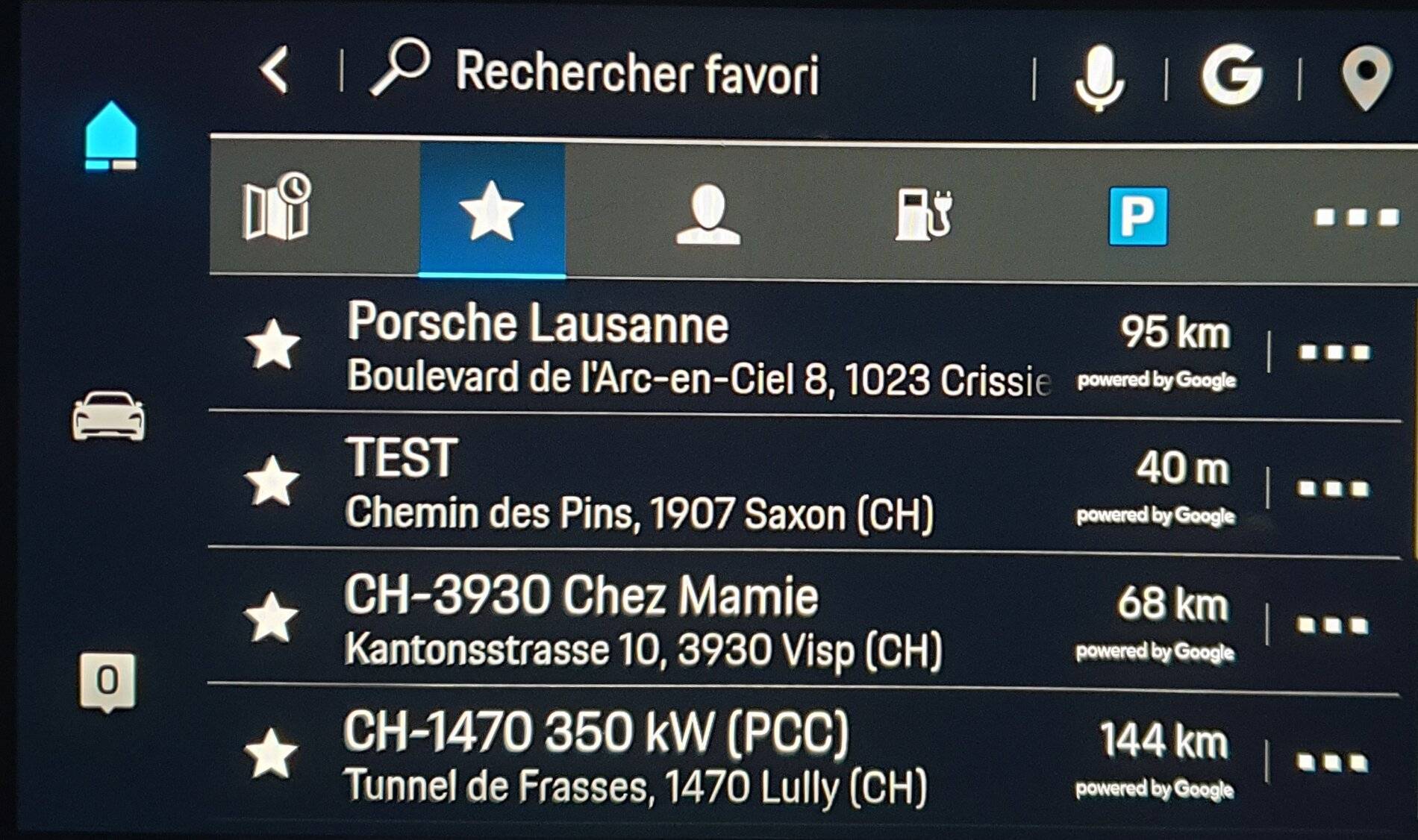
you'll notice that the destination name has change (I guess that what Goggle has in database for this adress) BUT not the favorite name in the Connect Portal nor in the Favorites from the car

7.4 on the PCM from my Taycan (it need a few minutes to receive it from the Porsche Connect)
Porsche Taycan Navi favorites change name 20210103_075751
 
Last edited:
OP
OP

Pytek

Member
First Name
Kris
Joined
Oct 13, 2020
Threads
1
Messages
5
Reaction score
0
Location
China
Vehicles
Macan , Taycan
Country flag
Hello Philippe

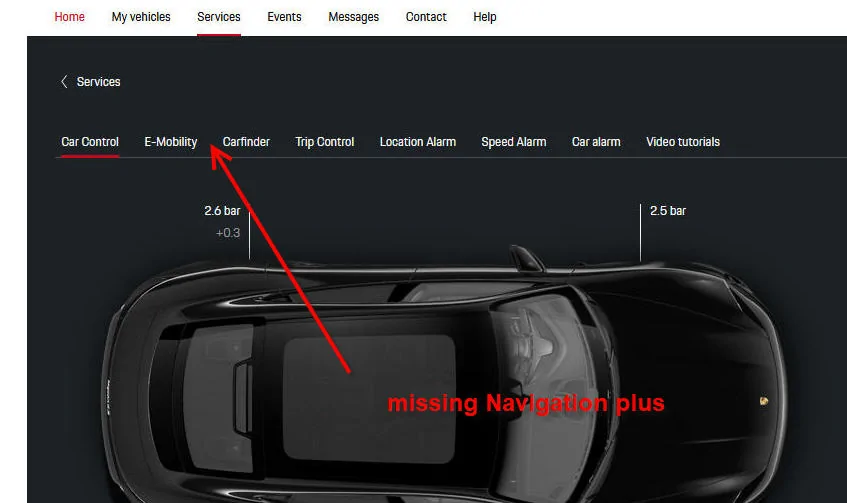
Thanks for your help and screenshots . I found that I don’t have a link to Navigation Plus , service is open but when I click on it I am not redirected to Navigation Plus tab.

This tab do not exist.....

I try to explain this to Porsche China but seems in China this service is not working , as many many others. Honestly If I knew before that Taycan PCM is a crap ,I would just go for 911.

Porsche Taycan Navi favorites change name ta
 
  • Angry
Reactions: TIM

TIM

Well-Known Member
First Name
Philippe
Joined
Mar 10, 2019
Threads
33
Messages
200
Reaction score
294
Location
Switzerland
Vehicles
Yes!
Country flag
Hello Philippe

Thanks for your help and screenshots . I found that I don’t have a link to Navigation Plus , service is open but when I click on it I am not redirected to Navigation Plus tab.

This tab do not exist.....

I try to explain this to Porsche China but seems in China this service is not working , as many many others. Honestly If I knew before that Taycan PCM is a crap ,I would just go for 911.

tab.webp
Out of curiosity of many services do you have available?

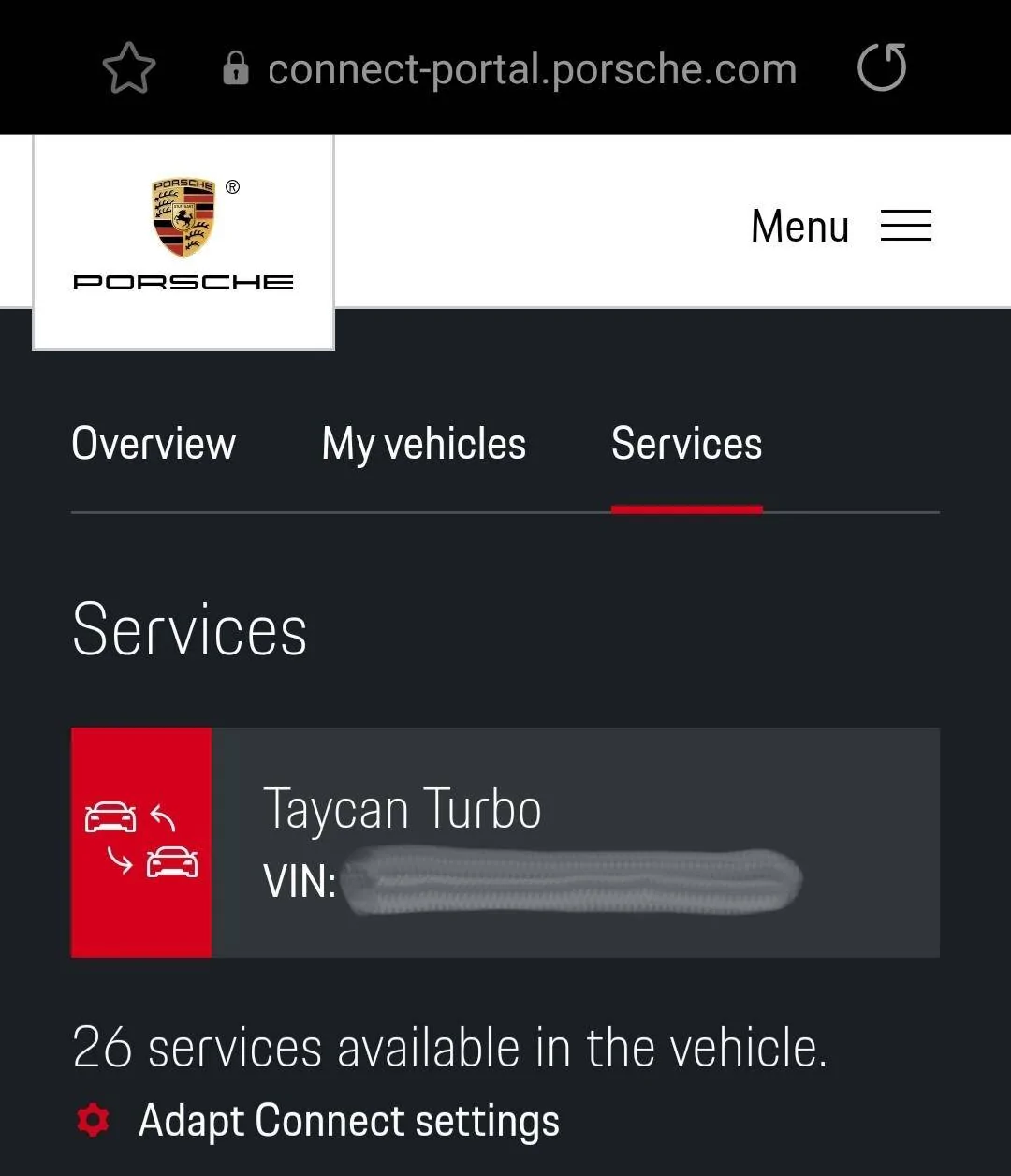
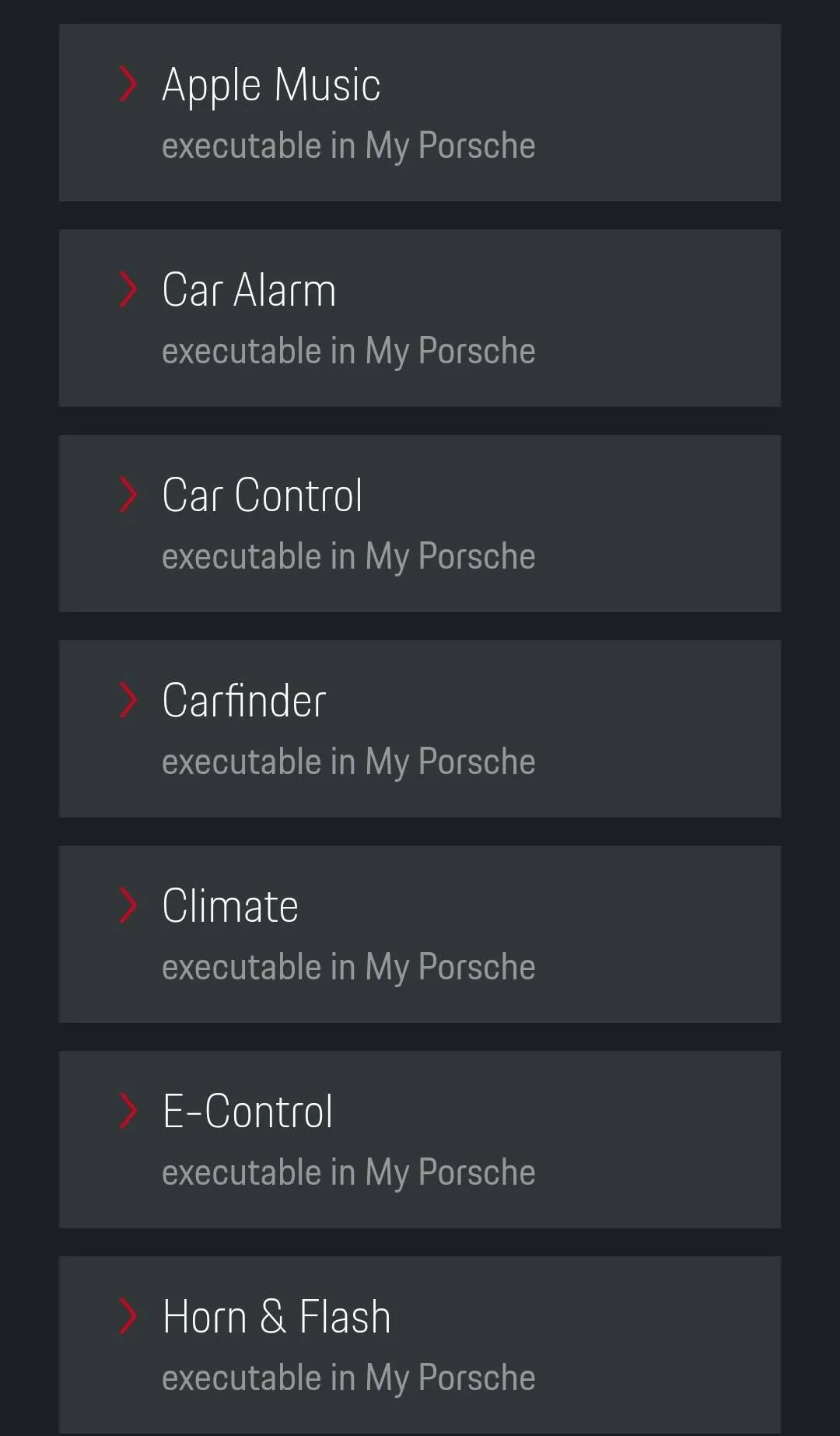
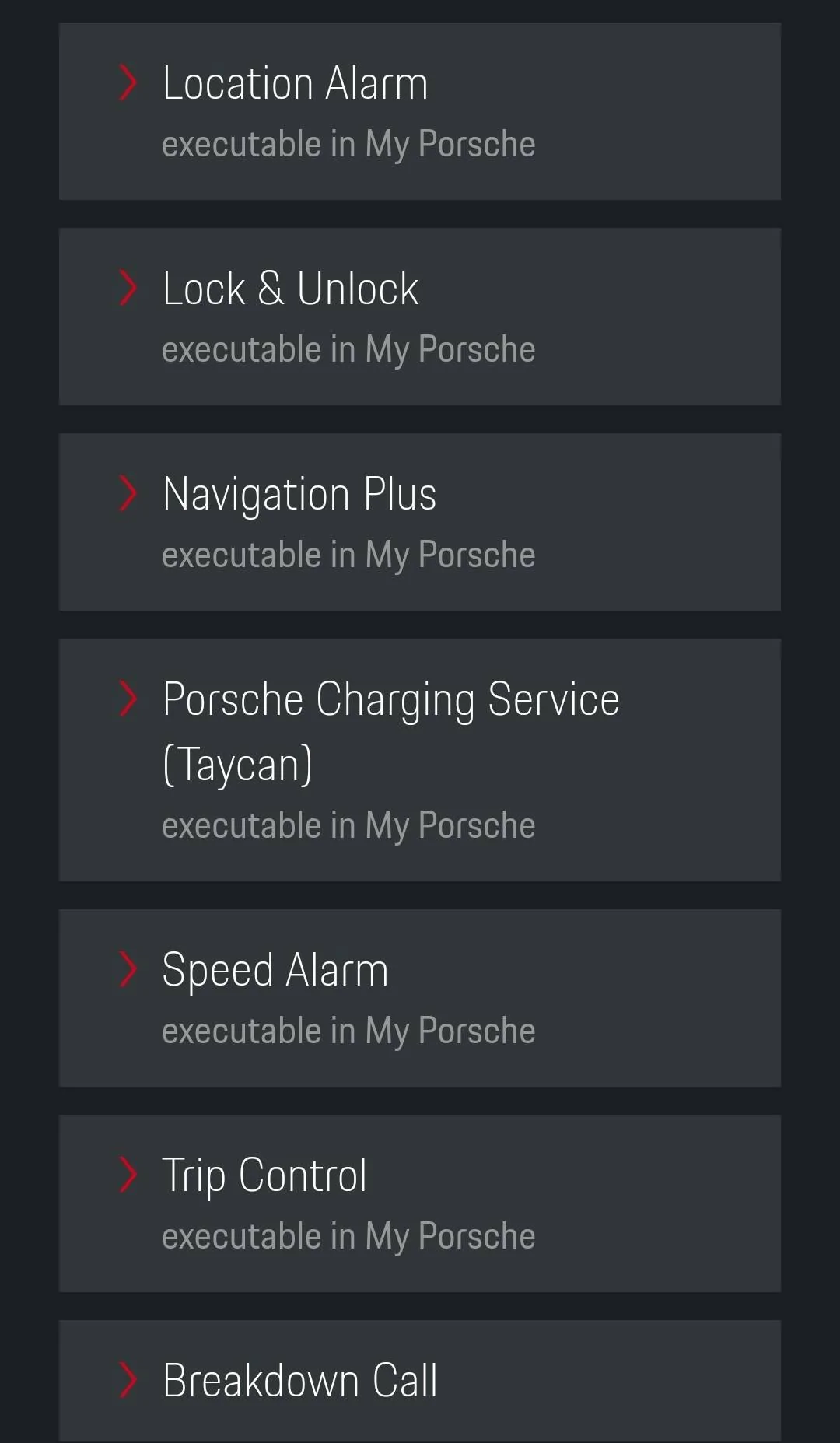
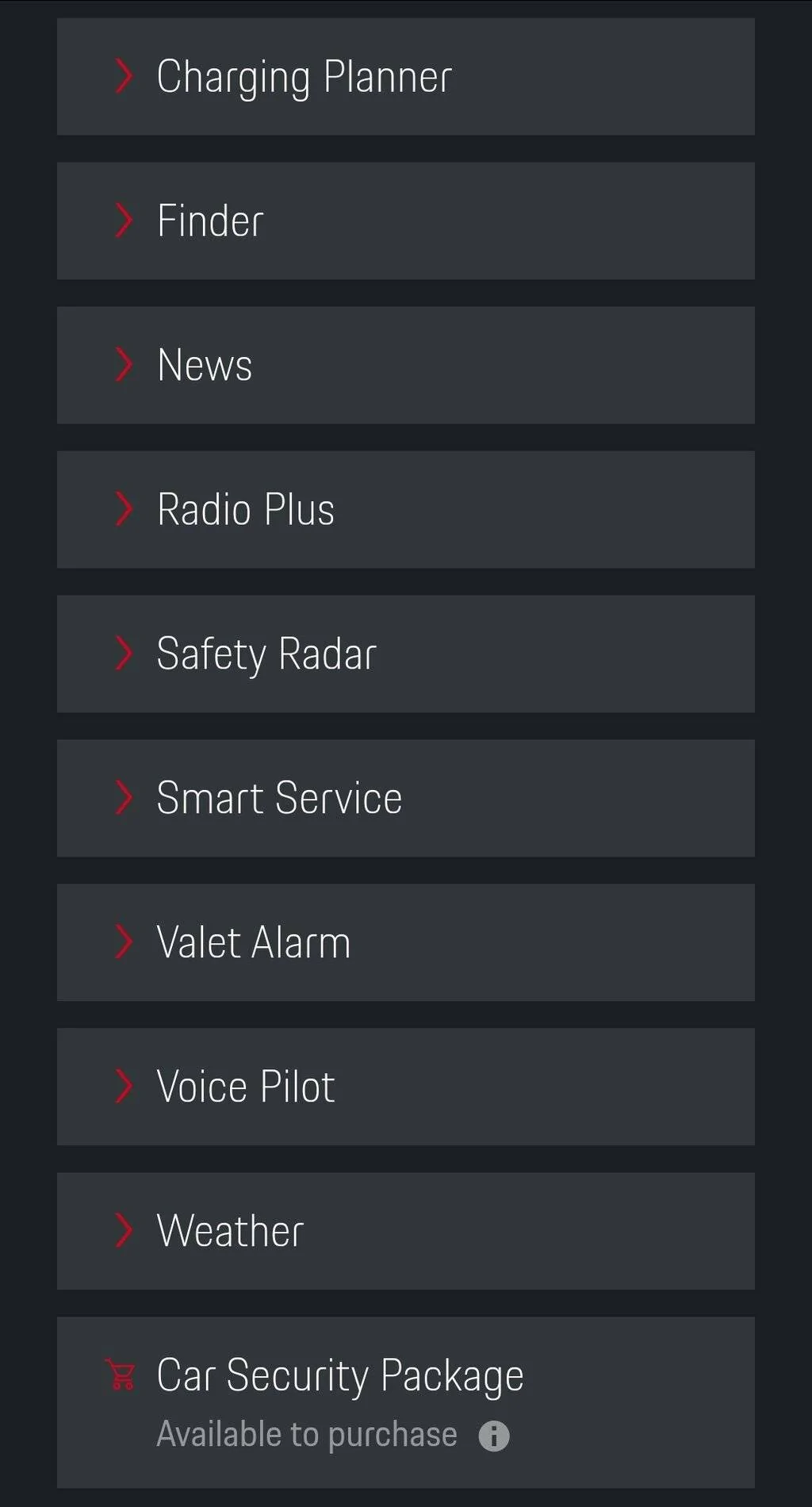
For reference here are all the 26 that I have available in Switzerland ?? .

Porsche Taycan Navi favorites change name 20210103_161901
Porsche Taycan Navi favorites change name Screenshot_20210103-161616_Samsung Internet
Porsche Taycan Navi favorites change name Screenshot_20210103-161640_Samsung Internet
Porsche Taycan Navi favorites change name Screenshot_20210103-161717_Samsung Internet
Porsche Taycan Navi favorites change name Screenshot_20210103-161751_Samsung Internet
 
Last edited:


OP
OP

Pytek

Member
First Name
Kris
Joined
Oct 13, 2020
Threads
1
Messages
5
Reaction score
0
Location
China
Vehicles
Macan , Taycan
Country flag
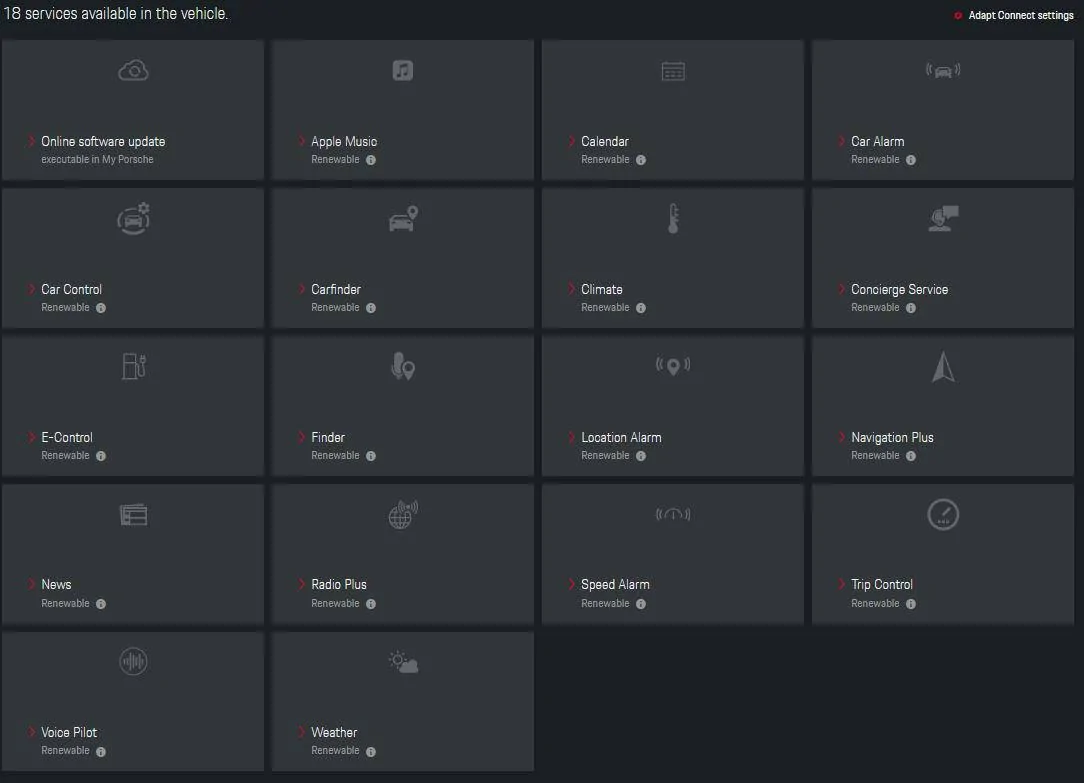
In China only 18 services are available and many of them not working.

For example Avoid traffic jams with real-time traffic information, map updates and personal routes not working.
Satellite view on Navi is not working probably because China ban to use google maps.

Apple music? I was lucky to get logged-in few time but every time i have to scan the code and log in again.

Car marketing is fantastic here , dealers are using international commercial about real-time traffic information or innodrive but none of them is working in China.

I feel cheated.

Porsche Taycan Navi favorites change name services in china
 
  • Sad
Reactions: TIM

feye

Well-Known Member
Joined
Sep 16, 2019
Threads
17
Messages
2,411
Reaction score
1,871
Location
Shenzhen, Munich
Vehicles
Porsche Taycan 4S+ 2020
Country flag
In China only 18 services are available and many of them not working.

For example Avoid traffic jams with real-time traffic information, map updates and personal routes not working.
Satellite view on Navi is not working probably because China ban to use google maps.
I do get traffic information on my Navi, but not right at the beginning and even now, it is slow, compare to Baidu Navi.

I do get regular map updates!

As for google sat images, complain to the government. Even Baidu Sat images shows hardly any details, at least not in north China near the Mongolian border.

Apple music? I was lucky to get logged-in few time but every time i have to scan the code and log in again.
I don't use Apple, I packed music as MP3 on a USB. Works well as along as the PCM can hold the current user... :headbang:
Porsche Taycan Navi favorites change name 1609808082464


Car marketing is fantastic here , dealers are using international commercial about real-time traffic information or innodrive but none of them is working in China.
True, but isn't this the same for all the other brands?

Yes, I do miss innodrive, would like to get it later on, but have no hope, that Porsche takes it's largest market serious enough!

I feel cheated.
Don't be! The car is amazing to drive!
 

Mook

Member
First Name
Mo
Joined
Oct 29, 2021
Threads
0
Messages
13
Reaction score
7
Location
NY-USA
Vehicles
Taycan Turbo S, Cayenne Turbo S, Merc 560SL
Country flag
All

The naming of favorite destinations in a Taycan is mind bending - despite following all your posts, I still cannot get to a point where it allows me to name the destination. I thought I had it but that step eludes me now or has been eliminated with the latest software update. Anyone able to name a favorite in the US? Help is needed if you can. Thank you.
Sponsored


Top