Sponsored

“Update Failed” Error Message

Ads1977

New Member
First Name
Asanka
Joined
Jan 6, 2024
Threads
1
Messages
4
Reaction score
1
Location
Edinburgh
Vehicles
Turbo
Country flag
On Friday, I had this message popped up on my dashboard. It was not an update I initiated; instead, it was a regular one that failed. Does anyone know whether there’s a way to initiate it again without going to the dealer? Although the message says functions are restricted, everything seems to work fine. But I'm sure there must be things not working that I’m not aware of ?

If it’s helpful, the car is a Turbo MY2022/UK version.

Porsche Taycan “Update Failed” Error Message IMG_0801
Sponsored


Tay Chi

Active Member
Joined
Sep 10, 2022
Threads
0
Messages
29
Reaction score
11
Location
Midwest
Vehicles
23’ GTS ST
Country flag
I got the same message for the WRW1 update. Is there a way to reset and attempt the update again, or would this be another dealer visit (ugh!)
 

chun

Well-Known Member
Joined
Feb 4, 2024
Threads
27
Messages
2,358
Reaction score
2,120
Location
Switzerland
Vehicles
Taycan Turbo 2020, Cayman GT4
Country flag
Maybe a two finger reset follow by parking in a zone with good signal
 

Sly_North

Well-Known Member
Joined
May 12, 2024
Threads
1
Messages
293
Reaction score
420
Location
Swiss/Zurich
Vehicles
2022 Taycan ST PB+
Country flag
+1 I would try a reboot of the PCM; then seeing in the "Update" entry if it can be reinstalled.


Tay Chi

Active Member
Joined
Sep 10, 2022
Threads
0
Messages
29
Reaction score
11
Location
Midwest
Vehicles
23’ GTS ST
Country flag
Thanks @chun and @Sly_North for the responses. Two finger reboot didnt work immediately, but will check tomorrow and update. I was not sure if there is a specific process or TSB for this (like SoH recalibration for example)
 

W1NGE

Well-Known Member
First Name
Adrian
Joined
Jan 11, 2021
Threads
53
Messages
11,017
Reaction score
6,805
Location
Aberdeen, Scotland
Vehicles
992.2, ex GTS ST & 4S owner, Macan T
Country flag
On Friday, I had this message popped up on my dashboard. It was not an update I initiated; instead, it was a regular one that failed. Does anyone know whether there’s a way to initiate it again without going to the dealer? Although the message says functions are restricted, everything seems to work fine. But I'm sure there must be things not working that I’m not aware of ?

If it’s helpful, the car is a Turbo MY2022/UK version.
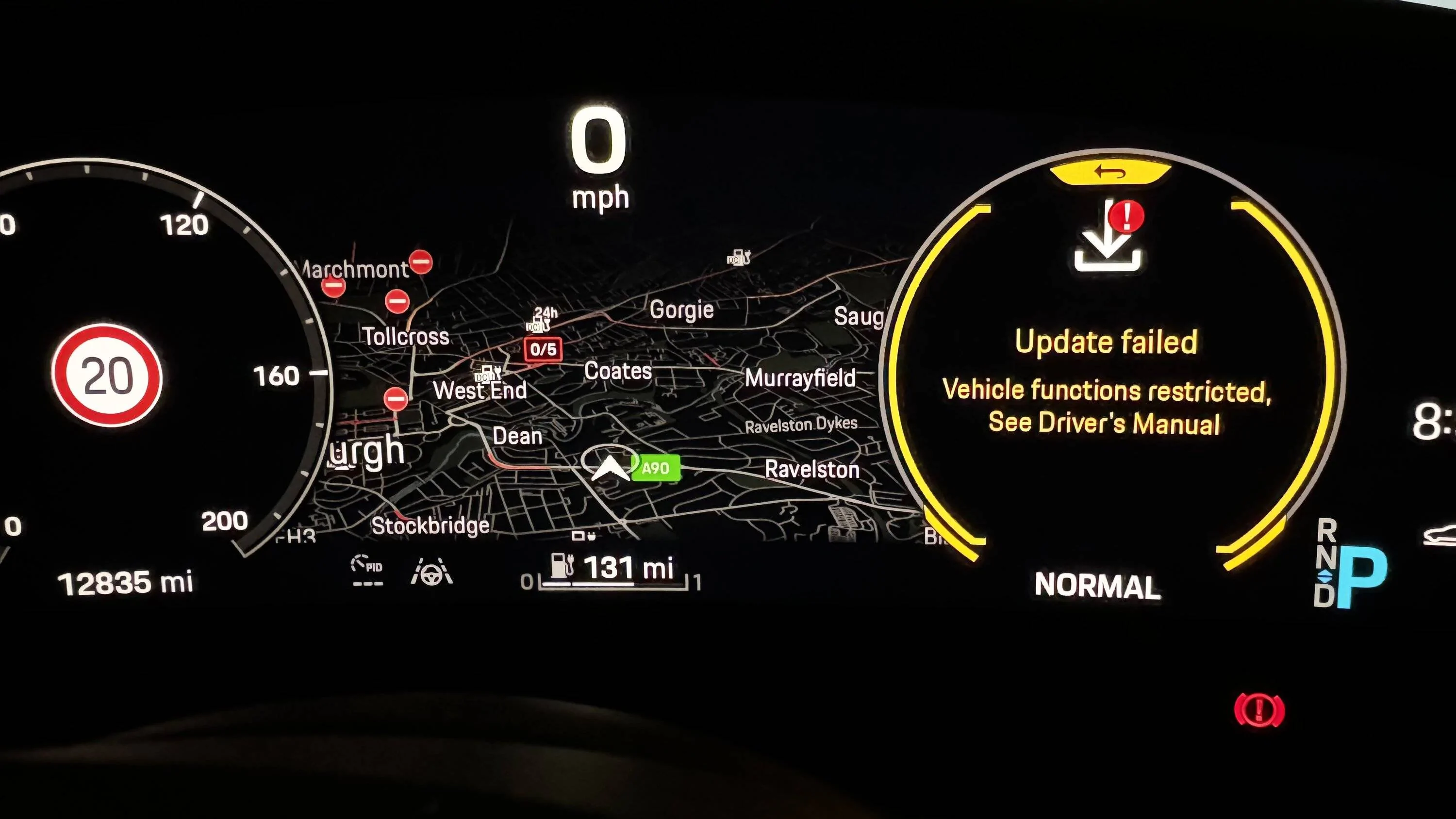
IMG_0801.jpeg
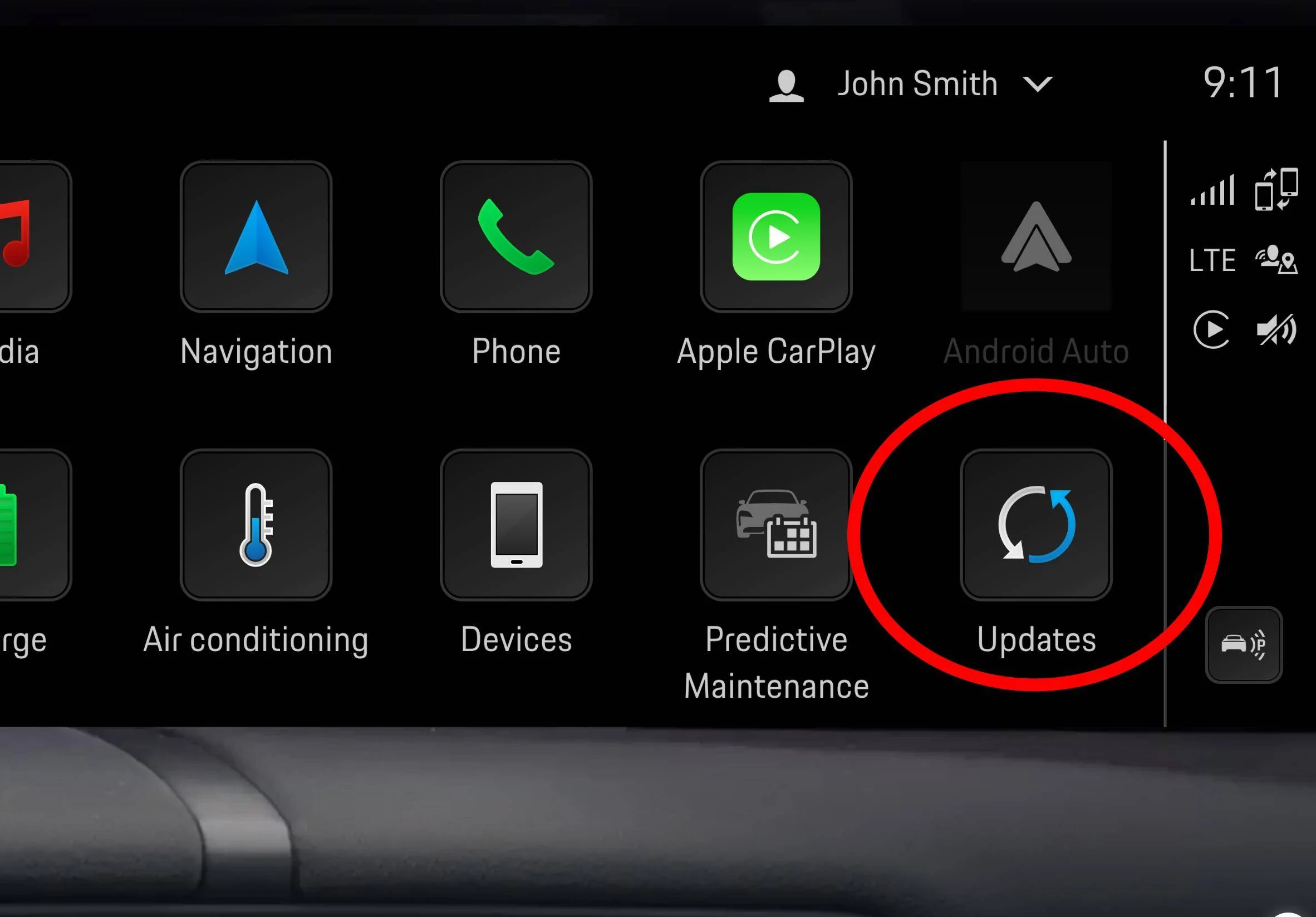
WRW1 (if that is what this is) requires manual intervention to initiate followed by locking and leaving the car for 30 mins while the update is applied (it won't start otherwise).

Map, calendar etc updates will auto apply.

If no entry in the Updates menu such as a download request or update failure then chances are all is well.
 

whitex

Well-Known Member
Joined
Jul 30, 2021
Threads
87
Messages
8,218
Reaction score
7,253
Location
WA, USA
Vehicles
2023 Taycan TCT, 2024 Q8 eTron P+
Country flag
Map, calendar etc updates will auto apply.
Map tiles update automatically as I drive longer distances (why they felt the need to tell me every time it downloads a new set of tiles is beyond me - tell me if it fails, don't ding and interrupt the driver every time you load the next set of tiles - total lack of user experience design). However, calendar, weather app, and other PCM app updates were always user initiated for me. Unlike WRW1, they can be(and were) applied while driving, but still required me to initiate it.
 
Last edited:

chun

Well-Known Member
Joined
Feb 4, 2024
Threads
27
Messages
2,358
Reaction score
2,120
Location
Switzerland
Vehicles
Taycan Turbo 2020, Cayman GT4
Country flag
Map tiles update automatically as I drive longer distances (why they felt the need to tell me every time it downloads a new set of tiles is beyond me - tell me if it fails, don't ding and interrupt the driver every time you load the next set of tiles - total lack of user experience). However, calendar, weather app, and other PCM app updates were always user initiated for me. Unlike WRW1, they can be(and were) applied while driving, but still required me to initiate it.
There is an option to put set them as automate.

And I can confirm they install in the background, no prompt.

I can also confirm that that setting does not affect bigger updates like WRW1

The notification app, at least in my car, has options to disable the map prompts you mention also. But I do feel like this is something new, I for sure didn’t have this option until late 2024/early 2025;
 

whitex

Well-Known Member
Joined
Jul 30, 2021
Threads
87
Messages
8,218
Reaction score
7,253
Location
WA, USA
Vehicles
2023 Taycan TCT, 2024 Q8 eTron P+
Country flag
The notification app, at least in my car, has options to disable the map prompts you mention also.
Where are those options? I'm asking since I'd like to see if my car received this update, and if so, use them.
 

Tay Chi

Active Member
Joined
Sep 10, 2022
Threads
0
Messages
29
Reaction score
11
Location
Midwest
Vehicles
23’ GTS ST
Country flag
No dice gentlemen. I guess I'll have to contact my SA tomorrow.
 

chun

Well-Known Member
Joined
Feb 4, 2024
Threads
27
Messages
2,358
Reaction score
2,120
Location
Switzerland
Vehicles
Taycan Turbo 2020, Cayman GT4
Country flag
Where are those options? I'm asking since I'd like to see if my car received this update, and if so, use them.
I will send you a picture later tonight when i go to my car
Sponsored


Top