

Sponsored

How To: Battery Temperature in the main dash

daveo4EV

Well-Known Member
First Name
David
Joined
Jan 28, 2019
Threads
192
Messages
7,006
Reaction score
10,478
Location
Santa Cruz
Vehicles
Cayenne Hybrid, 911(s) GT3/Convertable
Country flag
this seems to keep coming up - so here are the steps:
  1. Main center display - tap the ”Settings” button on screen
  2. Tap “Displays”
  3. Tap “Instrument cluster”
  4. Tap ”Customize view”
  5. Pick a line (1, 2, 3, or 4) to display battery temperature
  6. scroll through the list of options and select “Battery temperature”
  7. on the steering wheel - select the “righthand” circular display on the main dash
  8. use the scroll wheel to select “information” - the bottom option on the right most display on the main dash behind the wheel
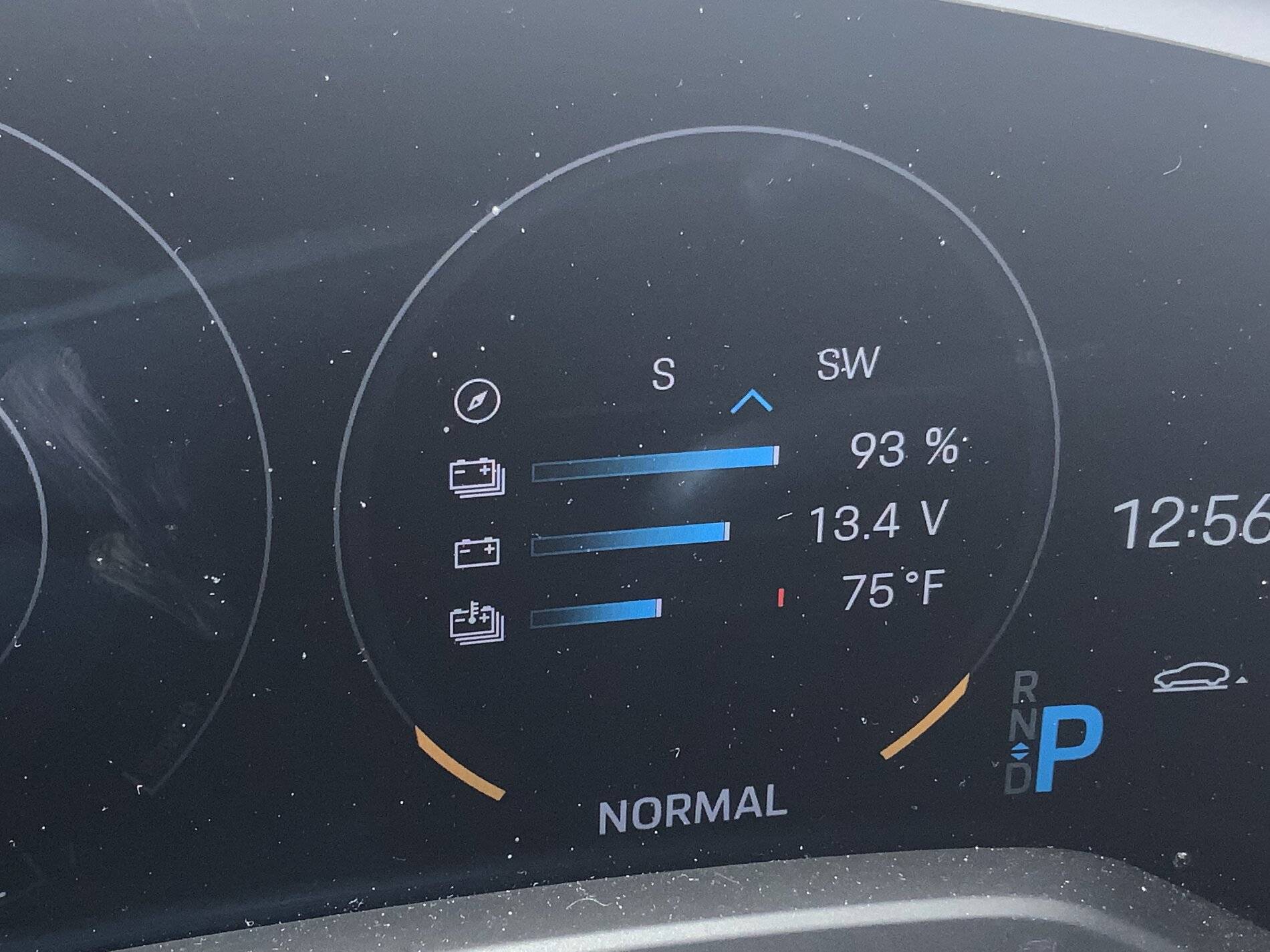
you should now see battery temperature as one of the information “lines” in the information display on your Taycan - see below

Porsche Taycan How To: Battery Temperature in the main dash image
Sponsored


Reg

Well-Known Member
Joined
Nov 17, 2019
Threads
55
Messages
1,352
Reaction score
1,635
Location
West Coast, The Best Coast
Vehicles
Taycan 4S
Country flag
having posts start with "How to..." would be a great thing for people to do for items like this, maybe even a separate part of forum to post. Search is not always your friend and there is a lot of good suggestions that risk being buried in another thread.
 

andyd

Well-Known Member
First Name
Andy
Joined
Sep 9, 2020
Threads
15
Messages
153
Reaction score
51
Location
UK
Vehicles
Taycan 4S, Mclaren 570GT, Cayenne
Country flag
Thanks, I found about 30 mins after posting. Its handy for anyone else. It's well hidden!
Mines 8 degrees C, approx 36 F

this seems to keep coming up - so here are the steps:
  1. Main center display - tap the ”Settings” button on screen
  2. Tap “Displays”
  3. Tap “Instrument cluster”
  4. Tap ”Customize view”
  5. Pick a line (1, 2, 3, or 4) to display battery temperature
  6. scroll through the list of options and select “Battery temperature”
  7. on the steering wheel - select the “righthand” circular display on the main dash
  8. use the scroll wheel to select “information” - the bottom option on the right most display on the main dash behind the wheel
you should now see battery temperature as one of the information “lines” in the information display on your Taycan - see below

image.jpg
Sponsored


Top