Sponsored

Software update - Changes seen by me (User)

TayTaySD

Well-Known Member
First Name
Michael
Joined
Apr 9, 2021
Threads
9
Messages
114
Reaction score
107
Location
San Diego, California USA
Vehicles
2022 Mamba Green Taycan 4S
Country flag
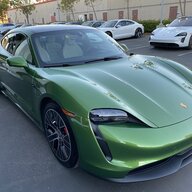
I am a recent owner of a 2020 4S, Green Mamba(love this color!). My car was successfully upgraded over a week ago. The following are changes I have seen, that I don't like. Not bothering with other things that have changed.

1. Lane Keep Assist:
a) it lost the steering wheel icon in the "lane" GUI
b) I swear it got worse, which is hard to imagine, it was never even good. It doesn't seem to see
lane markers as often as it used to, and doesn't do much steering. Even when it is working
it gets WAY to close to the lane marker before steering.
c) When working it bounces between lanes.
2. Radio:
a) The radio (usually XM radio) will start playing, then it stops and shows display "Use Carplay for audio".
So you have to re-select what you were listening to.
b) It used to show current song name and artist on the XM/Sirius favorites list, now no useful information.
c) there are so many improvements that should be made! When looking at favorites list and you
tuned to a station not in the top, anywhere on later pages, it should bring the list to show you the
station it is playing.
d) it should allow you to configure volume level at each power up.
3) Siri volume very low, not sure how to configure it correctly.
4) Mirrors: It used to tilt up on backing up(obviously stupid), the manual says it will tilt down. After SW upgrade
it tilts into car, thus showing the fenders a bit more. Seems ok, definitely better than tilting up!

Is there a thread with a list of users suggestions? As an engineer that did many GUI and automation
designs I have a lot of suggested improvements. Unfortunately Porsche is way behind the software curve
and Germans aren't known for their love of changing things. They design in a minimalist manner
(Germanic style)
Sponsored
 
OP
OP
TayTaySD

TayTaySD

Well-Known Member
First Name
Michael
Joined
Apr 9, 2021
Threads
9
Messages
114
Reaction score
107
Location
San Diego, California USA
Vehicles
2022 Mamba Green Taycan 4S
Country flag
Mine doesn't have multiple choices and it doesn't "lower" the mirror. It used to make it tilt up, now it tilts inward a little. Mine is a 2020 4S, what is yours?

Vehicle settings :
Light and visibility :
Reversing options : Lowering the mirror glass while reversing
- Vehicle switched on.
- Reverse gear engaged.
- Function activated.
 

Reg

Well-Known Member
Joined
Nov 17, 2019
Threads
55
Messages
1,352
Reaction score
1,635
Location
West Coast, The Best Coast
Vehicles
Taycan 4S
Country flag
Mine doesn't have multiple choices and it doesn't "lower" the mirror. It used to make it tilt up, now it tilts inward a little. Mine is a 2020 4S, what is yours?

Vehicle settings :
Light and visibility :
Reversing options : Lowering the mirror glass while reversing
- Vehicle switched on.
- Reverse gear engaged.
- Function activated.
I have a 2020 4S.

That is all correct for the settings.
But you have to do the following:
- Turn the car on.
- Put the car in reverse.
- Use the controls on the door to adjust the side mirror based on your preferences.
- Press SET and one of the numbers on the door (you should hear a beep).
- Put the car in park.
- Adjust the side mirror to the normal position, (I am not sure if this step is necessary)
- Repeat the SET (using the same number) (I am not sure if this step is necessary)
- Turn off the car.
- Leave the car and lock it, wait a couple minutes.

You should be then good to go.
 

feye

Well-Known Member
Joined
Sep 16, 2019
Threads
17
Messages
2,411
Reaction score
1,871
Location
Shenzhen, Munich
Vehicles
Porsche Taycan 4S+ 2020
Country flag
1. Lane Keep Assist:
a) it lost the steering wheel icon in the "lane" GUI
b) I swear it got worse, which is hard to imagine, it was never even good. It doesn't seem to see
lane markers as often as it used to, and doesn't do much steering. Even when it is working
it gets WAY to close to the lane marker before steering.
c) When working it bounces between lanes.
Thanks for sharing!

As far as I understand, the "Lane Keep Assist" is just a basic safety feature, which helps to prevent accidental lane crossing. This is not meant to be a "self driving level X" feature. After my first highway ACC drive 8 months ago I deactivated it and never used it again. Too annoying IMHO.

What you should use is InnoDrive with "Active Lane Keeping", but that works only quite good on well build roads with a destination set in the car navi.


Jraeven

Active Member
First Name
Joop
Joined
Oct 29, 2018
Threads
1
Messages
33
Reaction score
27
Location
Belgium
Vehicles
911 Turbo (cab), Cayenne S, AMG GT-C, Audi R8
Country flag
a) The radio (usually XM radio) will start playing, then it stops and shows display "Use Carplay for audio".

This is beacuse you have configured wireless carplay. If you stop car play the radio will work like before. I find this really stupid.
Doe somebody know who to set normal radio as default when configured carplay?
 

Arjan_

Well-Known Member
First Name
Arjan
Joined
Apr 26, 2020
Threads
4
Messages
178
Reaction score
152
Location
Nederland
Vehicles
BMW M3, Porsche Taycan Turbo S
Country flag
I am a recent owner of a 2020 4S, Green Mamba(love this color!). My car was successfully upgraded over a week ago. The following are changes I have seen, that I don't like. Not bothering with other things that have changed.

1. Lane Keep Assist:
a) it lost the steering wheel icon in the "lane" GUI
b) I swear it got worse, which is hard to imagine, it was never even good. It doesn't seem to see
lane markers as often as it used to, and doesn't do much steering. Even when it is working
it gets WAY to close to the lane marker before steering.
c) When working it bounces between lanes.
2. Radio:
a) The radio (usually XM radio) will start playing, then it stops and shows display "Use Carplay for audio".
So you have to re-select what you were listening to.
b) It used to show current song name and artist on the XM/Sirius favorites list, now no useful information.
c) there are so many improvements that should be made! When looking at favorites list and you
tuned to a station not in the top, anywhere on later pages, it should bring the list to show you the
station it is playing.
d) it should allow you to configure volume level at each power up.
3) Siri volume very low, not sure how to configure it correctly.
4) Mirrors: It used to tilt up on backing up(obviously stupid), the manual says it will tilt down. After SW upgrade
it tilts into car, thus showing the fenders a bit more. Seems ok, definitely better than tilting up!

Is there a thread with a list of users suggestions? As an engineer that did many GUI and automation
designs I have a lot of suggested improvements. Unfortunately Porsche is way behind the software curve
and Germans aren't known for their love of changing things. They design in a minimalist manner
(Germanic style)
Regarding 1. See my post in the other thread, same problem. Porsche is investigating.
 

gasman93

Member
Joined
Sep 4, 2020
Threads
2
Messages
14
Reaction score
4
Location
USA
Vehicles
taycan turbo
Country flag
a) The radio (usually XM radio) will start playing, then it stops and shows display "Use Carplay for audio".

This is beacuse you have configured wireless carplay. If you stop car play the radio will work like before. I find this really stupid.
Doe somebody know who to set normal radio as default when configured carplay?
I am experiencing the same thing now that I have wireless Apple CarPlay. How do I turn the feature off, so that I would need to tap the CarPlay icon to activate the wireless connection. I find that the only advantage for CarPlay is Waze.
Sponsored


Top