Sponsored

Oyinko

Active Member
Joined
Jun 23, 2021
Threads
3
Messages
36
Reaction score
13
Location
San Francisco
Vehicles
Taycan 4S
Country flag
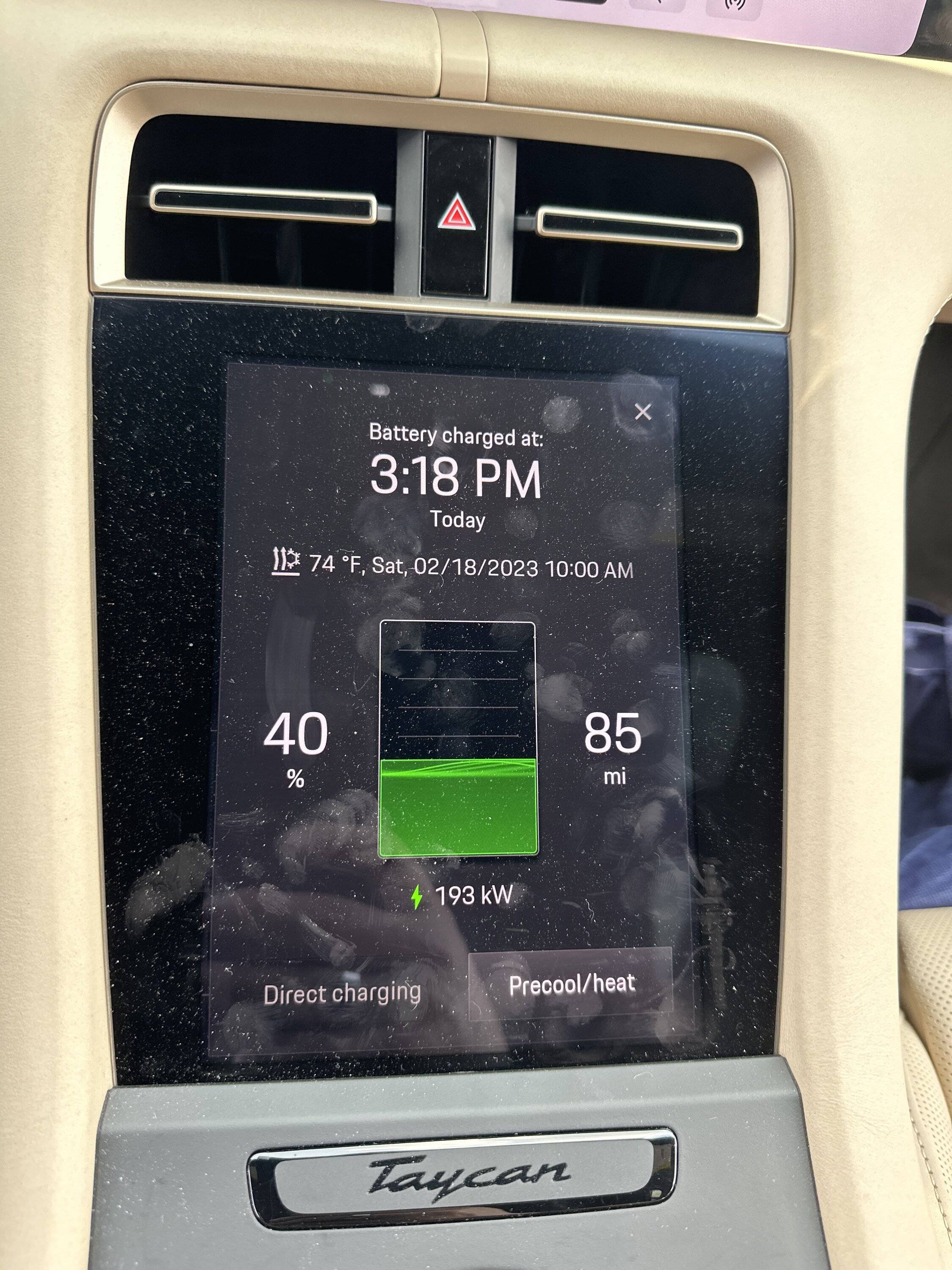
By the time I arrived at charger battery was already 110. This is my first time at EA, and I hate it as rate keeps jumping between near 200 to 70. Not stable. Never again. Back to EVGo even though I must pay.

image.jpg


IMG_4717.jpeg
I was able to achieve 270kw charging speed many times without using the navigation system to precondition the battery. While I drive on the freeway for 30-45 minutes, my battery is usually around 90-95F. I also need to be in the "sweet spot" of SOC range (10-30%) to be able to hit high charging speed.
Sponsored


pacific

New Member
First Name
Paul
Joined
Dec 22, 2021
Threads
0
Messages
4
Reaction score
0
Location
California
Vehicles
incoming CT4
Country flag
My experience with Apple Maps with the integrated battery display feature is that it is highly inaccurate. Dash shows 55% and Apple Maps shows 36% at destination for a ten mile trip.
Came here to say this. One time it estimated that my charge level would be 3% higher than my current level by the time I got to the charger 10 (flat) miles away. Usually it‘s off in the other direction and by a lot more than that.

It has also popped up messages a few times telling me that it can’t get a battery reading from the car. Presumably those bad estimates are due to it operating with out-of-date battery level information.
 
OP
OP

AmpedUp

Well-Known Member
First Name
Ryan
Joined
Mar 24, 2021
Threads
7
Messages
87
Reaction score
74
Location
Mesa, Arizona
Vehicles
Taycan Turbo S, Toyota 4Runner
Country flag
Since others in this thread complained about the accuracy of Apple Maps state-of-charge data, I wanted to test it out for myself. I did some testing over the weekend and my experience so far is quite positive, though I haven't needed to travel far enough to actually need to charge. In other words, I cannot yet comment on the accuracy of charging data. Details on my experience follow.

One of the complaints I read about was the state-of-charge projections being much higher or lower than actual at arrival. And one post even complained that the projected charge at the destination being higher than when they left (despite no charging on the route). I suspect these issues are due to data from the car not updating Apple Maps.

I made four consecutive trips with Apple Maps through CarPlay. All four trips were in-town, but significant 20-30 minute drives, and all projections came within 1% of the projected arrival SoC when departing, at least once the battery data synced (more on that below). So far so good for my experience.

Each time I started the car, Apple Maps assumed the SoC was identical to when I turned the car off. That obviously isn't always the case. Maybe your spouse borrowed your car since your last trip. Maybe you charged it while parked at the mall. In my opinion, Apple Maps shouldn't assume anything. It should say battery data not available until it gets the first reading.

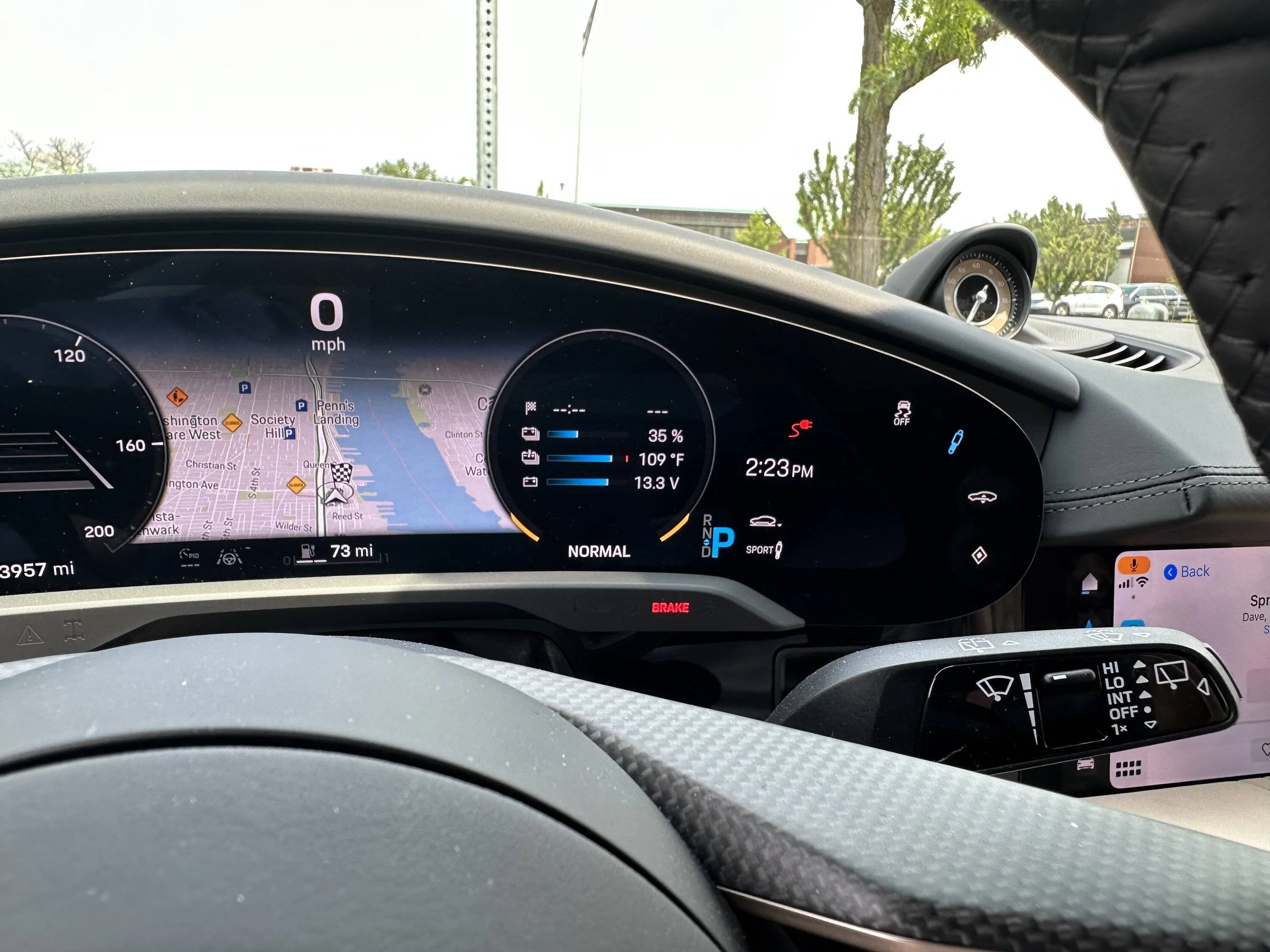
In my case, it was 109 degrees (43 C) outside and I didn't want my Olea leather seats baking in the heat. So I ran the A/C while shopping at Costco, which drained the battery. By the time I started the car to leave, my battery had lost maybe 4% since I'd parked. Apple Maps initially projected I would arrive home with 48%, but I was already at 50% and had a long drive ahead... there was no way I could make it home with 2%. But by the time I got out of the parking lot, the projection had updated itself to 44%. The actual was 43% by the time I arrived, so once it was able to sync the data, Maps ended up being pretty accurate.

I also found that the arrival SoC projection updated itself throughout each trip, usually bouncing between two numbers (e.g., 56% and 57%). It was usually right and never changed again once I got within 5 miles.

I don't know what the root causes could be of others experiencing stale data. Perhaps one of the apps is not configured correctly. Maybe they both need to be "open" in the background. Maybe they didn't have the phone connected to CarPlay. Or maybe Apple Maps needs to be displayed on the car's screen to update data (e.g., simply having CarPlay connected is not enough... maybe you can't be on the radio screen and using the phone itself to display the directions). If anyone knows of any root causes of the data sync issues, it would be good to know what those circumstances are.

My setup was phone in the wireless charging pocket in the center console. CarPlay enabled. Porsche app was "open" in background (simply meaning it was logged in and not closed after I used it last to control the pre-cooling). Apple Maps displayed on top center screen.
 

Oyinko

Active Member
Joined
Jun 23, 2021
Threads
3
Messages
36
Reaction score
13
Location
San Francisco
Vehicles
Taycan 4S
Country flag
Maybe they didn't have the phone connected to CarPlay.
When you access the Apple Maps EV Routing function tile while not being connected to CarPlay, the app is showing an error message: Vehicle not connected. When you press on the banner, the app shows "to share battery information with Apple Maps, you must be connected to CarPlay".

The online FAQ indicates: "If you are not connected, Apple Maps will calculate your route using the last available data."

Apple Maps is only able to access vehicle battery charge information when a Carplay session is active.
 

tigerbalm

Well-Known Member
First Name
Damien
Joined
Oct 11, 2020
Threads
94
Messages
3,514
Reaction score
7,912
Location
Dublin, Ireland
Website
www.targatrips.com
Vehicles
911 Targa 4 GTS, Fiat 500 EV. Sold: Taycan Turbo S, Taycan 4S; Panamera Turbo S
Country flag
As we can't – yet – get this feature here in Europe. Would greatly appreciate someone posting some screenshots of it in operation. Thank you!


OP
OP

AmpedUp

Well-Known Member
First Name
Ryan
Joined
Mar 24, 2021
Threads
7
Messages
87
Reaction score
74
Location
Mesa, Arizona
Vehicles
Taycan Turbo S, Toyota 4Runner
Country flag
As we can't – yet – get this feature here in Europe. Would greatly appreciate someone posting some screenshots of it in operation. Thank you!
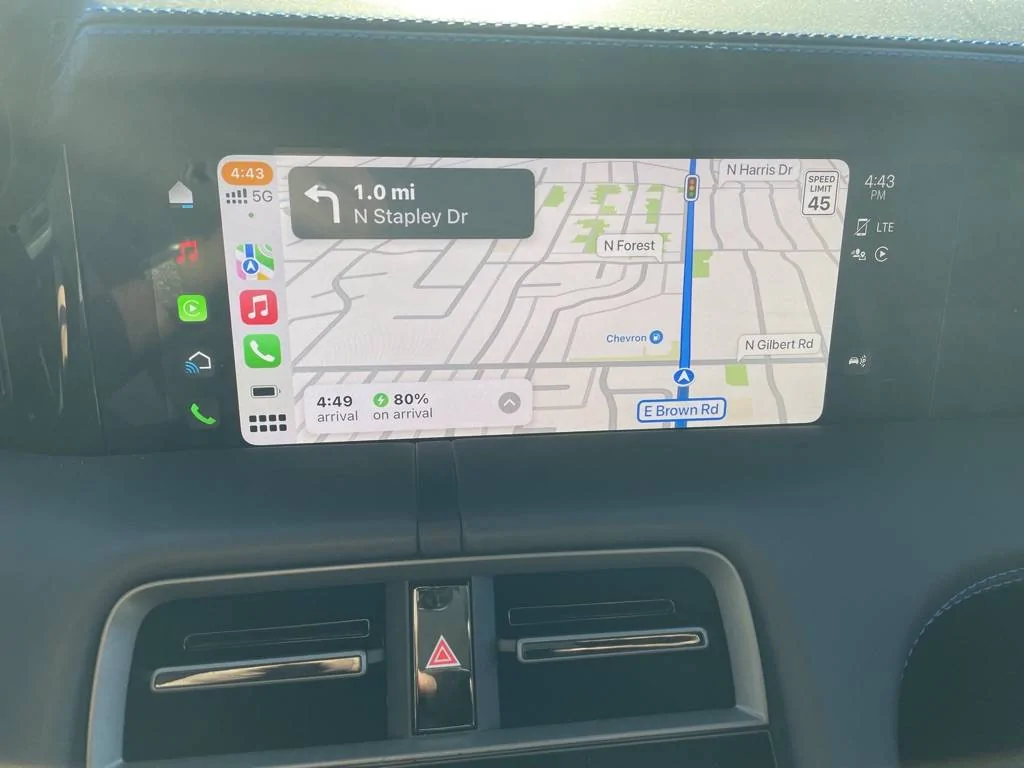
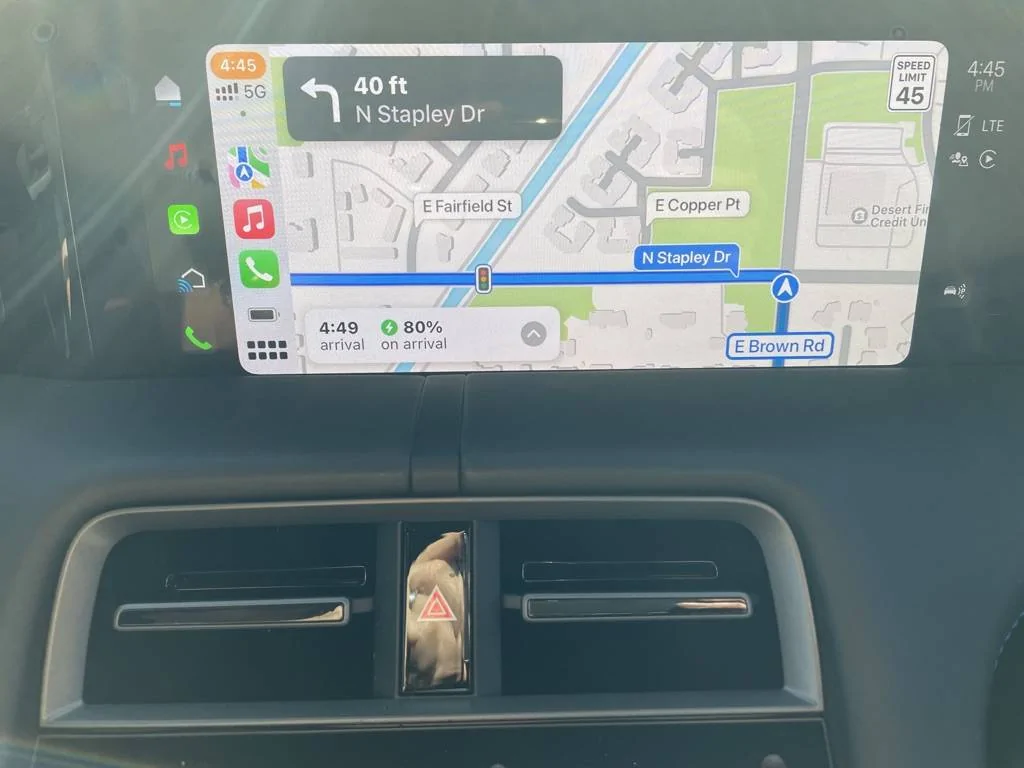
Per your request, I took a couple of screenshots for you. Sorry for the quality. I was facing the sun. By default, Apple Maps shows you a 3D view like the first image. When you approach an intersection, it gradually moves to an overhead view by the time you reach the intersection... see second photo.

The arrival time and charge state on arrival are displayed on the main screen in the lower left and continuously updates as you drive. So far, it has always synced the charge data within seconds of connecting CarPlay.

If you enter a location far away (thus requiring a charging stop), most of the information about the charging stop is either displayed before you hit "Go" or announced by Siri after you start. Not much is shown in the screen unless you were to manually zoom out to see your route. For example, Siri will say "Starting route to [DESTINATION]. In about [HOURS] hour [MINUTES] minutes, you will need to make one stop in [CITY] to charge your vehicle. You should arrive with a [NUMBER] percent battery charge." The arrival time and battery charge % displayed on the screen is for the charging stop, not the final destination.

I do wish it gave more information in an easily accessible manner like ABRP does (e.g., how long you will need to charge at the next stop, end-of-trip time and SoC). I also wish it was more configurable (e.g., preferring or avoiding certain charger brands). However, free is way better than $50 a year for ABRP subscription and $60 upfront for a Bluetooth dongle. It seems to do a good enough job.

Porsche Taycan Porsche Navigation vs ABRP vs Apple Maps EV Routing -- Pros and Cons 810381E8-70E3-49F9-801A-035EA1587B47_1_105_c
Porsche Taycan Porsche Navigation vs ABRP vs Apple Maps EV Routing -- Pros and Cons 7DD8CF7C-C5BD-41F2-97FD-2842BDFF8A97_1_105_c
 

AmineS

Member
First Name
Amine
Joined
Oct 12, 2022
Threads
0
Messages
14
Reaction score
5
Location
Zurich
Vehicles
BMW 540i, Ducati Panigale V4S, BMW R1200GS, RWD
Country flag
Hi folks,
Do you know if this update of Apple Maps is available in Switzerland? or let's say outside the US?


Taycanmd

Active Member
Joined
Jun 23, 2023
Threads
5
Messages
29
Reaction score
1
Location
Maryland
Vehicles
2022 taycan 4s
Country flag
Is there a way to get Google maps on the cluster like the stock nav or its just in the main console?

Also, how is the stock nav? Anything outside of Google maps I've used never has up to date traffic or speed traps ect?
 
OP
OP

AmpedUp

Well-Known Member
First Name
Ryan
Joined
Mar 24, 2021
Threads
7
Messages
87
Reaction score
74
Location
Mesa, Arizona
Vehicles
Taycan Turbo S, Toyota 4Runner
Country flag
Is there a way to get Google maps on the cluster like the stock nav or its just in the main console?
You can only display CarPlay (e.g., Apple Maps, ABRP, Google Maps) on the main console. The only navigation system that can be displayed in the instrument cluster or the HUD is the Porsche nav.

Also, how is the stock nav? Anything outside of Google maps I've used never has up to date traffic or speed traps ect?
It's "ok". It definitely doesn't route as efficiently in my experience. It tends to heavily favor main roads too much, whereas Google and others will cut through a neighborhood if a shortcut exists. It also messes up the location of addresses or tries to send you down a gated alley or pedestrian street occasionally. The traffic data is also "ok". Not as good as Google or others and it lacks traffic camera or speed trap data.
 

Taycanmd

Active Member
Joined
Jun 23, 2023
Threads
5
Messages
29
Reaction score
1
Location
Maryland
Vehicles
2022 taycan 4s
Country flag
You can only display CarPlay (e.g., Apple Maps, ABRP, Google Maps) on the main console. The only navigation system that can be displayed in the instrument cluster or the HUD is the Porsche nav.


It's "ok". It definitely doesn't route as efficiently in my experience. It tends to heavily favor main roads too much, whereas Google and others will cut through a neighborhood if a shortcut exists. It also messes up the location of addresses or tries to send you down a gated alley or pedestrian street occasionally. The traffic data is also "ok". Not as good as Google or others and it lacks traffic camera or speed trap data.
That sucks. Thanks
 

Chas1

Well-Known Member
First Name
Chas
Joined
Feb 22, 2021
Threads
5
Messages
283
Reaction score
210
Location
U.K.
Vehicles
Mini
Country flag
I use Waze as the native Porsche navigator is really bad on some local destinations that I tested. Tried to make me cross town twice to get to an address that was really near my location.

What I do (since waze and porsche nav can coexist) is to plan my route on ABRP then use the suggested charger stops as destinations on the Porsche NAV and then switch to waze and let it plot my route.

That way Waze is guiding me while the Porsche NAV is preheating the battery before reaching the charger.

I would LOVE to have a battery preheat button though... would be so much simpler.
Can you manually pre condition the battery? How do you know when Taycan is pre conditioning
 

Chas1

Well-Known Member
First Name
Chas
Joined
Feb 22, 2021
Threads
5
Messages
283
Reaction score
210
Location
U.K.
Vehicles
Mini
Country flag
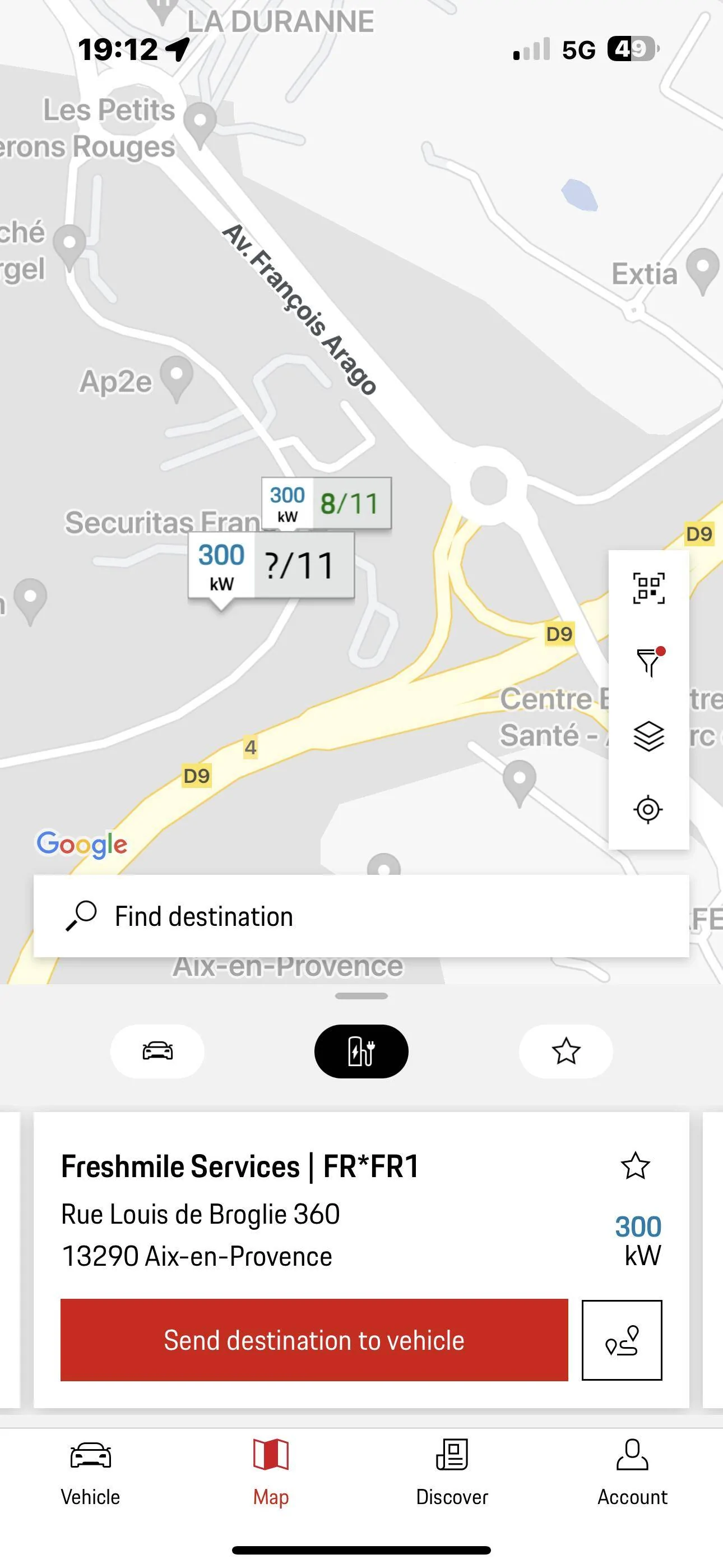
My experience is of course limited to Europe! I have not found the app to be close to reality. It has shown me stations that were not in the Charging services, stations that came up in search and then disappeared. Stations with completely wrong info on charging points. Might be 2 50 kW and 10 11 kW. Stated as 12 x 475 kW! I have had countless phone calls, emails, and tickets with smart mobility but all in vain. You have to look yourself and try them. The app has sent me to many Total and Freshmile services that refused to start. And the help line was very helpful. “”Unfortunately there is nothing we can do!””

Here is one example!

IMG_0564.png

This is one and the same station in reality, but two different locations in the app. And it just refused to acknowledge my Porsche Card.

Ionity, Fastned and most Aral Pulse stations worked fantastic, but you really need to plan your trip!
Agreed. Route Planning is still important but way easier than it used to be and a solid 200 + mile range for me is generally at least three hours in UK and then I don’t mind a short charging break. I suspect like many I don’t do more than 200 miles a day very often so it’s rarely an issue in any case.
 
OP
OP

AmpedUp

Well-Known Member
First Name
Ryan
Joined
Mar 24, 2021
Threads
7
Messages
87
Reaction score
74
Location
Mesa, Arizona
Vehicles
Taycan Turbo S, Toyota 4Runner
Country flag
Can you manually pre condition the battery? How do you know when Taycan is pre conditioning
You cannot manually. It must be done through the nav function as it approaches a charging station that is a programmed stop in the nav.

All that said, there is a "sort of" workaround you can do. If you set a departure timer, the car will 1) climatize the cabin, 2) heat or cool the seats, 3) heat the battery a little... not all the way to optimal battery charging temp, but enough for driving.

Obviously, that's not very practical if your intended use case is preconditioning the battery for a travel stop, because the car needs to be off before a timer would trigger precondition the car for use. That and if you're driving the car already, the battery will already be subject to the driving temperature.

However, if your use case is "I'm leaving my house at 7am and heading to the EA charger one block away", setting a timer will at least partially pre-heat the battery more than if you got into a cold car.

I did talk with a Porsche N.A. tech team member on the phone last month after asking this very question because the Porsche / Apple EV Routing integration didn't seem to support preconditioning, and he told me they were evaluating other ways in which the Apple Maps and car could communicate, and that was one area they wanted to look at next. But I wouldn't hold my breath for that.
 

Chas1

Well-Known Member
First Name
Chas
Joined
Feb 22, 2021
Threads
5
Messages
283
Reaction score
210
Location
U.K.
Vehicles
Mini
Country flag
You cannot manually. It must be done through the nav function as it approaches a charging station that is a programmed stop in the nav.

All that said, there is a "sort of" workaround you can do. If you set a departure timer, the car will 1) climatize the cabin, 2) heat or cool the seats, 3) heat the battery a little... not all the way to optimal battery charging temp, but enough for driving.

Obviously, that's not very practical if your intended use case is preconditioning the battery for a travel stop, because the car needs to be off before a timer would trigger precondition the car for use. That and if you're driving the car already, the battery will already be subject to the driving temperature.

However, if your use case is "I'm leaving my house at 7am and heading to the EA charger one block away", setting a timer will at least partially pre-heat the battery more than if you got into a cold car.

I did talk with a Porsche N.A. tech team member on the phone last month after asking this very question because the Porsche / Apple EV Routing integration didn't seem to support preconditioning, and he told me they were evaluating other ways in which the Apple Maps and car could communicate, and that was one area they wanted to look at next. But I wouldn't hold my breath for that.
Very interesting and good to know. I have good home charging so only need to charge on longer journeys. However I do make an effort to precondition the car before leaving either cooling or heating but didn’t realise that the Taycan also warms the battery to operating temperature. Makes sense.
It is a little frustrating that Apple Maps won’t connect to the HUD which I really like and very good on Taycan, it’s crisp adjustable and configurable. In my so far limited experience the Porsche maps is ok but not brilliant, I have been taken down the odd blind alley but if in doubt I now cross check the destination with google maps which is a step I could do without but you can make it work at least. This I think is where Tesla rules the roost. Porsche definitely need to up their game. However this is just a niggle what really counts is that the Porsche driving experience is off the scale.
Sponsored

 
Last edited:


Top