Sponsored

Interested in an unofficial Apple Watch app?

OP
OP
electricsidecar

electricsidecar

Well-Known Member
Joined
Oct 15, 2022
Threads
8
Messages
647
Reaction score
830
Location
USA
Website
electricsidecar.app
Vehicles
Volcano Gray Taycan 2022
Country flag
v1.4.0-80 is now out! Release notes below:

Long delay between releases this time because I'm working on adding OBD-II vehicle scanning support to the app! I'm expecting to have a very basic scanner solution working within the next week or two that will allow you to generate more accurate trip reports and understand the state of your car, stay tuned!

In this patch update, captcha errors on the watch can now be more easily fixed. If you're still getting captcha errors on your watch, please try the following steps:

1. Open the app on your watch.
2. Tap the Settings gear.
3. Go to Accounts.
4. Tap your Porsche account.
5. Tap the "Reauthenticate with captcha" button.
6. Enter the captcha on the next screen. There was previously a bug where if you did not enter the entire captcha in one try, then it would regenerate the captcha. You can now focus and unfocus the captcha field without this happening.
7. Tap "Log in".

And all should be good now after this.

Also in this update I've fixed a minor decoding issue for Tesla vehicles.
Sponsored
 

ciaranob

Well-Known Member
Joined
Jul 3, 2021
Threads
83
Messages
3,547
Reaction score
2,639
Location
Houston, TX
Vehicles
CT4S 2022 Mini Cooper S 2024 Electric in 2025/6
Country flag
Latest update seems to have removed the 'visible' Sidecar complication i.e. the visible icons on the face - weirdly if you tap the empty space it does bring up the app on the watch! Rebooted the phone to no change - suggestions? Empty space also replicated the Watch app on the phone despite the complication correctly chosen in that app.
Thx, C.
 
OP
OP
electricsidecar

electricsidecar

Well-Known Member
Joined
Oct 15, 2022
Threads
8
Messages
647
Reaction score
830
Location
USA
Website
electricsidecar.app
Vehicles
Volcano Gray Taycan 2022
Country flag
This sometimes happens while the watch app is updating. Check the following two places to see if that's what's happening:

1. TestFlight app on your iPhone > Electric Sidecar > "Show App on Apple Watch". This will show a spinner if it's trying to update your watch.
2. Watch app on your iPhone > ElectricSidecar > "Show App on Apple Watch". Similar here.

If both of the above show that the app is working fine let me know though because there might be something else afoot.
 

ciaranob

Well-Known Member
Joined
Jul 3, 2021
Threads
83
Messages
3,547
Reaction score
2,639
Location
Houston, TX
Vehicles
CT4S 2022 Mini Cooper S 2024 Electric in 2025/6
Country flag
This sometimes happens while the watch app is updating. Check the following two places to see if that's what's happening:

1. TestFlight app on your iPhone > Electric Sidecar > "Show App on Apple Watch". This will show a spinner if it's trying to update your watch.
2. Watch app on your iPhone > ElectricSidecar > "Show App on Apple Watch". Similar here.

If both of the above show that the app is working fine let me know though because there might be something else afoot.
Yeah sorry forgot to mention I had checked both these options too and both are indeed toggled to 'on' (no spinners)


ciaranob

Well-Known Member
Joined
Jul 3, 2021
Threads
83
Messages
3,547
Reaction score
2,639
Location
Houston, TX
Vehicles
CT4S 2022 Mini Cooper S 2024 Electric in 2025/6
Country flag
Removed from Watch and doing a re-install from Watch app .... YEP success that fixed it
 
OP
OP
electricsidecar

electricsidecar

Well-Known Member
Joined
Oct 15, 2022
Threads
8
Messages
647
Reaction score
830
Location
USA
Website
electricsidecar.app
Vehicles
Volcano Gray Taycan 2022
Country flag
Bummer, I hope to be able to identify why the update process nukes the widgets at some point. Currently categorized as a ghost in the machine.
 

ciaranob

Well-Known Member
Joined
Jul 3, 2021
Threads
83
Messages
3,547
Reaction score
2,639
Location
Houston, TX
Vehicles
CT4S 2022 Mini Cooper S 2024 Electric in 2025/6
Country flag
Bummer, I hope to be able to identify why the update process nukes the widgets at some point. Currently categorized as a ghost in the machine.
Ah sorry - should have pinged you first but was 'bugging' me and had to do something - terrible pun :)


OP
OP
electricsidecar

electricsidecar

Well-Known Member
Joined
Oct 15, 2022
Threads
8
Messages
647
Reaction score
830
Location
USA
Website
electricsidecar.app
Vehicles
Volcano Gray Taycan 2022
Country flag
All good! It's something I need to figure out how to reproduce locally to have a chance at fixing realistically. The in-the-wild reports are helpful though!
 

NeilJ

Active Member
First Name
Neil
Joined
Oct 23, 2020
Threads
0
Messages
34
Reaction score
30
Location
Warwickshire
Vehicles
Taycan Turbo CT (Taycan 4S - sold), VW ID3
Country flag
v1.4.0-80 is now out! Release notes below:

Long delay between releases this time because I'm working on adding OBD-II vehicle scanning support to the app! I'm expecting to have a very basic scanner solution working within the next week or two that will allow you to generate more accurate trip reports and understand the state of your car, stay tuned!

In this patch update, captcha errors on the watch can now be more easily fixed. If you're still getting captcha errors on your watch, please try the following steps:

1. Open the app on your watch.
2. Tap the Settings gear.
3. Go to Accounts.
4. Tap your Porsche account.
5. Tap the "Reauthenticate with captcha" button.
6. Enter the captcha on the next screen. There was previously a bug where if you did not enter the entire captcha in one try, then it would regenerate the captcha. You can now focus and unfocus the captcha field without this happening.
7. Tap "Log in".

And all should be good now after this.

Also in this update I've fixed a minor decoding issue for Tesla vehicles.
Have done this and can confirm that it works!
 
OP
OP
electricsidecar

electricsidecar

Well-Known Member
Joined
Oct 15, 2022
Threads
8
Messages
647
Reaction score
830
Location
USA
Website
electricsidecar.app
Vehicles
Volcano Gray Taycan 2022
Country flag
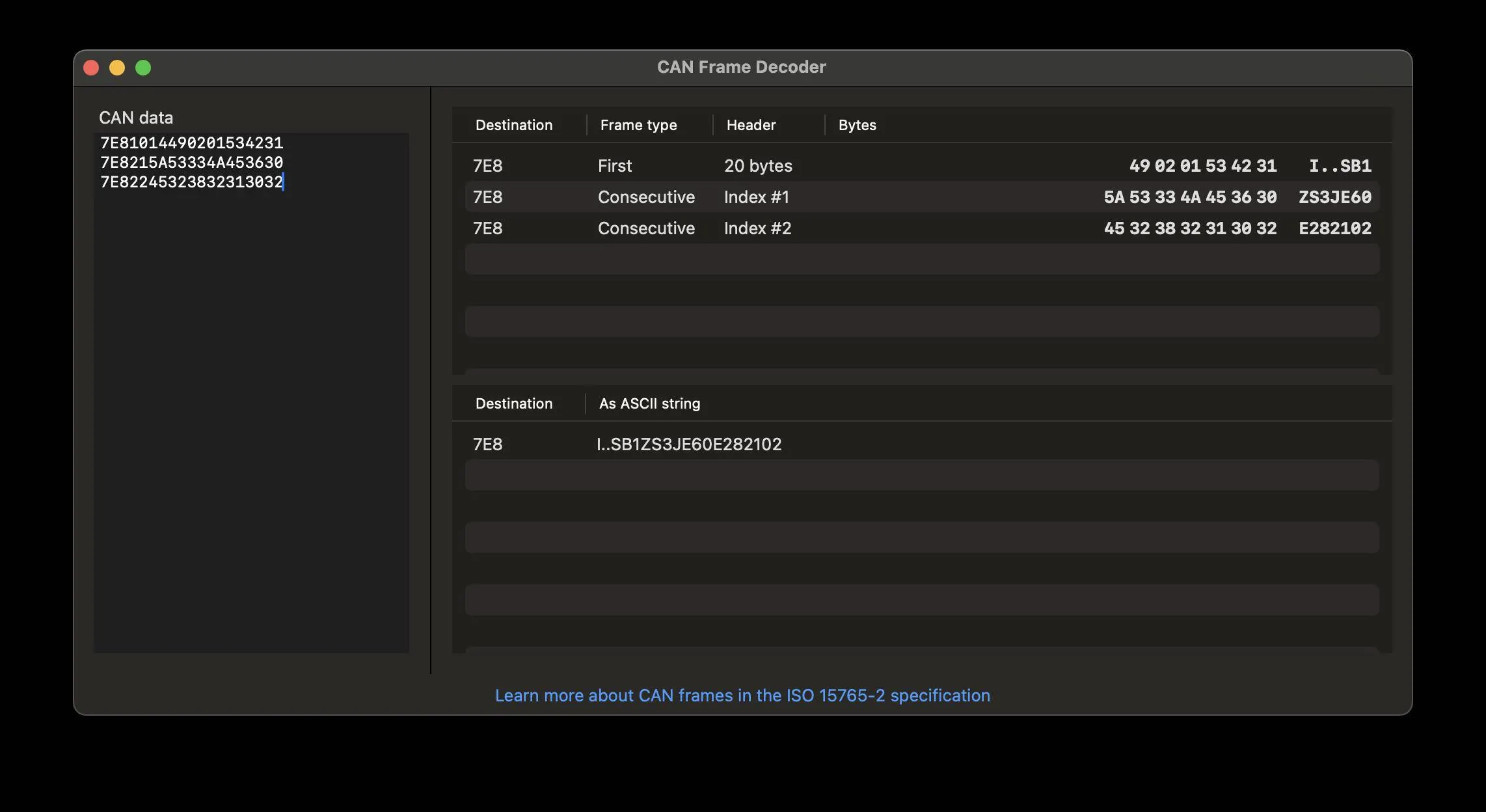
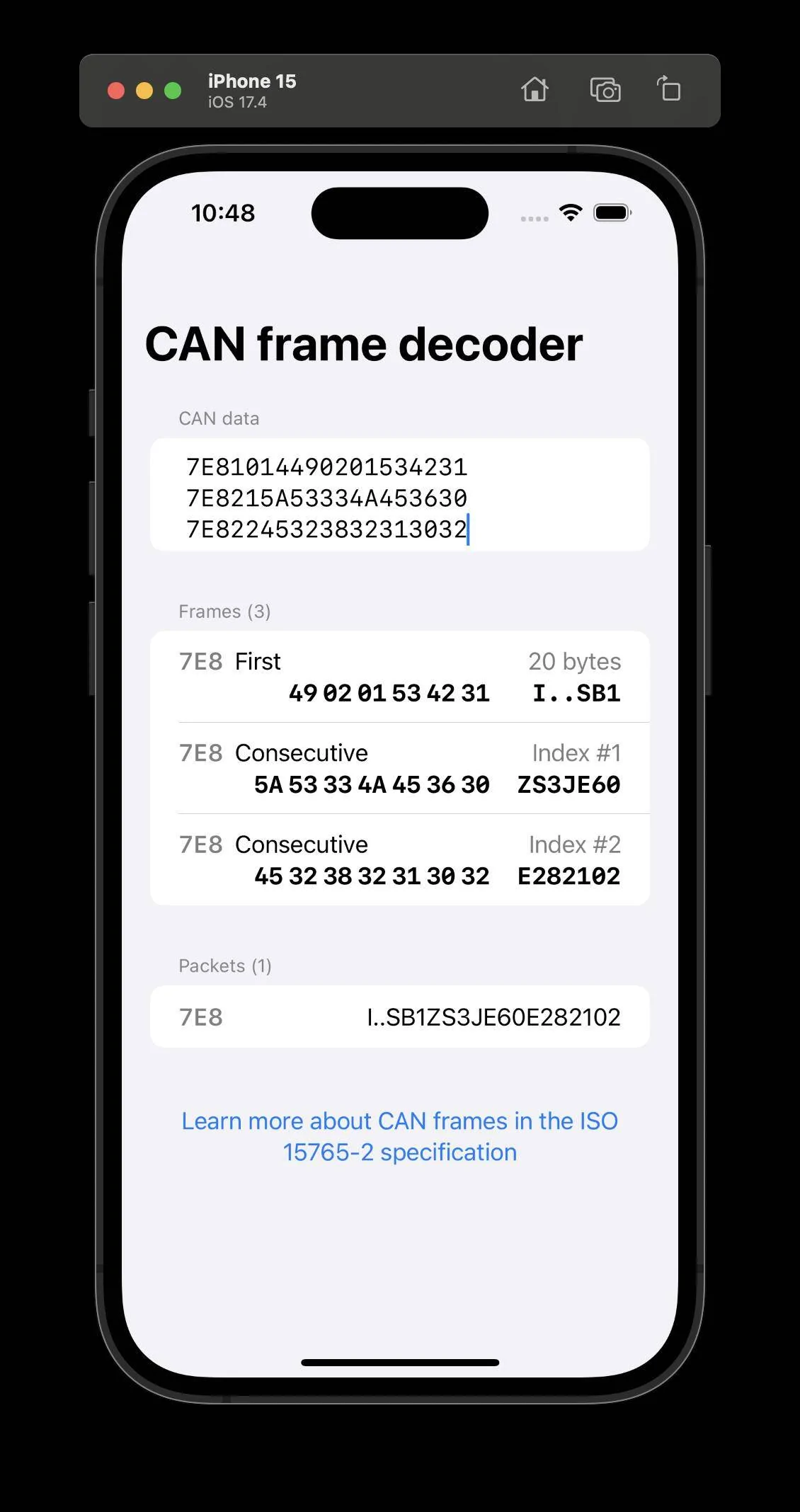
Got tired of trying to debug CAN frames so I'm putting together a little micro app for CAN frame decoding that I'm going to put in the App Store as a $0.99 utility.

Porsche Taycan Interested in an unofficial Apple Watch app? Screenshot 2024-02-04 at 10.48.39 PM


Porsche Taycan Interested in an unofficial Apple Watch app? Screenshot 2024-02-04 at 10.48.42 PM


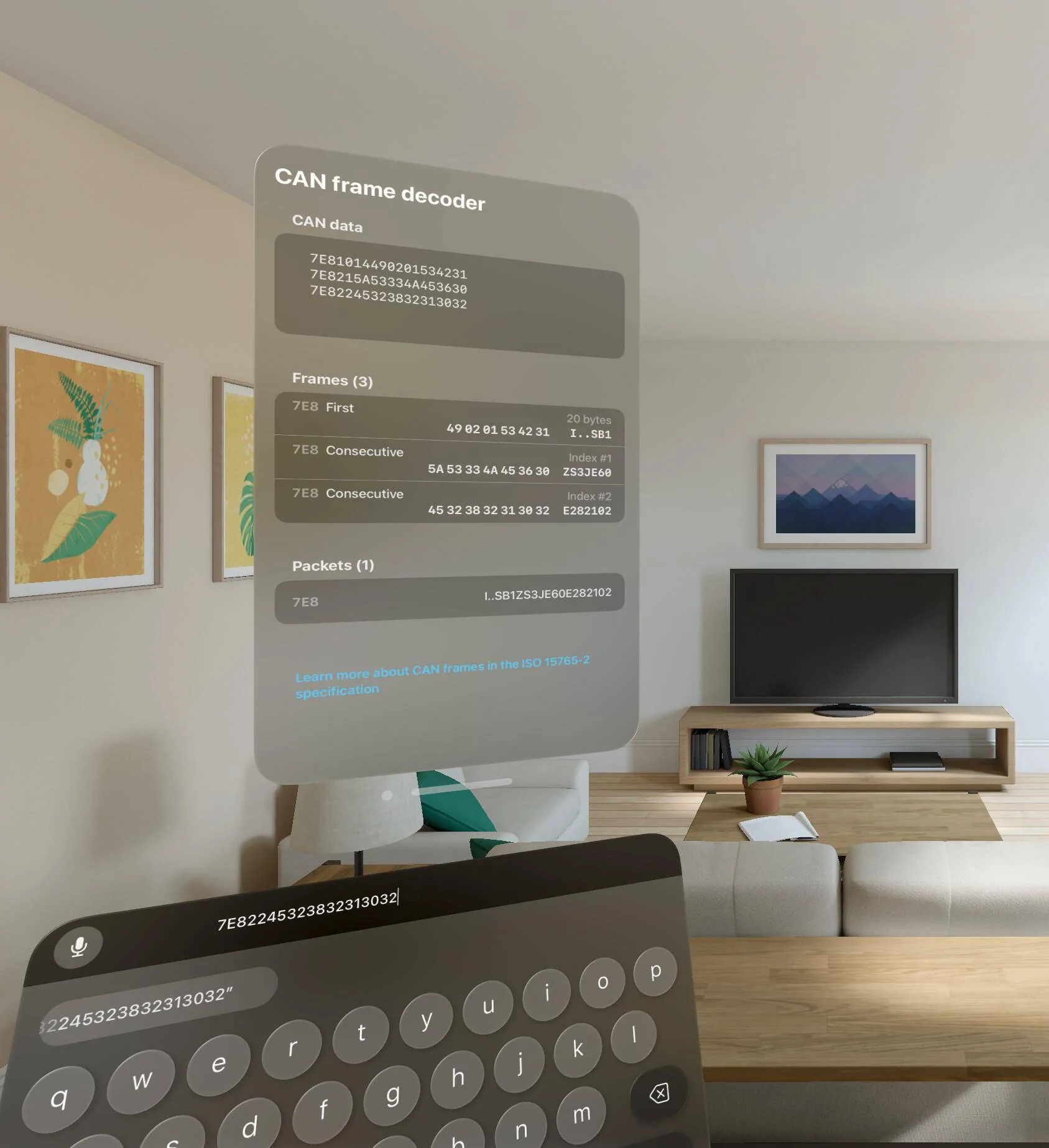
Will make it work in Vision Pro as well for funzies :)
 
OP
OP
electricsidecar

electricsidecar

Well-Known Member
Joined
Oct 15, 2022
Threads
8
Messages
647
Reaction score
830
Location
USA
Website
electricsidecar.app
Vehicles
Volcano Gray Taycan 2022
Country flag
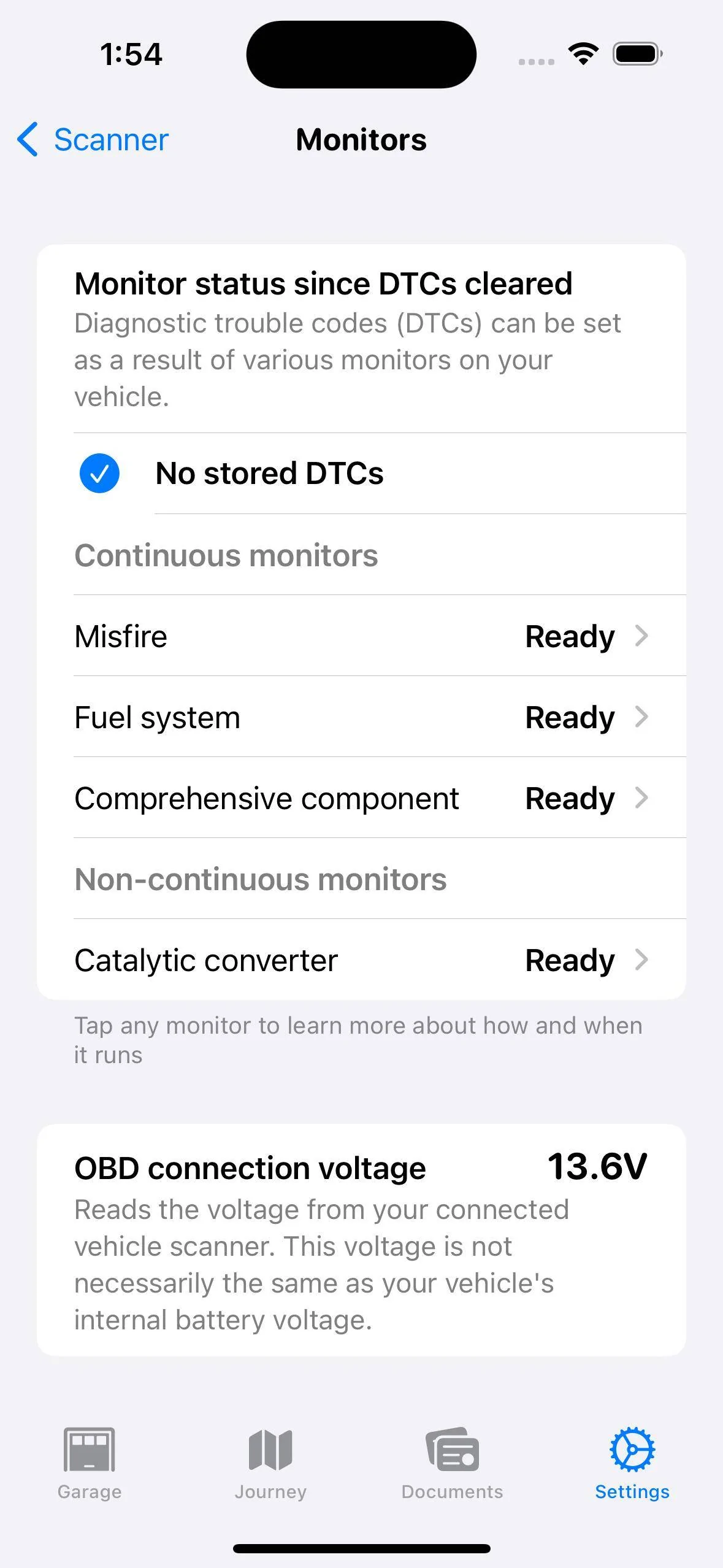
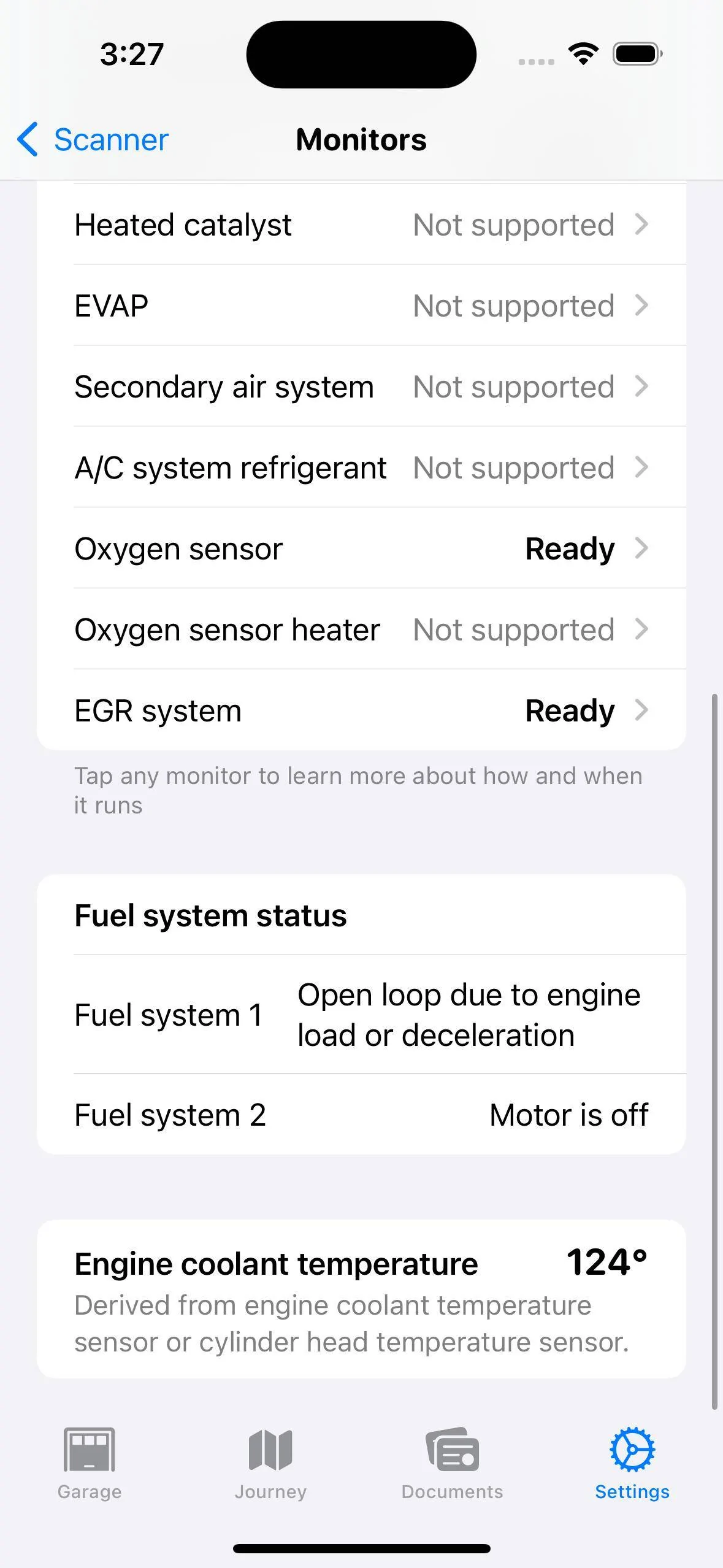
Working on expanding the monitor status page with the standard OBD-II features:

Porsche Taycan Interested in an unofficial Apple Watch app? Simulator Screenshot - iPhone 15 Pro - 2024-02-06 at 13.54.10


These features aren't as relevant for the Taycan, but it's part of setting Electric Sidecar up for a general App Store launch as a more general purpose OBD-II scanner while I wait to get official OEM vehicle access.

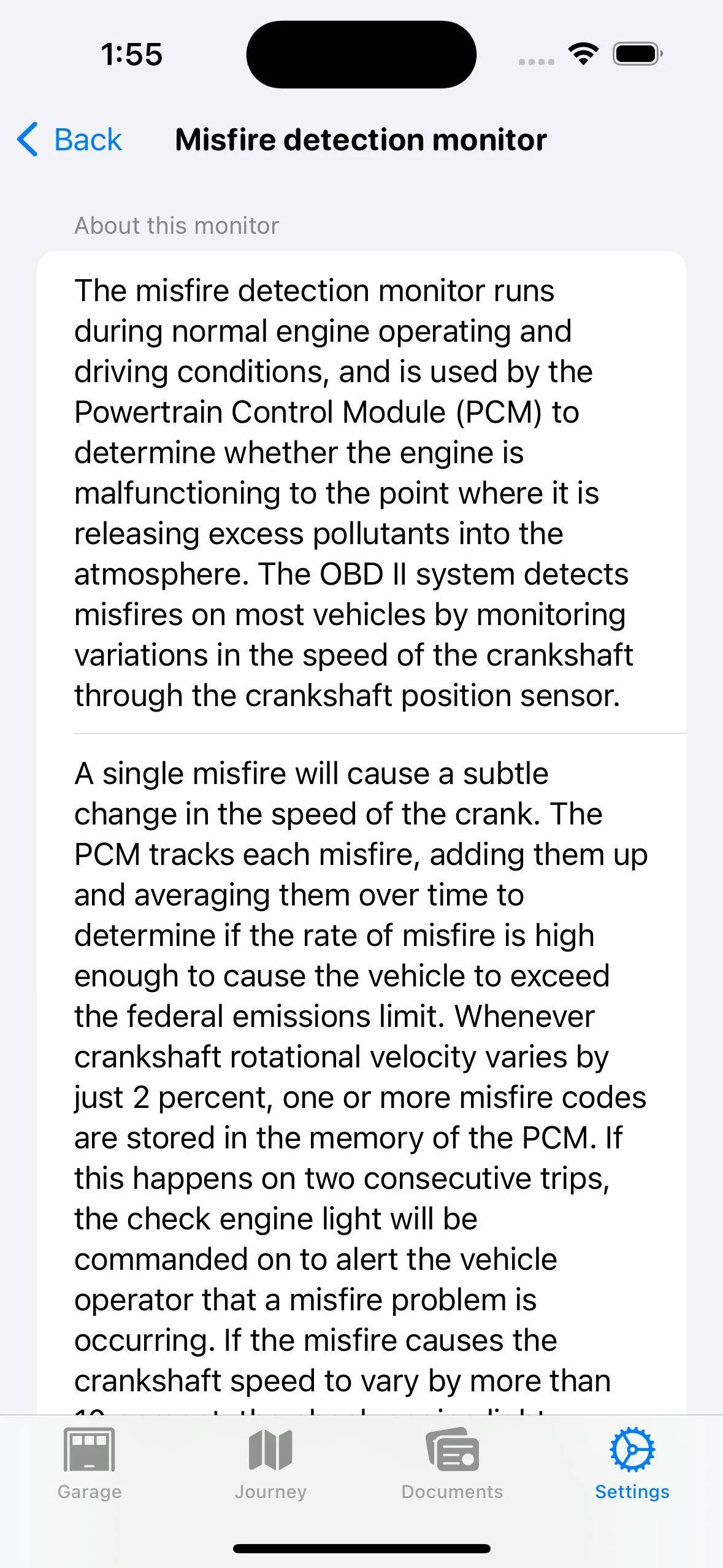
One part of this new functionality is that I want it to help with improving understanding of vehicle diagnostics and systems, so there's a lot of explanatory information provided alongside the data pulled from the vehicle like so:

Porsche Taycan Interested in an unofficial Apple Watch app? Simulator Screenshot - iPhone 15 Pro - 2024-02-06 at 13.56.03
 
OP
OP
electricsidecar

electricsidecar

Well-Known Member
Joined
Oct 15, 2022
Threads
8
Messages
647
Reaction score
830
Location
USA
Website
electricsidecar.app
Vehicles
Volcano Gray Taycan 2022
Country flag
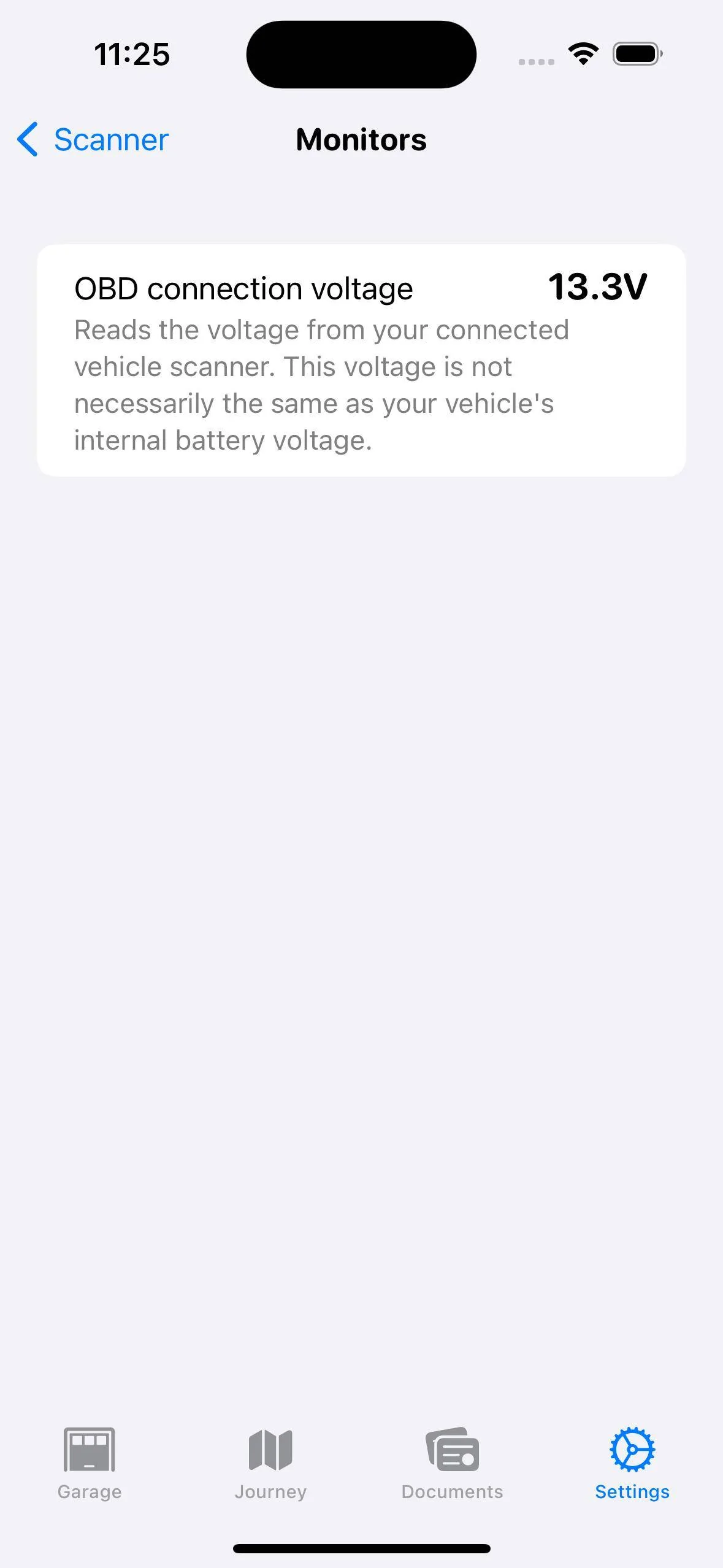
First generic value monitor in place:

Porsche Taycan Interested in an unofficial Apple Watch app? Simulator Screenshot - iPhone 15 Pro - 2024-02-06 at 15.27.55


This is setting up the foundations for tracking monitors over time. Electric Sidecar keeps a historical record of all command/response pairs sent over the OBD-II connection, so this data can be turned into charts within the app. Will also make it possible to export this data relatively easily and visualize it in a Mac (and Vision Pro!) app.
Sponsored


Top