
Sponsored
epirali
Well-Known Member
- First Name
- Edmund
- Joined
- Jan 15, 2020
- Threads
- 13
- Messages
- 752
- Reaction score
- 1,125
- Location
- USA, East Coast
- Vehicles
- RS Etron GT, Jaguar I-Pace, BMW i8, ex Taycan TTS

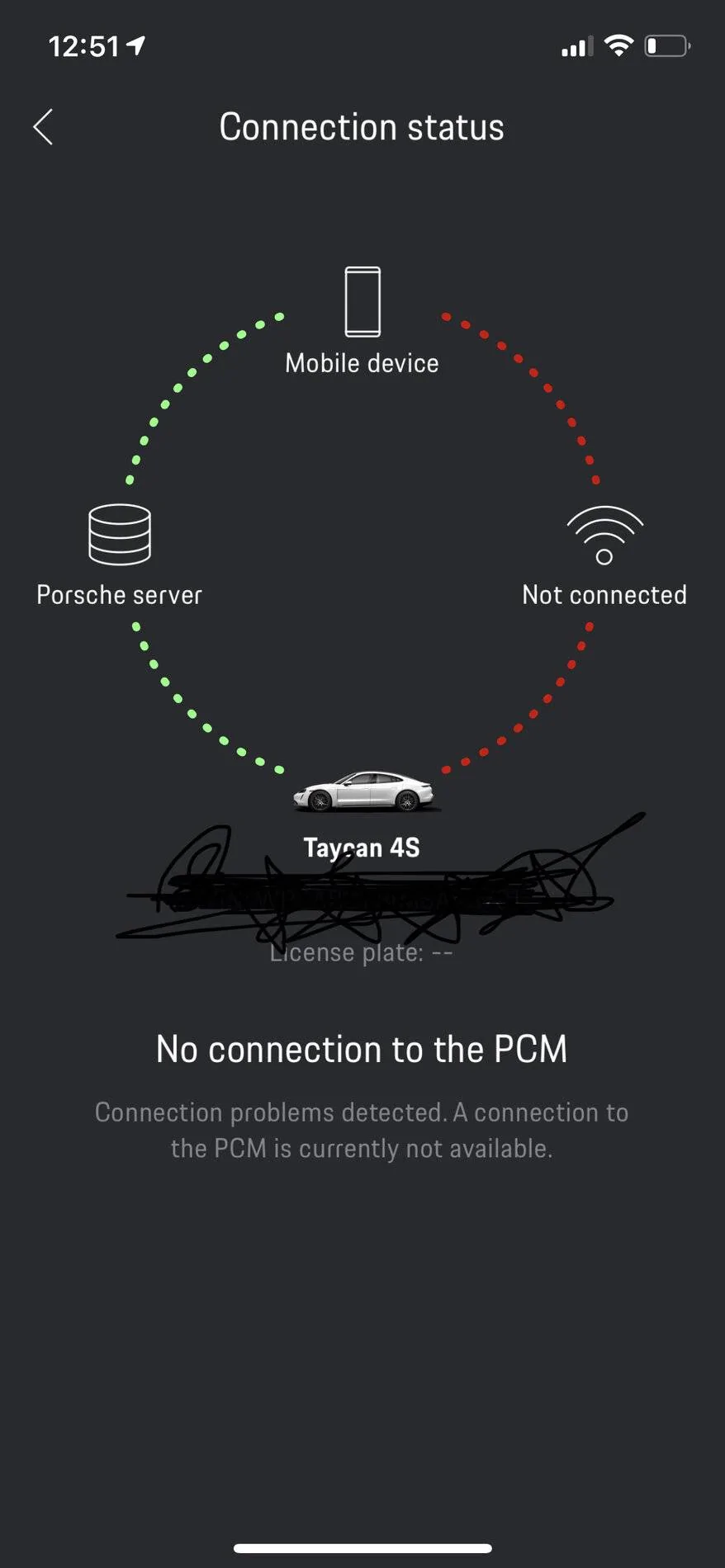
I have the same thing, and this display is very confusing. It just means you have not connected to the car WiFi. If you do the app has a “direct” connection to PCM and you can do some things. What I do not know, as I am not willing to connect to the car (and I am using wireless CarPlay so that is not an option while driving).
But its not an issue for the other functions.
But its not an issue for the other functions.
Dee
Well-Known Member
- First Name
- Dee
- Joined
- Dec 14, 2018
- Threads
- 78
- Messages
- 3,499
- Reaction score
- 4,039
- Location
- The Netherlands
- Vehicles
- A lot

The right half is not important, it was for the "old" config.What the heck am I doing wrong... How do I get this “fully” connected? And what are the benefits? Thanks!

Now it only needs the right way.
Main thing is that the car's position and status is accurate.
Don't worry about those lines.
OP
OP

mc9er
Well-Known Member
- Joined
- Dec 29, 2020
- Threads
- 24
- Messages
- 124
- Reaction score
- 62
- Location
- Wisconsin
- Vehicles
- 2021 Porsche Taycan 4S, 2021 Audi Q7
- Thread starter
- #4
Got it thanks. How do I check to make sure the car’s position (as you noted) and status is accurate?The right half is not important, it was for the "old" config.
Now it only needs the right way.
Main thing is that the car's position and status is accurate.
Don't worry about those lines.

W1NGE
Well-Known Member
- First Name
- Adrian
- Joined
- Jan 11, 2021
- Threads
- 53
- Messages
- 11,015
- Reaction score
- 6,805
- Location
- Aberdeen, Scotland
- Vehicles
- 992.2, ex GTS ST owner, Macan T

This is covered elsewhere in the forum.
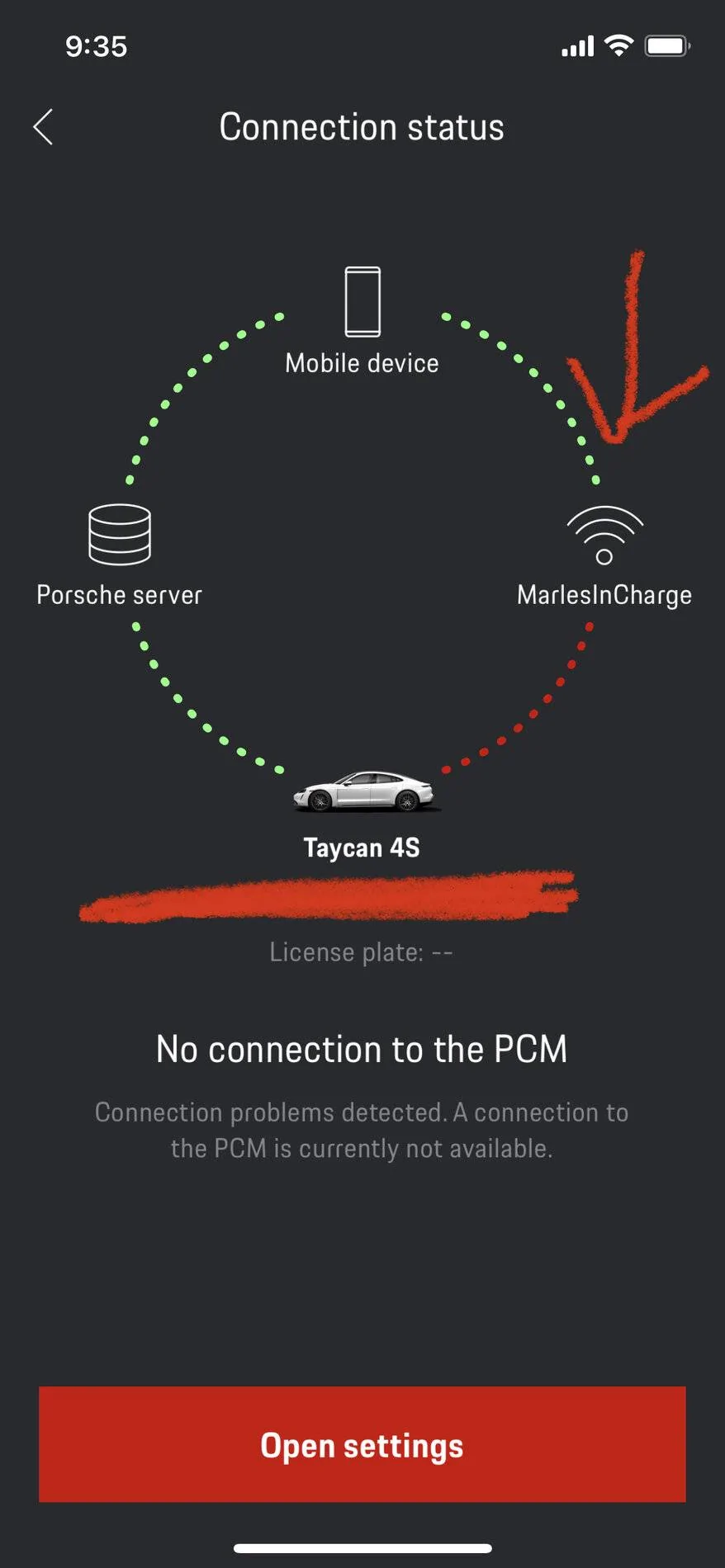
You only need three quadrants active for end to end connectivity. The bottom right quadrant is only for connecting your phone to the PCM with the in car WiFi hotspot.
Connections can be flaky and regularly drop out. Like most gadgets good when they work.
In order to find your car with the app you need to have subscribed to the Car Finder service - check what you have on My Porsche website under services.
Most of what you can do with the app you can do via My Porsche.
You only need three quadrants active for end to end connectivity. The bottom right quadrant is only for connecting your phone to the PCM with the in car WiFi hotspot.
Connections can be flaky and regularly drop out. Like most gadgets good when they work.
In order to find your car with the app you need to have subscribed to the Car Finder service - check what you have on My Porsche website under services.
Most of what you can do with the app you can do via My Porsche.
OP
OP
mc9er
Well-Known Member
- Joined
- Dec 29, 2020
- Threads
- 24
- Messages
- 124
- Reaction score
- 62
- Location
- Wisconsin
- Vehicles
- 2021 Porsche Taycan 4S, 2021 Audi Q7
- Thread starter
- #6
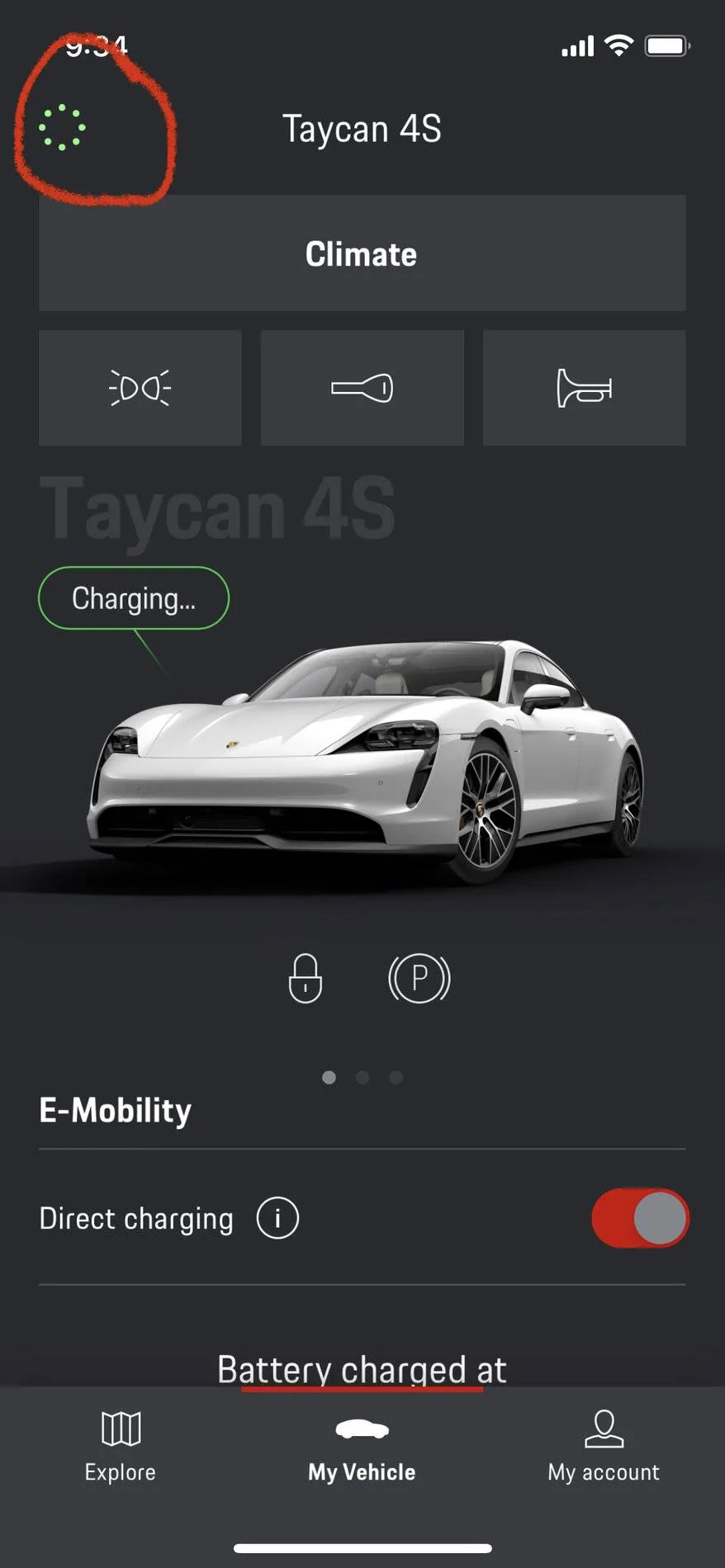
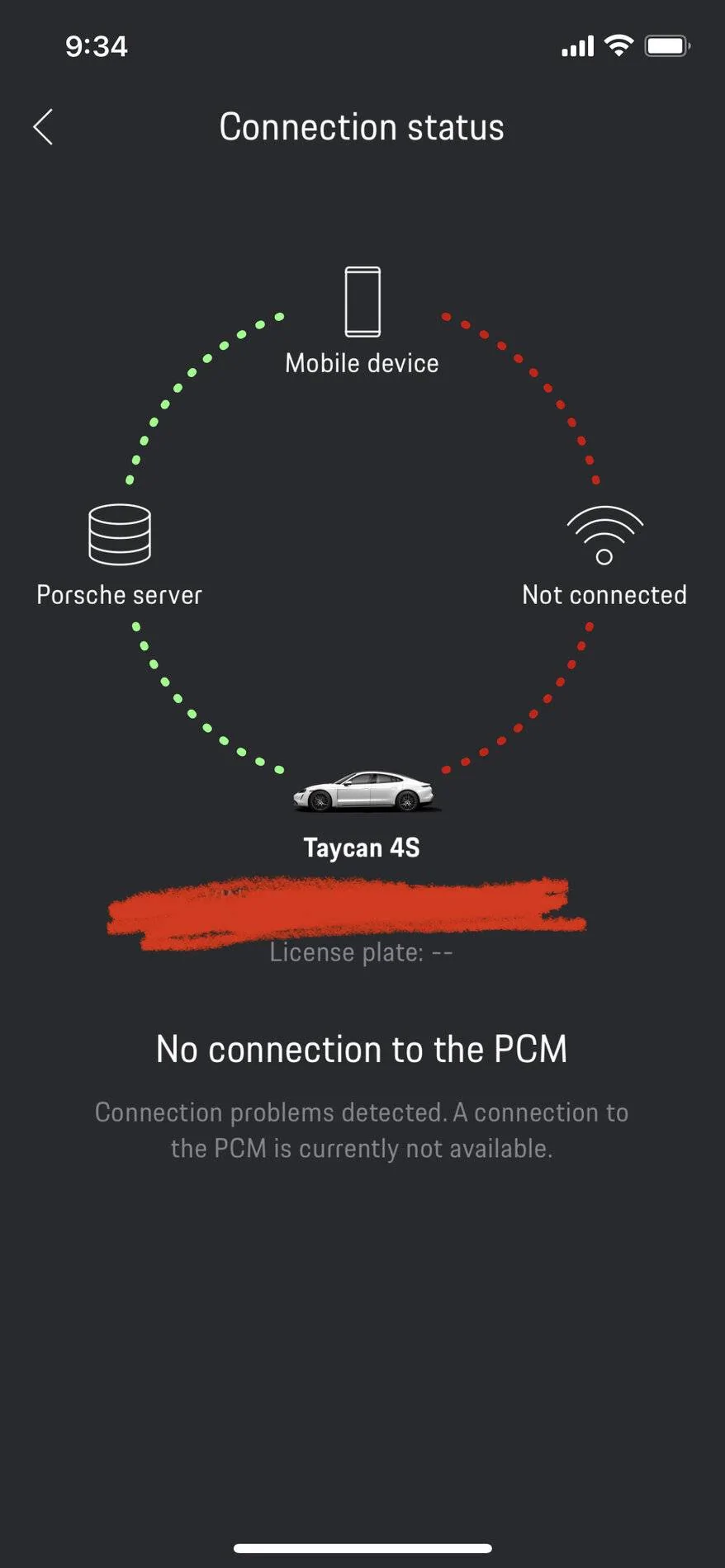
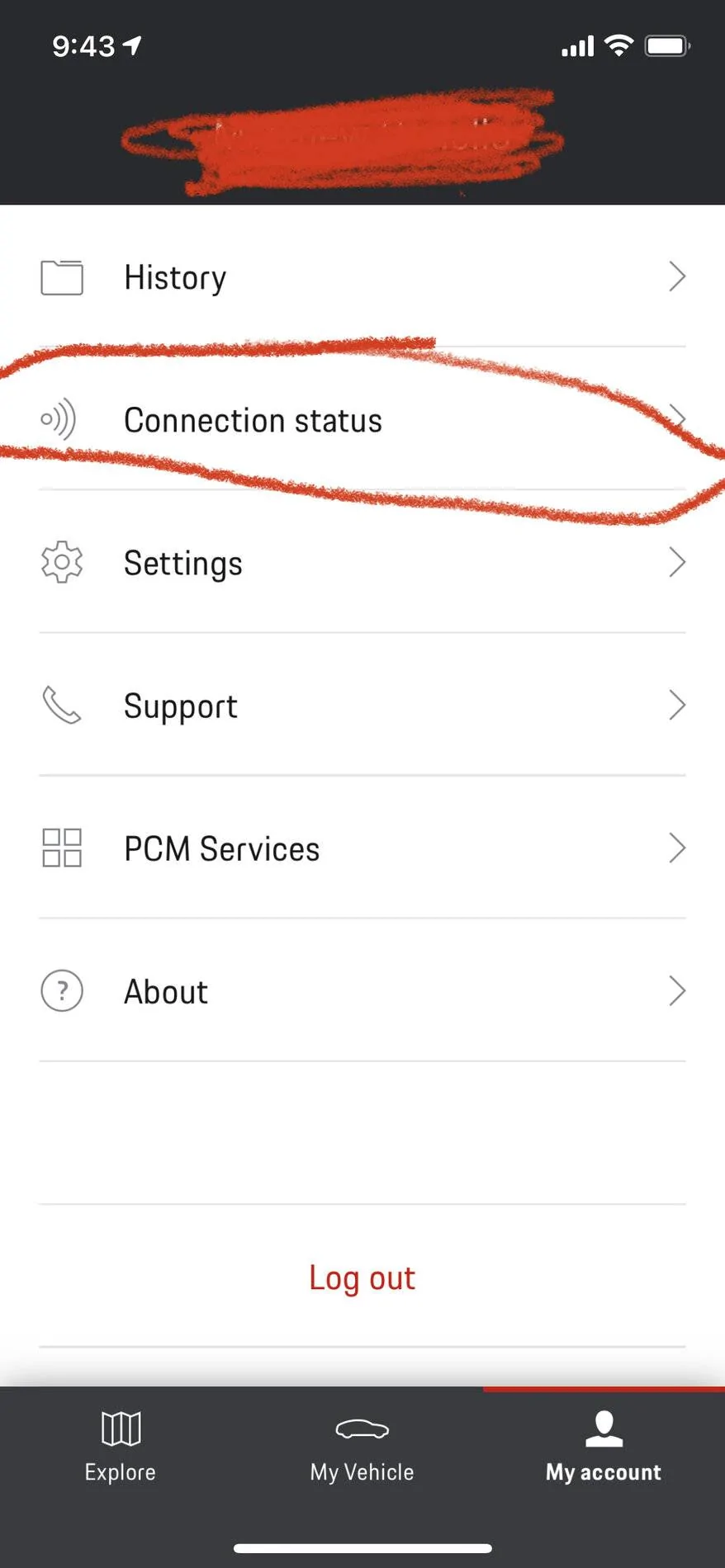
Got it. I will take a look on the My Porsche website. One last follow up... see screenshots herein for reference, but what is strange is that there are 2 different places on the connect app to see “connection status” (related to my original post). 1 of those ways shows my connection as halfway around the dial and the other shows it as 3/4 around the dial. Bug? I know someone above mentioned you want it 3/4. Clicking the top left in the connect app is what shows as half (connected only as far as “mobile device”) and the way when clicking “connection status” in the “my account” section shows as connected to my wifi... one step more than the other.This is covered elsewhere in the forum.
You only need three quadrants active for end to end connectivity. The bottom right quadrant is only for connecting your phone to the PCM with the in car WiFi hotspot.
Connections can be flaky and regularly drop out. Like most gadgets good when they work.
In order to find your car with the app you need to have subscribed to the Car Finder service - check what you have on My Porsche website under services.
Most of what you can do with the app you can do via My Porsche.
Dee
Well-Known Member
- First Name
- Dee
- Joined
- Dec 14, 2018
- Threads
- 78
- Messages
- 3,499
- Reaction score
- 4,039
- Location
- The Netherlands
- Vehicles
- A lot
The right quarter is only there when you are at reasonable distance from the car.
It doesn't do anything.
For sending or changing timers/profiles or checking status the left part is all you need.
Status: it should be the same as in the car (battery status, locked, windows closed etc).
Position: where you left the car.
You probably could've figured that out yourself.
It doesn't do anything.
For sending or changing timers/profiles or checking status the left part is all you need.
Status: it should be the same as in the car (battery status, locked, windows closed etc).
Position: where you left the car.
You probably could've figured that out yourself.
W1NGE
Well-Known Member
- First Name
- Adrian
- Joined
- Jan 11, 2021
- Threads
- 53
- Messages
- 11,015
- Reaction score
- 6,805
- Location
- Aberdeen, Scotland
- Vehicles
- 992.2, ex GTS ST owner, Macan T
So when at home on your WiFi then the top right quadrant will go green showing the connection path from your phone to the car.Got it. I will take a look on the My Porsche website. One last follow up... see screenshots herein for reference, but what is strange is that there are 2 different places on the connect app to see “connection status” (related to my original post). 1 of those ways shows my connection as halfway around the dial and the other shows it as 3/4 around the dial. Bug? I know someone above mentioned you want it 3/4. Clicking the top left in the connect app is what shows as half (connected only as far as “mobile device”) and the way when clicking “connection status” in the “my account” section shows as connected to my wifi... one step more than the other.
The small top left connection status (all green) is simply showing you have an active connection to the car.
Sometimes this will be completely red when no connection is possible.
In summary, to have connectivity remotely to the car the top left and bottom left quadrants need to connect.
Top right shows the connection path from your mobile device to the vehicle and in most cases ignore the bottom right quadrant (unless you want to sync your calendar to the car).
Normally you shouldn't have worry about this or however you connect. Bear in mind it can be unreliable and in my case can go offline if I've not used the car for a while (it shouldn't but it does) which renders some of the remote features (including tracking) useless.
System worked perfectly on the Panamera but the implementation on the Taycan has led to a whole new world of pain.
Dee
Well-Known Member
- First Name
- Dee
- Joined
- Dec 14, 2018
- Threads
- 78
- Messages
- 3,499
- Reaction score
- 4,039
- Location
- The Netherlands
- Vehicles
- A lot
But then again, I've been able to change timers without a green circle, all red.
So, it's obviously a graphical presentation but doesn't have to be the actual connection status.
Like W1NGE said, don't worry about it.
So, it's obviously a graphical presentation but doesn't have to be the actual connection status.
Like W1NGE said, don't worry about it.
OP
OP
mc9er
Well-Known Member
- Joined
- Dec 29, 2020
- Threads
- 24
- Messages
- 124
- Reaction score
- 62
- Location
- Wisconsin
- Vehicles
- 2021 Porsche Taycan 4S, 2021 Audi Q7
- Thread starter
- #10
Love this forum. Thanks guysBut then again, I've been able to change timers without a green circle, all red.
So, it's obviously a graphical presentation but doesn't have to be the actual connection status.
Like W1NGE said, don't worry about it.
Sponsored


