WalterG
Well-Known Member
- First Name
- Walter
- Joined
- Oct 3, 2020
- Threads
- 25
- Messages
- 176
- Reaction score
- 229
- Location
- Boston
- Vehicles
- Taycan4S

- Thread starter
- #1
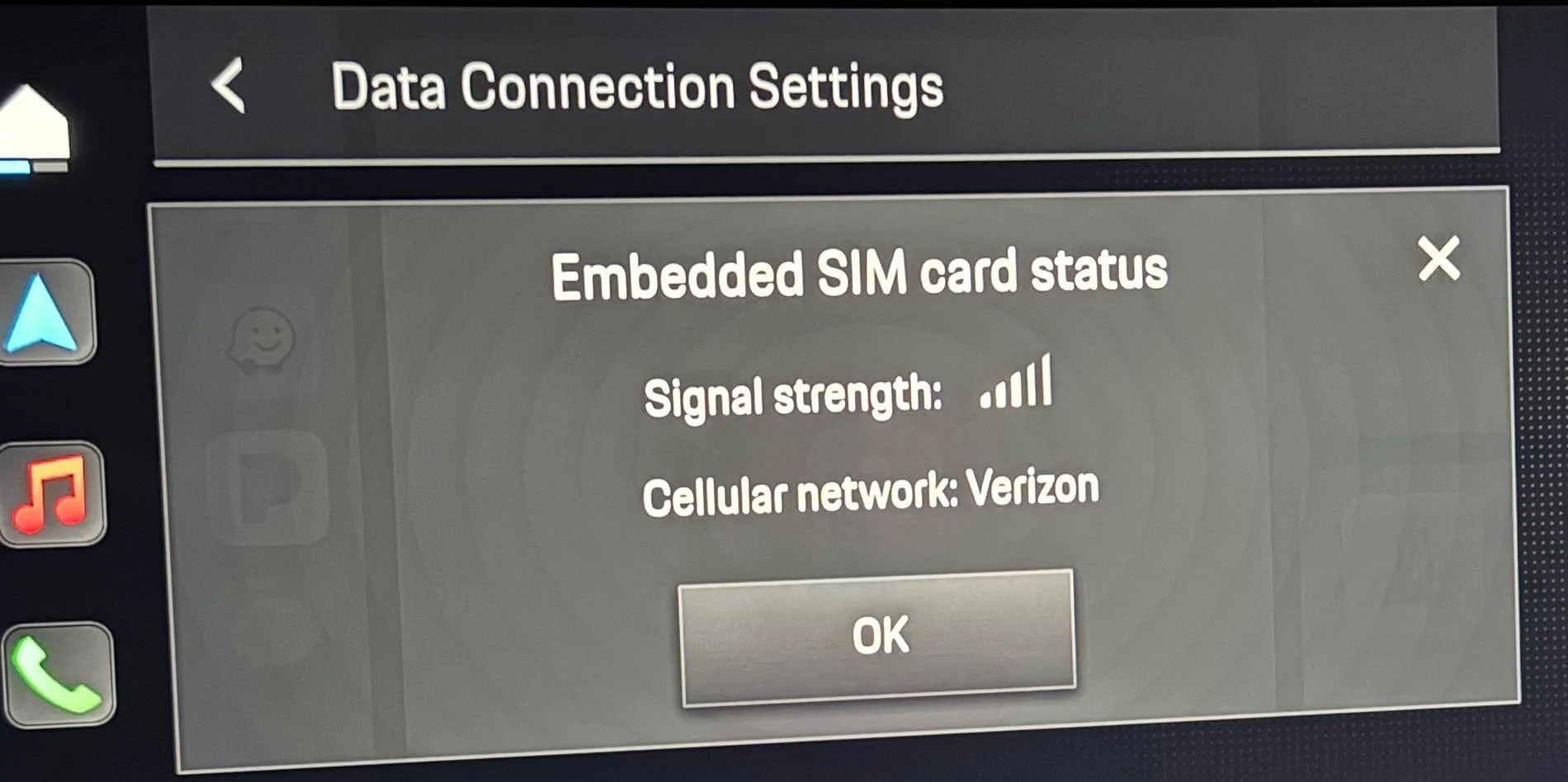
I recently moved from a 2020 T4S to a 2025 T4S that has noise / thermal isolation glass. I like the more quiet ride but like others, have found that cellular reception is impacted. My 2020 did not have noise / thermal isolation glass so I'm really familiar with cell coverage in the areas I frequently drive and have found unfortunately that with the 2025 the weak spots have become dead zones, and the mediocre spots have become weak. I've seen no impact in the good coverage areas around Boston - but the weak and mediocre spots have become really bad. In the weak coverage areas I can't even get google maps to plot a route on my phone to display with CarPlay. And most problematic, my wife can't do her wordle. For reference I have Verizon.
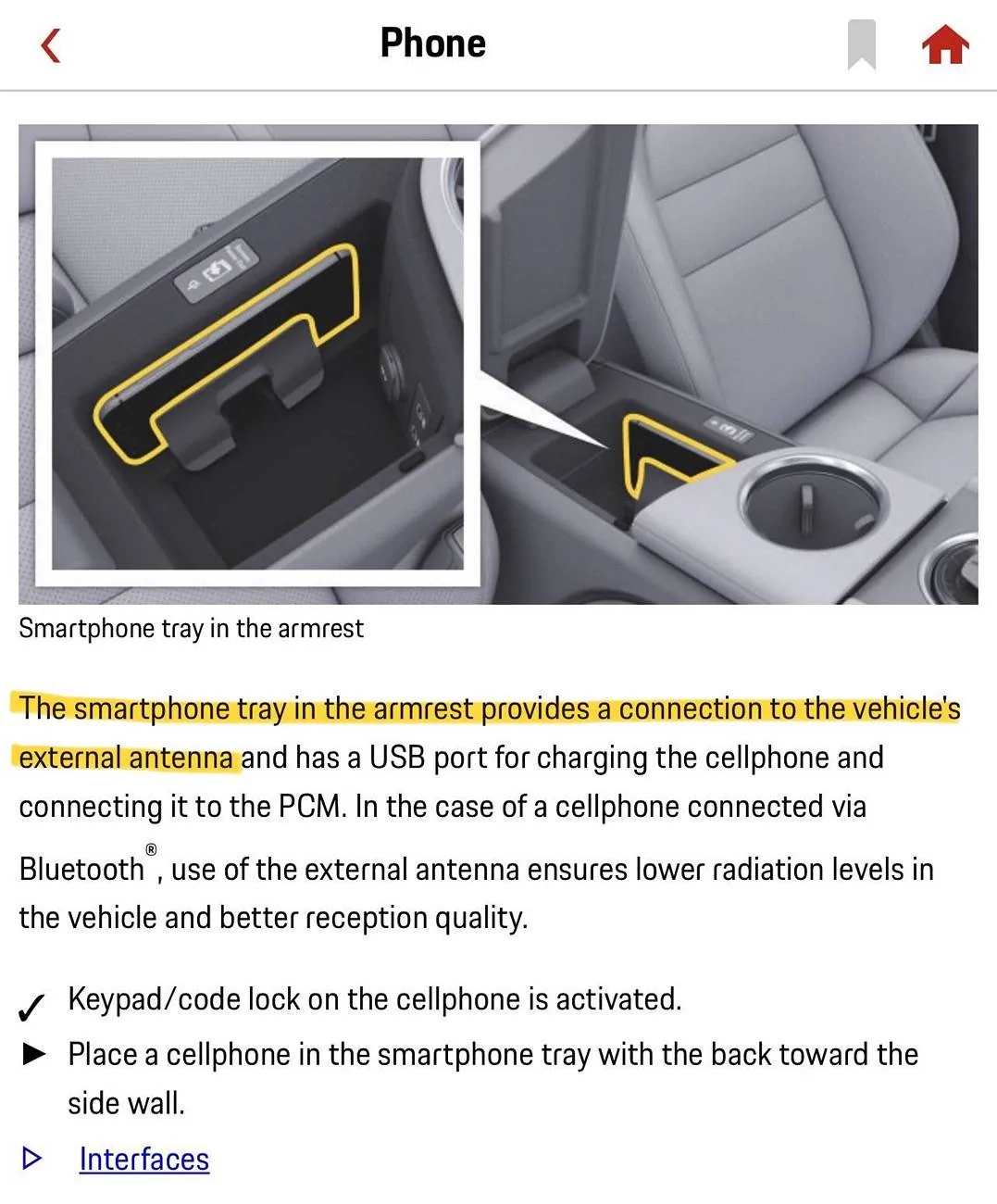
So I decided to try the in-car hotspot since I'm guessing the car's cellular antenna is mounted in a location that is not impacted by the noise / thermal isolation glass. I wasn't sure if I could have CarPlay running and simultaneously connect to the hotspot with the same iphone.
I found that the hotspot works great. I'll report back after a few days but with some quick testing it is doing exactly what I need - getting the coverage back to "usable" in weak and mediocre coverage areas. Speedtest reports 38Mbps down and 5Mbps up in a good but not great coverage area. While the 5G native on my iPhone would be much better, I can live with 38/5 all day for supporting CarPlay and my wife's wordle!
The directions in the manual weren't very good but here's what I did in case it's helpful.
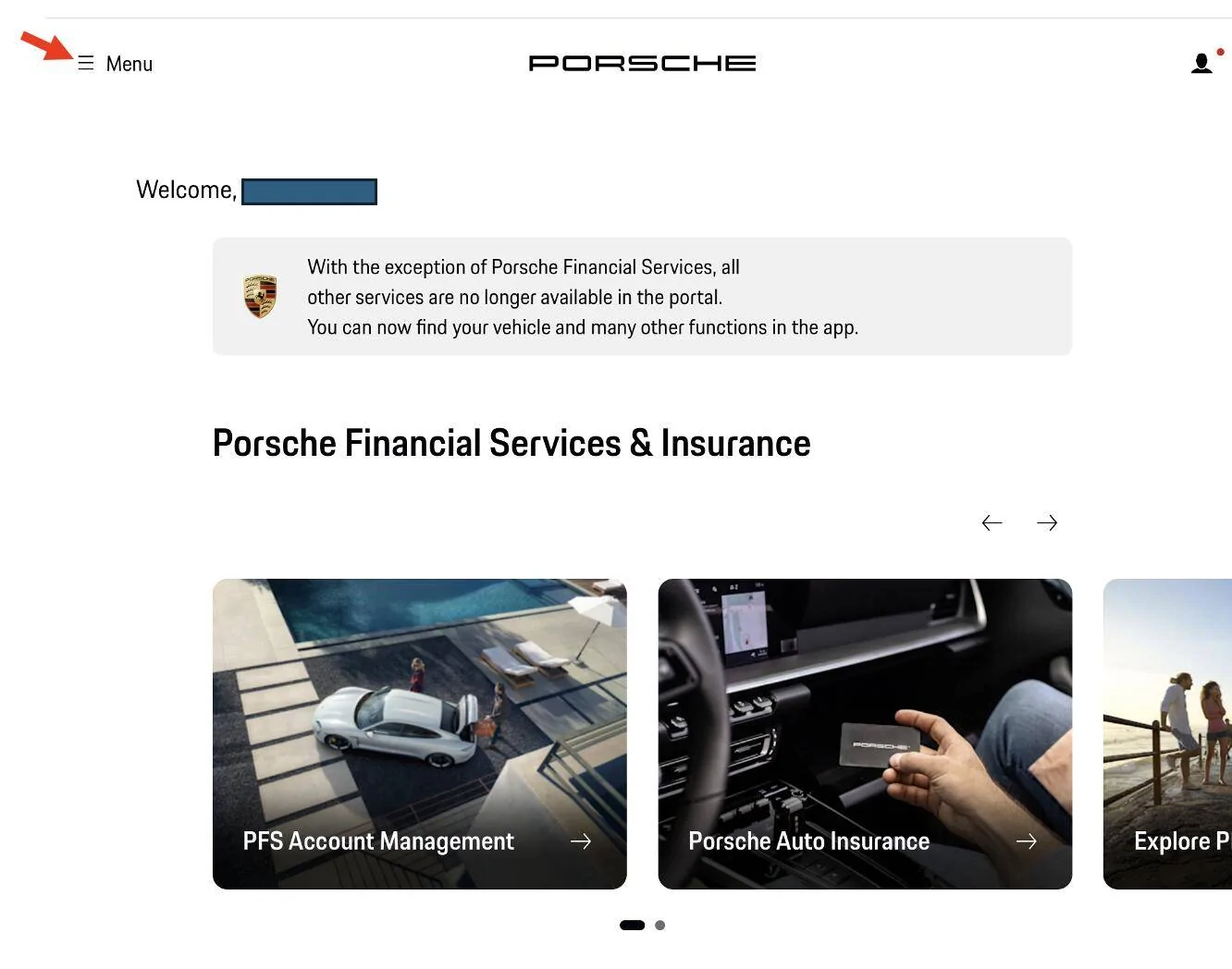
- I first had to enable the hotspot by logging in from my computer at identity.porsche.com and going to My Porsche from the "hamburger" menu.
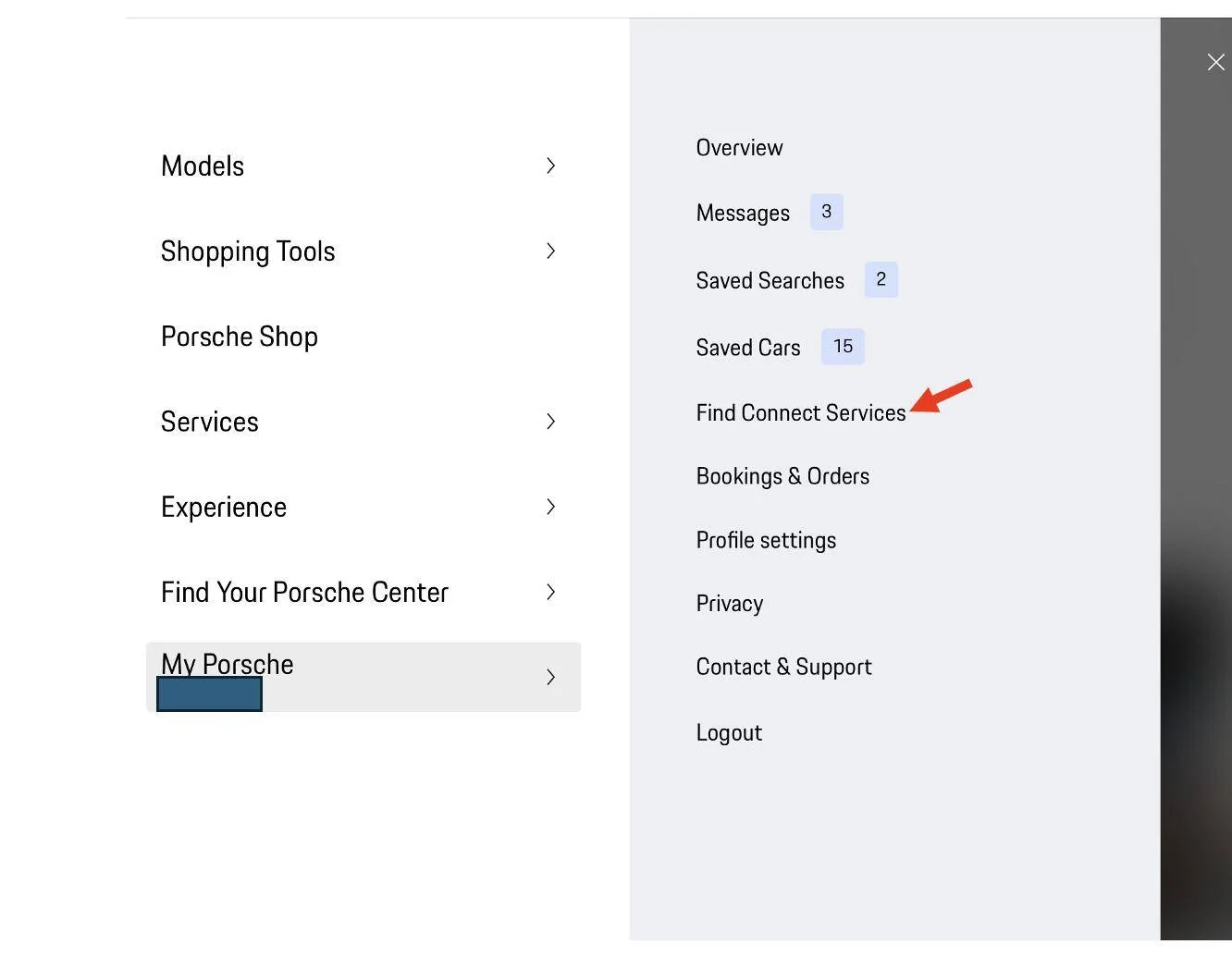
- In the main My Porsche menu (at identity.porsche.com) I picked "Find Connect Services" and scrolled down to "Data Pass Premium". I activated this. It is $20/month and the first month is free. It can be canceled anytime from this menu. Not super excited to send $20/mo to Verizon/Porsche for this but so be it; if it works it's worth it for me.
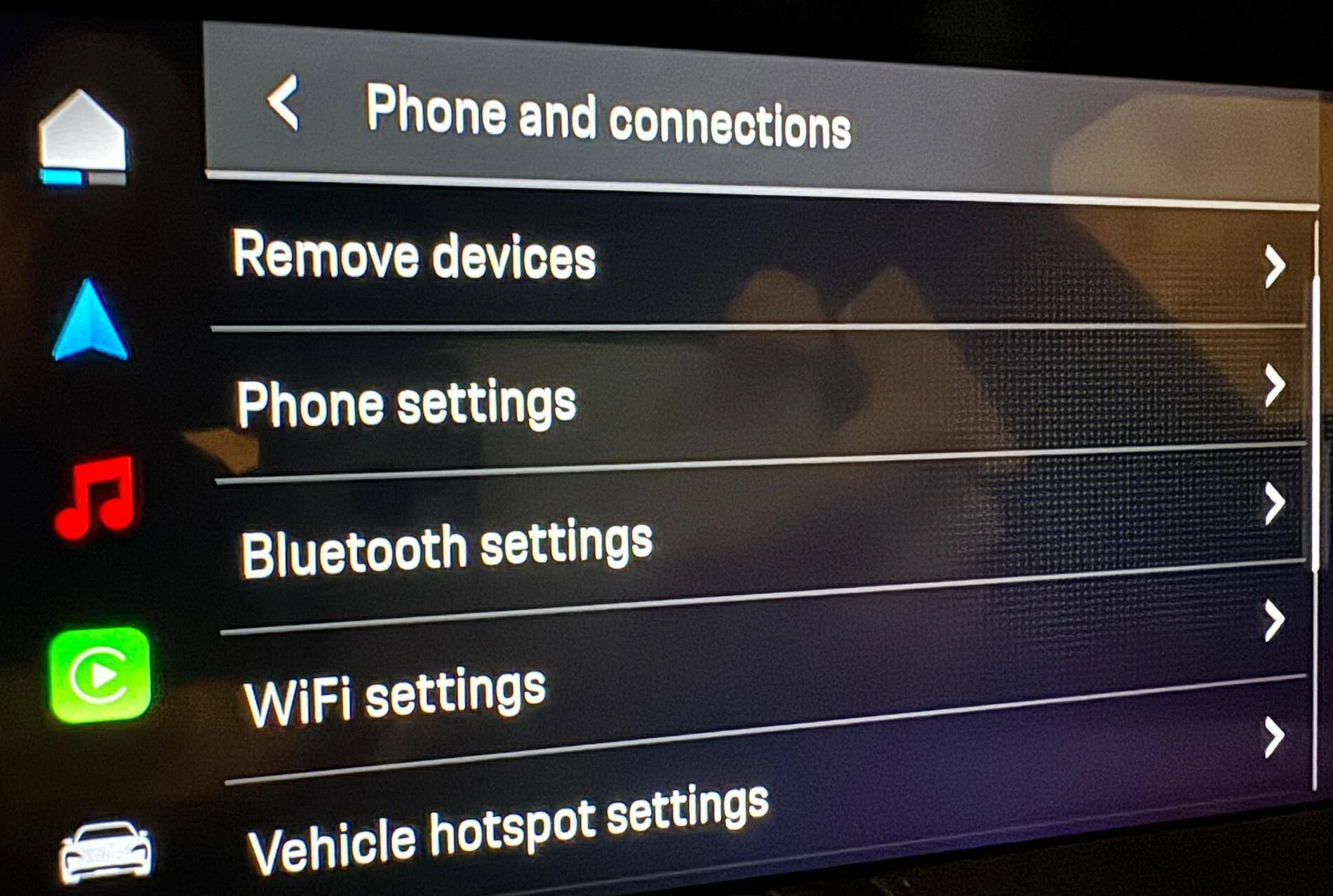
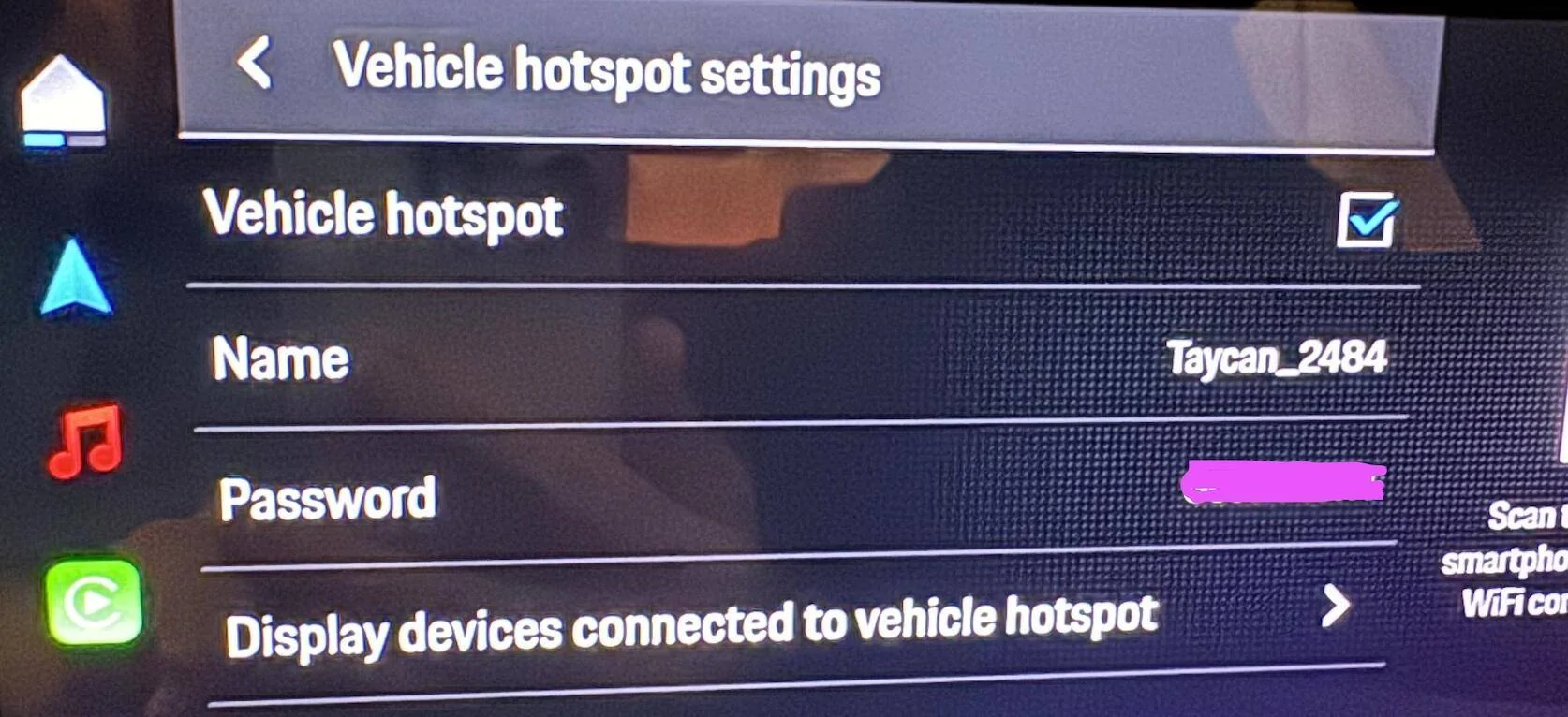
- I then turned on the hotspot in the car's PCM by going to Settings->Phone and Connections->Vehicle hotspot settings and checking the box "Vehicle hotspot" and then I set a password.
- I had to wait about 30 min for it to activate. I got the receipt and confirmation right away but when I tried to use it I got a message that said "click to connect" and then said it couldn't and to call Verizon at an 800 number. I decided not to call and to turn off the car, lock it and walk away for a bit. When I came back about 30 min later it just worked.
- Now anyone in the car can connect to the car hotspot by selecting the Taycan network and typing in the password. Or from the PCM they can just aim their camera at the QR code from the "connect to hotspot" menu.
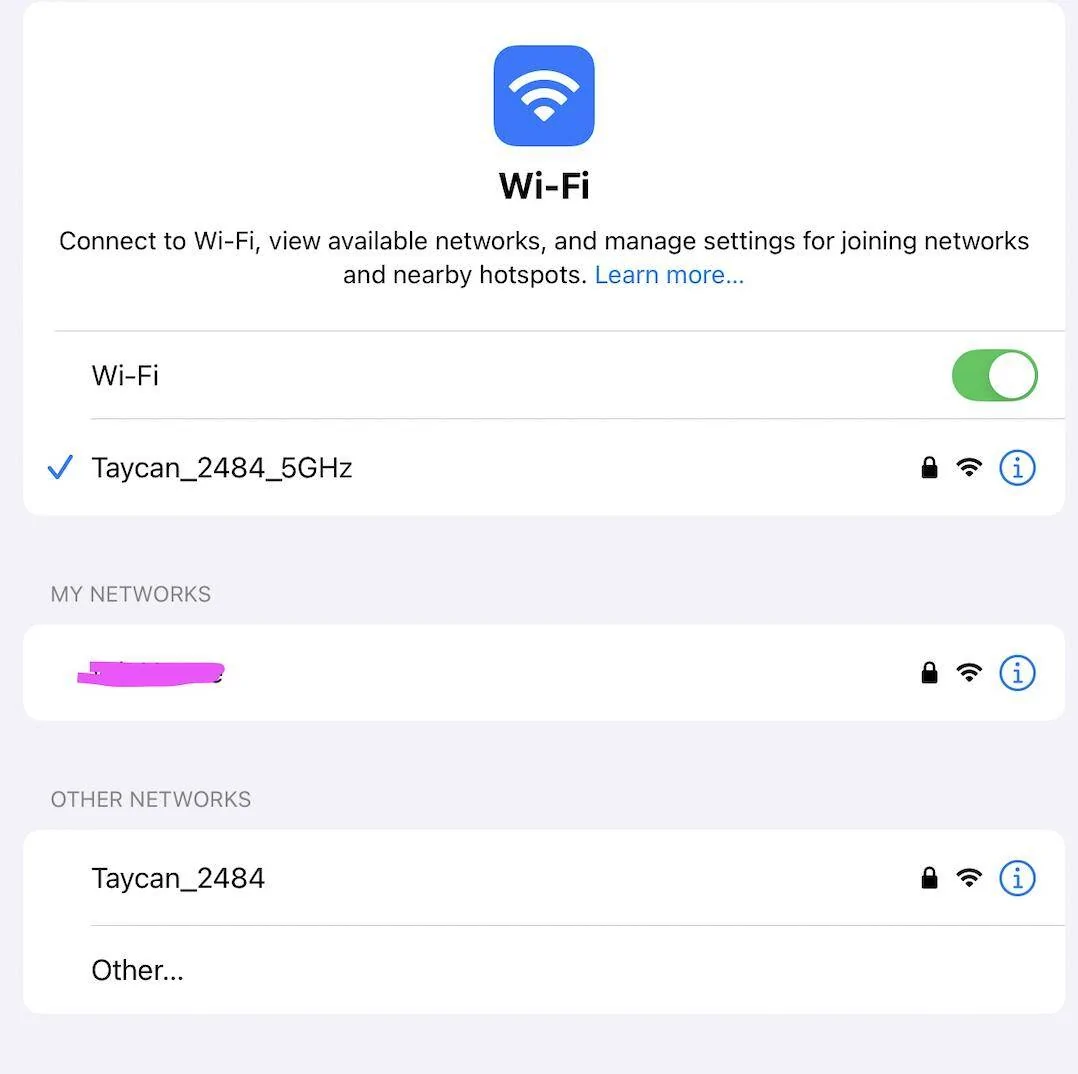
Now I also wanted to connect my phone which I use for Apple CarPlay. To do this, I connected to CarPlay like I always have, then I went to settings on my iPhone and selected the taycan 5g wifi network (on my iPhone it was listed in wifi settings as "Taycan_2484_5GHz"). I am not sure about this but I'm guessing the car uses a 2.4GHz wifi connection to the iPhone for CarPlay. Since the iPhone can support two simultaneous connections, I chose the 5GHz one for the hotspot and now I have apple CarPlay and am simultaneously connected to the car's hotspot for data rather than using the phone's cellular. I haven't tried it yet but I'm guessing that I can make calls too since I have "wifi calling" on in my iPhone.
I'll report back after using this setup for a few days but so far it seems to work. Here are some screenshots for anyone interested in trying this crazy workaround.


So I decided to try the in-car hotspot since I'm guessing the car's cellular antenna is mounted in a location that is not impacted by the noise / thermal isolation glass. I wasn't sure if I could have CarPlay running and simultaneously connect to the hotspot with the same iphone.
I found that the hotspot works great. I'll report back after a few days but with some quick testing it is doing exactly what I need - getting the coverage back to "usable" in weak and mediocre coverage areas. Speedtest reports 38Mbps down and 5Mbps up in a good but not great coverage area. While the 5G native on my iPhone would be much better, I can live with 38/5 all day for supporting CarPlay and my wife's wordle!
The directions in the manual weren't very good but here's what I did in case it's helpful.
- I first had to enable the hotspot by logging in from my computer at identity.porsche.com and going to My Porsche from the "hamburger" menu.
- In the main My Porsche menu (at identity.porsche.com) I picked "Find Connect Services" and scrolled down to "Data Pass Premium". I activated this. It is $20/month and the first month is free. It can be canceled anytime from this menu. Not super excited to send $20/mo to Verizon/Porsche for this but so be it; if it works it's worth it for me.
- I then turned on the hotspot in the car's PCM by going to Settings->Phone and Connections->Vehicle hotspot settings and checking the box "Vehicle hotspot" and then I set a password.
- I had to wait about 30 min for it to activate. I got the receipt and confirmation right away but when I tried to use it I got a message that said "click to connect" and then said it couldn't and to call Verizon at an 800 number. I decided not to call and to turn off the car, lock it and walk away for a bit. When I came back about 30 min later it just worked.
- Now anyone in the car can connect to the car hotspot by selecting the Taycan network and typing in the password. Or from the PCM they can just aim their camera at the QR code from the "connect to hotspot" menu.
Now I also wanted to connect my phone which I use for Apple CarPlay. To do this, I connected to CarPlay like I always have, then I went to settings on my iPhone and selected the taycan 5g wifi network (on my iPhone it was listed in wifi settings as "Taycan_2484_5GHz"). I am not sure about this but I'm guessing the car uses a 2.4GHz wifi connection to the iPhone for CarPlay. Since the iPhone can support two simultaneous connections, I chose the 5GHz one for the hotspot and now I have apple CarPlay and am simultaneously connected to the car's hotspot for data rather than using the phone's cellular. I haven't tried it yet but I'm guessing that I can make calls too since I have "wifi calling" on in my iPhone.
I'll report back after using this setup for a few days but so far it seems to work. Here are some screenshots for anyone interested in trying this crazy workaround.

Sponsored