electricsidecar
Well-Known Member
- Joined
- Oct 15, 2022
- Threads
- 8
- Messages
- 647
- Reaction score
- 830
- Location
- USA
- Website
- electricsidecar.app
- Vehicles
- Volcano Gray Taycan 2022
- Thread starter
- #361
Yay!
Sponsored
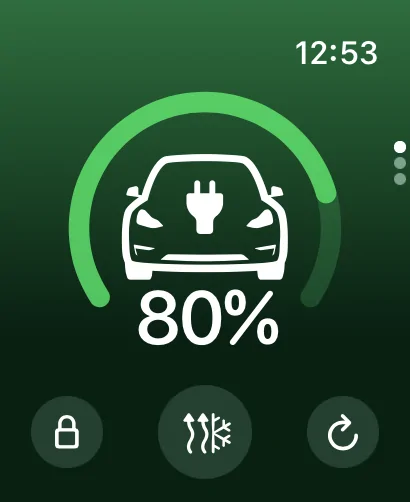
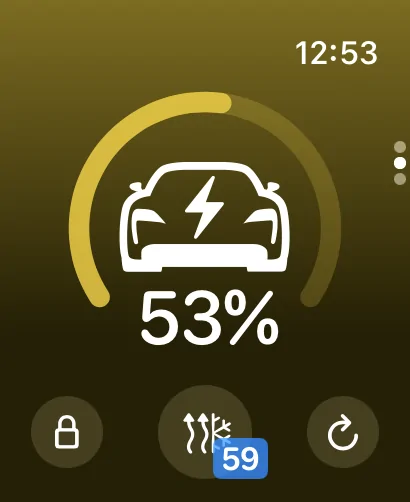
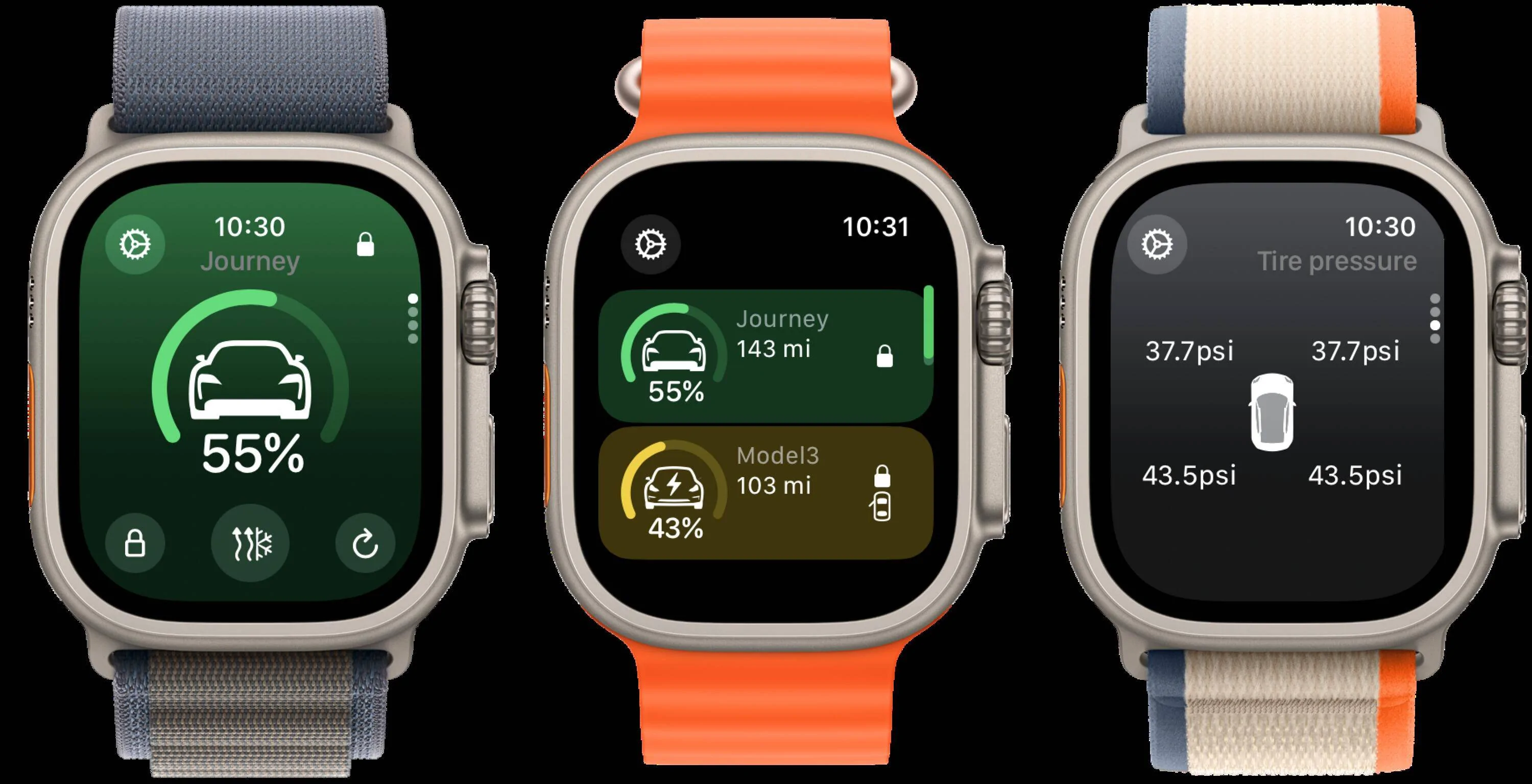
For those who might need to know I had to re-attach/re-load the app to my watch for this latest update but worked like a charm - really like the new interfaces and entirely agree that a step up in respect ease at which to access all the features. Great stuff as always!v1.4.0-24 is out now with a completely overhauled watchOS interface for the app! The app's been redesigned to take advantage of the new watchOS 10 design language, making it much easier to navigate through the app and get access to important actions more intuitively.
If you only have one vehicle in your garage, the app will default to showing that vehicle's watch face. If you have multiple vehicles in your garage, there's a new summary view that lets you quickly glance through the state of each of your vehicles.
As part of this change I've also redesigned the detail pages for vehicles on the watch. Each screen of the car's details now focuses on elevating data in a way that's quick to scan and understand; no more drilling through endless lists of info to find the details you're looking for!
![]()
Hope you enjoy this update!
Or maybe its just a bar->psi conversion issue? Perhaps there isnt 0.1psi accuracy and its just the closest psi value being converted and ending up with that figure? I see your screenshots also show 37.7. It would be really interesting to know the pressure down to 0.1psi, but I suspect the TPMS is not that accurate.Looking great! The only thing I have spotted is that its reporting all 4 tyres are 37.7psi - I doubt they are all exactly that. Might just need a refresh - but I think Porsche are having another service issue, as I cant see the status via the web portal currently.
Ah good catch, I wasn’t sure if anyone was using the vehicle trip data on the watch. I can add it back in! To help me tune the interface, how do you like to use the data when looking at in on your watch?This app is great. Just one thing - since the most recent update the trip information doesn’t appear on my watch (it is on my phone). Is there anything I should be doing to get it to re-appear?
Added a link to be able to see the vehicle trip data in the next version that will go out, but I plan to revisit the overall trip UI on the watch once I find a good way to merge the on-vehicle trip data with the trip logger built in to Electric Sidecar.This app is great. Just one thing - since the most recent update the trip information doesn’t appear on my watch (it is on my phone). Is there anything I should be doing to get it to re-appear?
Seeing a faw few crashes in this latest version. Crashes for me when tapping 'Your journey' now. Ive submitted crash reports. Had a few background crashes too.Added a link to be able to see the vehicle trip data in the next version that will go out, but I plan to revisit the overall trip UI on the watch once I find a good way to merge the on-vehicle trip data with the trip logger built in to Electric Sidecar.
Will take a look, thank you for the reports!Seeing a faw few crashes in this latest version. Crashes for me when tapping 'Your journey' now. Ive submitted crash reports. Had a few background crashes too.