Sponsored

AV7

Well-Known Member
Joined
Nov 17, 2021
Threads
4
Messages
141
Reaction score
149
Location
California
Vehicles
Taycan, CyberTruck FS
Country flag
Well I must be special or maybe vice-versa! :) Still nothing here.

Out of curiosity did anyone check/know their system SW version before and after this OTA update - I'm guessing that this OTA would not change that but still curious and I can at least check that!

Mine is K3823 or PCM 3823.

PCM SW version the same before and after mine is 3793 though
Sponsored

 

ciaranob

Well-Known Member
Joined
Jul 3, 2021
Threads
83
Messages
3,547
Reaction score
2,639
Location
Houston, TX
Vehicles
CT4S 2022 Mini Cooper S 2024 Electric in 2025/6
Country flag
Yeah it seemed like an update to the battery charging curve, not the PCM.
OK - weird one again - SW OTA update finally appeared and I am kicking myself as I suspect an issue might have been my USB flash (media) drive was plugged in the car inside the armrest - could it have blocked posting of the notification I wonder as the moment I unplugged it lo and behold the update was available!?


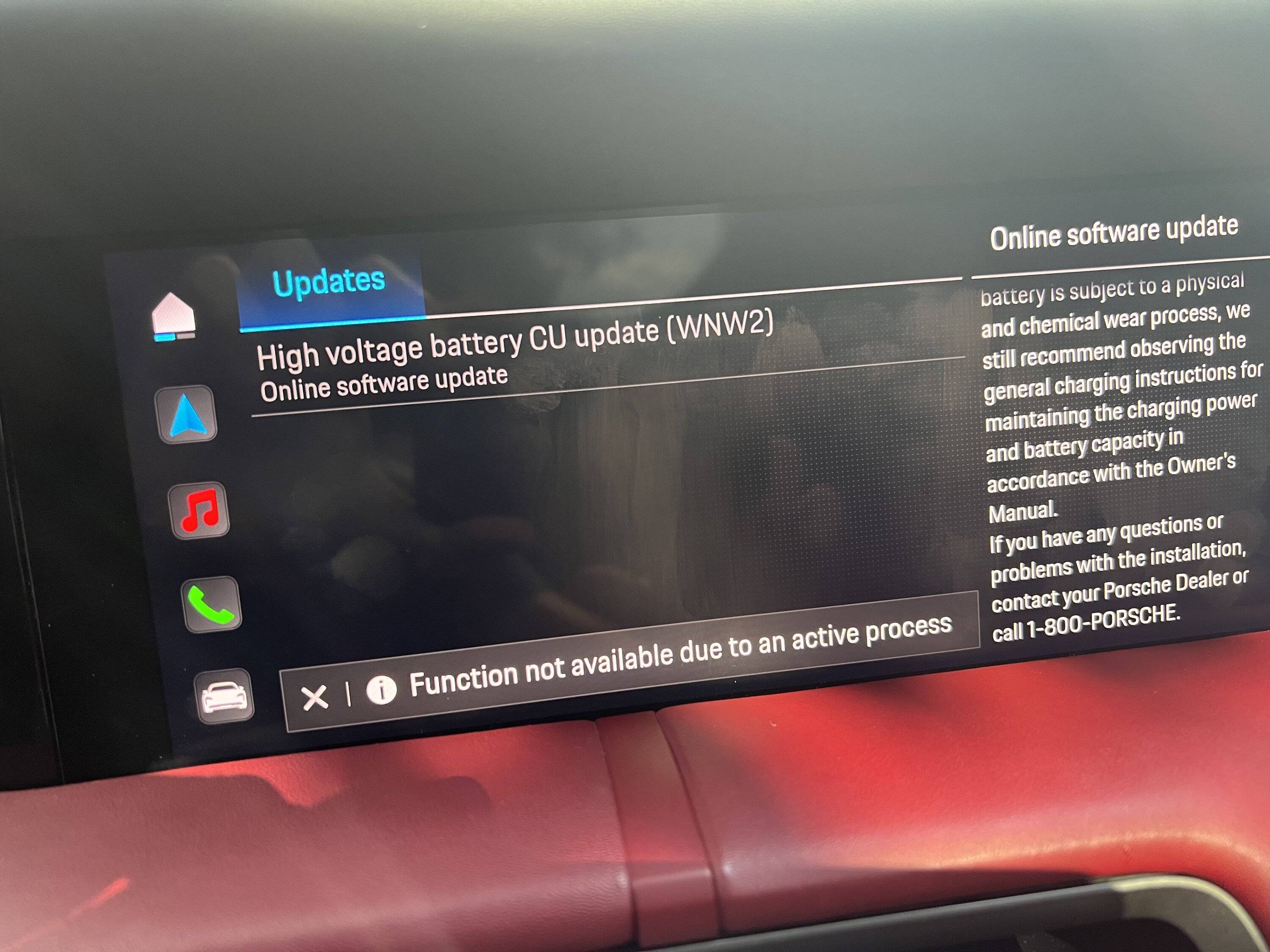
OK - BUT now no matter what I do in regards trying to get this thing to activate it keeps telling me that there is an "active process" that is stopping the update from initializing/starting!

I literally have nothing else on or plugged in except the FitCamX - took its SD card out and temporarily powered down but PCM still says OTA function not available due to a mystifying 'active process'. Probably staring me in the face!!

Any ideas as I'm drawing a blank!

PS - the same issue occurs when I power down and try to start update before leaving car I.e. pic I know from update app but using to show same error msg

Porsche Taycan OTA Software Update (July 17, 2023)! IMG_2212
 
Last edited:

WattTurbo

Well-Known Member
First Name
Kevin
Joined
Nov 13, 2021
Threads
11
Messages
748
Reaction score
619
Location
Katy, TX
Vehicles
911 C2S, Taycan Turbo
Country flag
OK - weird one again - SW OTA update finally appeared and I am kicking myself as I suspect an issue might have been my USB flash (media) drive was plugged in the car inside the armrest - could it have blocked posting of the notification I wonder as the moment I unplugged it lo and behold the update was available!?


OK - BUT now no matter what I do in regards trying to get this thing to activate it keeps telling me that there is an "active process" that is stopping the update from initializing/starting!

I literally have nothing else on or plugged in except the FitCamX - took its SD card out and temporarily powered down but PCM still says OTA function not available due to a mystifying 'active process'. Probably staring me in the face!!

Any ideas as I'm drawing a blank!

IMG_2212.jpeg
Once you’re at that screen, you press the power button to turn it off then it should prompt you to exit and lock the car to start the update
 

ciaranob

Well-Known Member
Joined
Jul 3, 2021
Threads
83
Messages
3,547
Reaction score
2,639
Location
Houston, TX
Vehicles
CT4S 2022 Mini Cooper S 2024 Electric in 2025/6
Country flag
Once you’re at that screen, you press the power button to turn it off then it should prompt you to exit and lock the car to start the update
See PS at end if my post - have hit power off and the OTA appears in the usual goodbye screen but again tells me there is an active process interfering


ciaranob

Well-Known Member
Joined
Jul 3, 2021
Threads
83
Messages
3,547
Reaction score
2,639
Location
Houston, TX
Vehicles
CT4S 2022 Mini Cooper S 2024 Electric in 2025/6
Country flag
And if that doesn't work, do the 2-Finger Reset on the PCM, then try the update all over again.
Yeah was hoping not to keep rebooting but I’ll def do this again if no other solution pops up here soon :)


violuma

Well-Known Member
Joined
Jul 21, 2023
Threads
3
Messages
451
Reaction score
676
Location
San Carlos, CA
Vehicles
2024 RWD
Country flag

ciaranob

Well-Known Member
Joined
Jul 3, 2021
Threads
83
Messages
3,547
Reaction score
2,639
Location
Houston, TX
Vehicles
CT4S 2022 Mini Cooper S 2024 Electric in 2025/6
Country flag
This is probably not a very useful idea, seeing as how you've already seen the post in question, but perhaps take another glance through https://www.taycanforum.com/forum/threads/ota-update-high-tension-battery-wnw2.16152/#post-248525. Is it possible that you have parking pre-climatisation enabled? That sounds like something that could at least theoretically be consistent with what you have described.
Thx but no never use it and def not on and yes indeed had seen that post too.
 

ciaranob

Well-Known Member
Joined
Jul 3, 2021
Threads
83
Messages
3,547
Reaction score
2,639
Location
Houston, TX
Vehicles
CT4S 2022 Mini Cooper S 2024 Electric in 2025/6
Country flag
And if that doesn't work, do the 2-Finger Reset on the PCM, then try the update all over again.
Well 2nd reboot did the trick - OTA update installed successfully - not exdactly 'Apple smooth' but done!

Now need to go take a SoH reading :)
 

ciaranob

Well-Known Member
Joined
Jul 3, 2021
Threads
83
Messages
3,547
Reaction score
2,639
Location
Houston, TX
Vehicles
CT4S 2022 Mini Cooper S 2024 Electric in 2025/6
Country flag
Went back to the car to get an SoH reading and was presented with the blue ring of death on teh PCM - had to reboot yet again and system back but no longer have the notifications I received prior re teh OTA update - presuming a reboot does not reset to a version prior to the OTA update but that would be too weird I suspect.

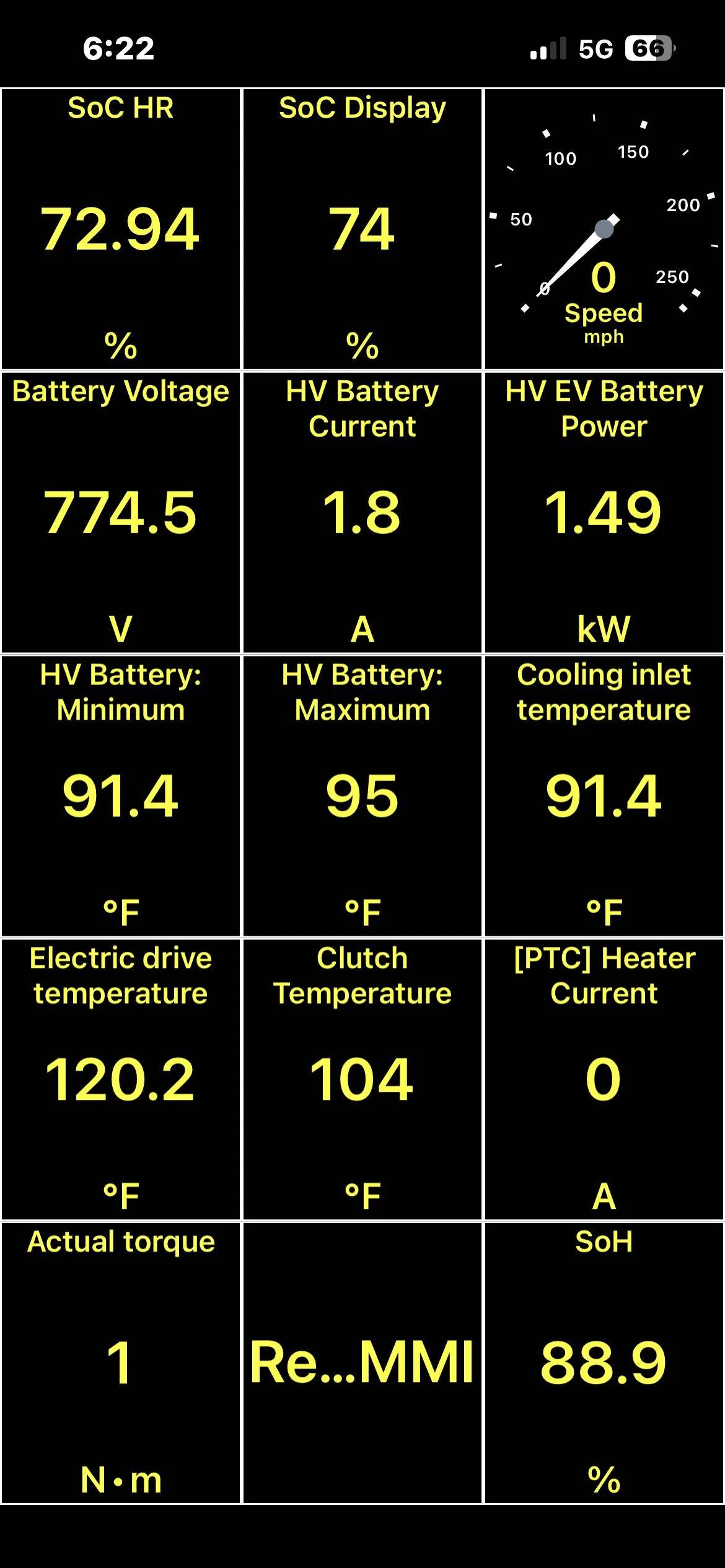
Also my Soh just like @TurboInCold 's car has not changed one iota since reading last week.

Prior reading 88.9 - same as post-OTA update again only a few days apart:

Porsche Taycan OTA Software Update (July 17, 2023)! IMG_2213
 

snstevens

Well-Known Member
First Name
Sam
Joined
Jul 10, 2020
Threads
31
Messages
1,334
Reaction score
1,739
Location
Kirkland, WA United States
Vehicles
Taycan 4S
Country flag
Well 2nd reboot did the trick - OTA update installed successfully - not exdactly 'Apple smooth' but done!

Now need to go take a SoH reading :)
Glad that worked!

As it happens, I had to follow my own advice. Upon pulling into a Starbucks (shades of @DerekS) I got the notification that my update had downloaded and that it would take 8 min to update.

So into Starbucks I go. Ninety minutes later I'm done with catching up on the news, and back to the car. It says that the update was successful (yay!), but CarPlay is not active. When I try to connect my iPhone I get a message that I need to Activate Bluetooth and WiFi. I press the Activate button, but nothing seems to happen. So I go the the Connection screen and press the 3 Dots in the lower right. Bluetooth is active and selectable, but WiFi isn't active, and is greyed out (shit!). So I turn the car off and go for a 10 min walk.

Back to the car, and upon entry it instantly says my iPhone is connected, and the GREEN CarPlay indicator appears on the lower screen, BUT the upper screen is the spinning circle indicating PCM initialization. Doesn't go away (shit again!).

So drove the car home and then tried the two-finger-reset from inside my garage. This does the trick! PCM comes back up, WiFi is enabled, and the AirPlay is working.
 

ciaranob

Well-Known Member
Joined
Jul 3, 2021
Threads
83
Messages
3,547
Reaction score
2,639
Location
Houston, TX
Vehicles
CT4S 2022 Mini Cooper S 2024 Electric in 2025/6
Country flag
Glad that worked!

As it happens, I had to follow my own advice. Upon pulling into a Starbucks (shades of @DerekS) I got the notification that my update had downloaded and that it would take 8 min to update.

So into Starbucks I go. Ninety minutes later I'm done with catching up on the news, and back to the car. It says that the update was successful (yay!), but CarPlay is not active. When I try to connect my iPhone I get a message that I need to Activate Bluetooth and WiFi. I press the Activate button, but nothing seems to happen. So I go the the Connection screen and press the 3 Dots in the lower right. Bluetooth is active and selectable, but WiFi isn't active, and is greyed out (shit!). So I turn the car off and go for a 10 min walk.

Back to the car, and upon entry it instantly says my iPhone is connected, and the GREEN CarPlay indicator appears on the lower screen, BUT the upper screen is the spinning circle indicating PCM initialization. Doesn't go away (shit again!).

So drove the car home and then tried the two-finger-reset from inside my garage. This does the trick! PCM comes back up, WiFi is enabled, and the AirPlay is working.
Gotta love our 'new' car world - if in doubt, reboot - systems will evolve some day :)!

Get a load of this:

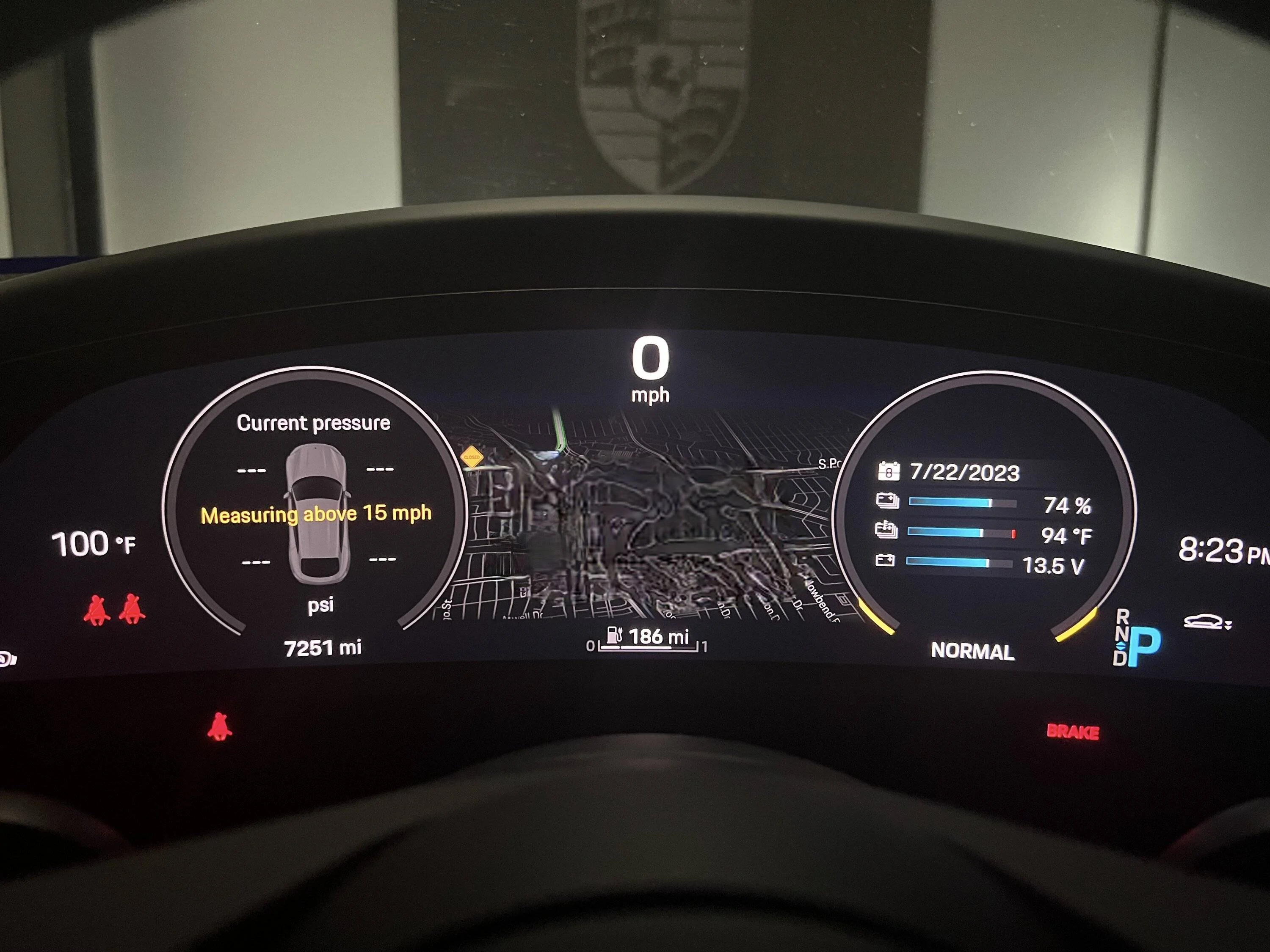
My car garage is wide open right now (almost afraid to close it!) - 8:30PM - and outside temp from car 100F and HV battery at 94F - highest I've seen when parked/not recently driven to date!

Another new world but this one may be too late to reboot!

Porsche Taycan OTA Software Update (July 17, 2023)! IMG_2217


Top