tophamn
Well-Known Member
- First Name
- Neil
- Joined
- Jul 17, 2024
- Threads
- 1
- Messages
- 708
- Reaction score
- 474
- Location
- Bristol UK
- Vehicles
- Taycan ST GTS

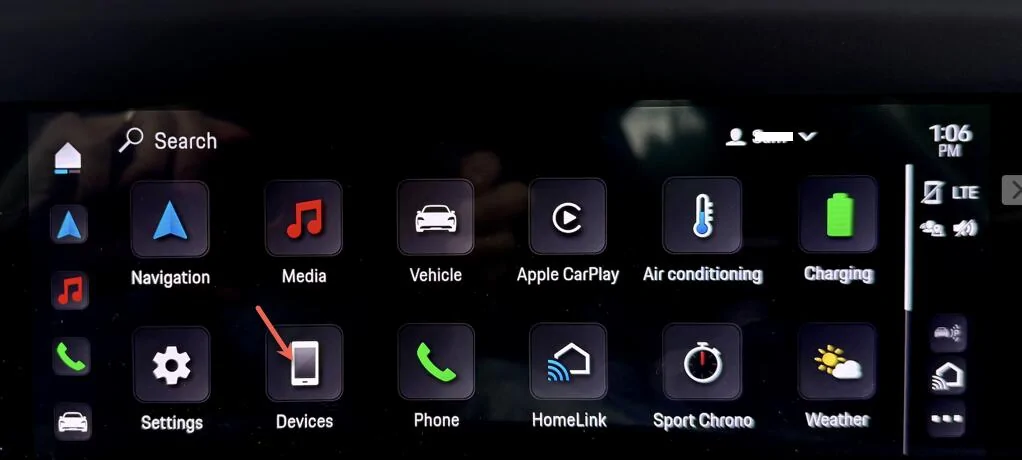
What a faff - why not just hit the CarPlay button on the last picture? This is how I switch between CarPlay and Android Auto.For CarPlay -- If I don't connect I go to the
CarPlay can sometimes be hit or miss on connecting. I use the wireless connection mode all the time, and sometimes I have to coach the Taycan into reconnecting. Here is the sequence I use.
Step 1 - CarPlay not connected. Go to main Settings Screen and click on the Devices button.

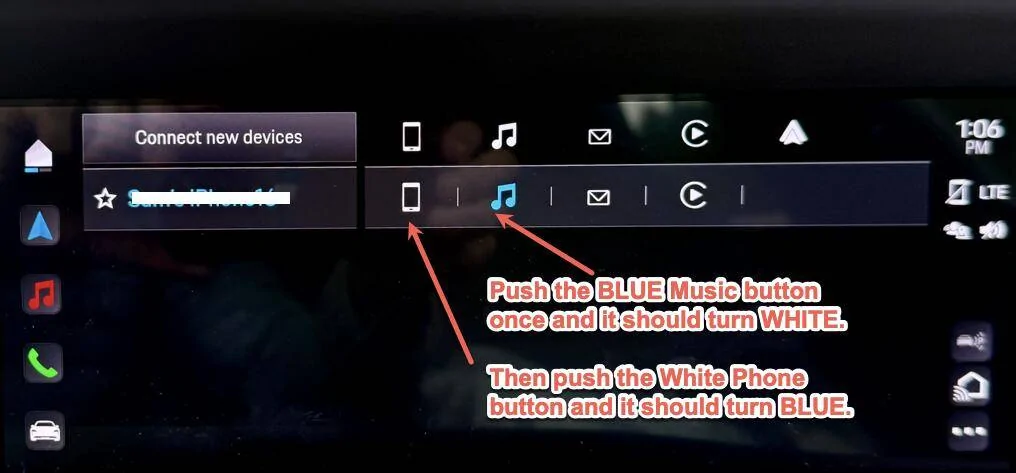
Step 2 - You are likely to see a window with the Music button BLUE for your phone like in the image below. Note that the other buttons are WHITE. Push the BLUE button to turn it WHITE. Once the Music button is WHITE, you can restart the CarPlay connection by pushing the WHITE Phone button.

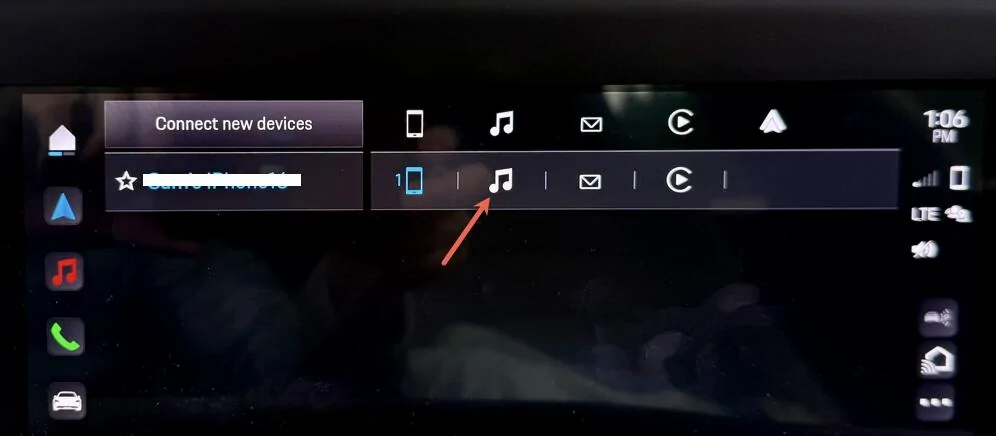
Step 3 - At this point the Phone button should be BLUE, so touch the Music button to turn it BLUE again.

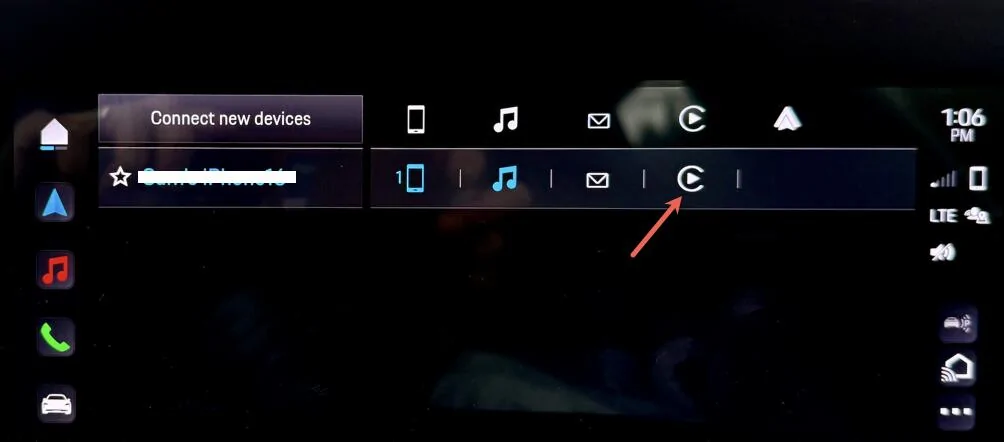
Step 4 - Almost there! Once both the Phone and Music buttons are BLUE, push the CarPlay button and it should connect.

This seems to work for me - hope it works for you ?
Sponsored