Sponsored

My Preferred Multi-Screen Cabin Layout

OP
OP
ciaranob

ciaranob

Well-Known Member
Joined
Jul 3, 2021
Threads
83
Messages
3,547
Reaction score
2,639
Location
Houston, TX
Vehicles
CT4S 2022 Mini Cooper S 2024 Electric in 2025/6
Country flag
@WindsurfUS1111

Thx - was a fun little DIY job and I had already purchased the ashtray inserts to just smooth out the console area. Works like a charm and looks pretty OEM imo :)

Here is a link to a final post on the mods applied but other posts precede this re more details:

#147

Cheers, C.

Advantages over some vendor options and some good ones out there are:
1. Super simple to reverse - literally take it out and pull cord.
2. Ashtray (with inner workings removed) is still a hinged usable storage space for keys etc.
Phone placement not designed to be readable i.e. simply more convenient/accessible storage for the phone vs the cursed console cubby and of course to charge as when needed.
Sponsored

 
Last edited:
WasserGKuehlt

Well-Known Member
Joined
Sep 7, 2022
Threads
5
Messages
2,066
Reaction score
2,456
Location
WA
Vehicles
4CT, 996C2, MacanS
Country flag
Great thread, thanks @ciaranob. My 2c (I'm not a long-term owner as your 1st post requested :) but I drove my car out of town a few times):

- left tube is on traffic signs - i find this invaluable for speed limit awareness; I switch to tire info every now and then, or after driving through concern-inducing areas (scene of a crash, gravel, construction etc.)
- right tube is reprogrammed to include ETA and remaining distance (instead of 12V voltage); it's useless most of the time, but I find it very helpful on long trips in navigation mode - you can see at a glance remaining range, battery left, miles left and so mental calculations are a bit faster (I wish that estimated battery level at destination was also in the cluster somewhere)
- diamond button on the steering wheel is next track; diamond button on the cluster is .. lift, I think? or cameras, but only used it once. My MY23 has a dedicated button for cameras on the console display, so it felt unnecessary to burn a programmable button for that.

Interestingly, the CT had a 'gravel' button at the bottom of the console screen when it was introduced; mine has 'sport' and while I do use that more frequently than 'gravel', it'd be great to have 'mode' button/control at the top level of the UX (anywhere would be fine), so as not to dive deep into the chassis menu. (And I guess I'll use the diamond on the cluster for that, thus answering my own question.)
 
OP
OP
ciaranob

ciaranob

Well-Known Member
Joined
Jul 3, 2021
Threads
83
Messages
3,547
Reaction score
2,639
Location
Houston, TX
Vehicles
CT4S 2022 Mini Cooper S 2024 Electric in 2025/6
Country flag
Great thread, thanks @ciaranob. My 2c (I'm not a long-term owner as your 1st post requested :) but I drove my car out of town a few times):

- left tube is on traffic signs - i find this invaluable for speed limit awareness; I switch to tire info every now and then, or after driving through concern-inducing areas (scene of a crash, gravel, construction etc.)
- right tube is reprogrammed to include ETA and remaining distance (instead of 12V voltage); it's useless most of the time, but I find it very helpful on long trips in navigation mode - you can see at a glance remaining range, battery left, miles left and so mental calculations are a bit faster (I wish that estimated battery level at destination was also in the cluster somewhere)
- diamond button on the steering wheel is next track; diamond button on the cluster is .. lift, I think? or cameras, but only used it once. My MY23 has a dedicated button for cameras on the console display, so it felt unnecessary to burn a programmable button for that.

Interestingly, the CT had a 'gravel' button at the bottom of the console screen when it was introduced; mine has 'sport' and while I do use that more frequently than 'gravel', it'd be great to have 'mode' button/control at the top level of the UX (anywhere would be fine), so as not to dive deep into the chassis menu. (And I guess I'll use the diamond on the cluster for that, thus answering my own question.)
Some personal observations re your setup:

1) I have this in my HUD I.e. active updates real time on local speed limits - only time I need other signage is on long trips and the nav in the HUD actively shows this too :)
2) my passenger screen Nav/active trip planning has all this info and in my personal use case on long trips (we’re retired) my wife is always there monitoring this so again no need to have a separate dedicated loc. for it,
and
3) we already have lift as a dedicated button in dash so a bit of a waste to use a diamond for - for me the immediacy of a left button click for cameras pulling into a parking situation is perfect but of course personal preferences here - for me a distraction to lean over to center display.

Indeed my Cross Turismo has the Gravel button and the ST different - very happy with my setupthere.

Thx for a good detailed account and everyone’s layout will suit different folks :).
 
Last edited:

satchurator

Well-Known Member
Joined
Mar 22, 2021
Threads
45
Messages
742
Reaction score
714
Location
Massachussets, USA
Vehicles
MY22 CT4
Country flag
Indeed my Cross Turismo has the Gravel button and the ST different - very happy with my setupthere.
@ciaranob and @WasserGKuehlt It's awkward having Gravel off in its own space since it's essentially another drive mode. I do wish that we could have multiple nameable Individual Modes with Sport Chrono. Ideally we'd be able to duplicate / alter / rename Drive Modes and the just cycle through them with the Sport Chrono dial. I'd only need 2 or 3 - I'd have one for Gravel/Snow andmy Sport-minus-Regen.
 

WasserGKuehlt

Well-Known Member
Joined
Sep 7, 2022
Threads
5
Messages
2,066
Reaction score
2,456
Location
WA
Vehicles
4CT, 996C2, MacanS
Country flag
It's awkward having Gravel off in its own space since it's essentially another drive mode. I do wish that we could have multiple nameable Individual Modes with Sport Chrono. Ideally we'd be able to duplicate / alter / rename Drive Modes and the just cycle through them with the Sport Chrono dial. I'd only need 2 or 3 - I'd have one for Gravel/Snow andmy Sport-minus-Regen.
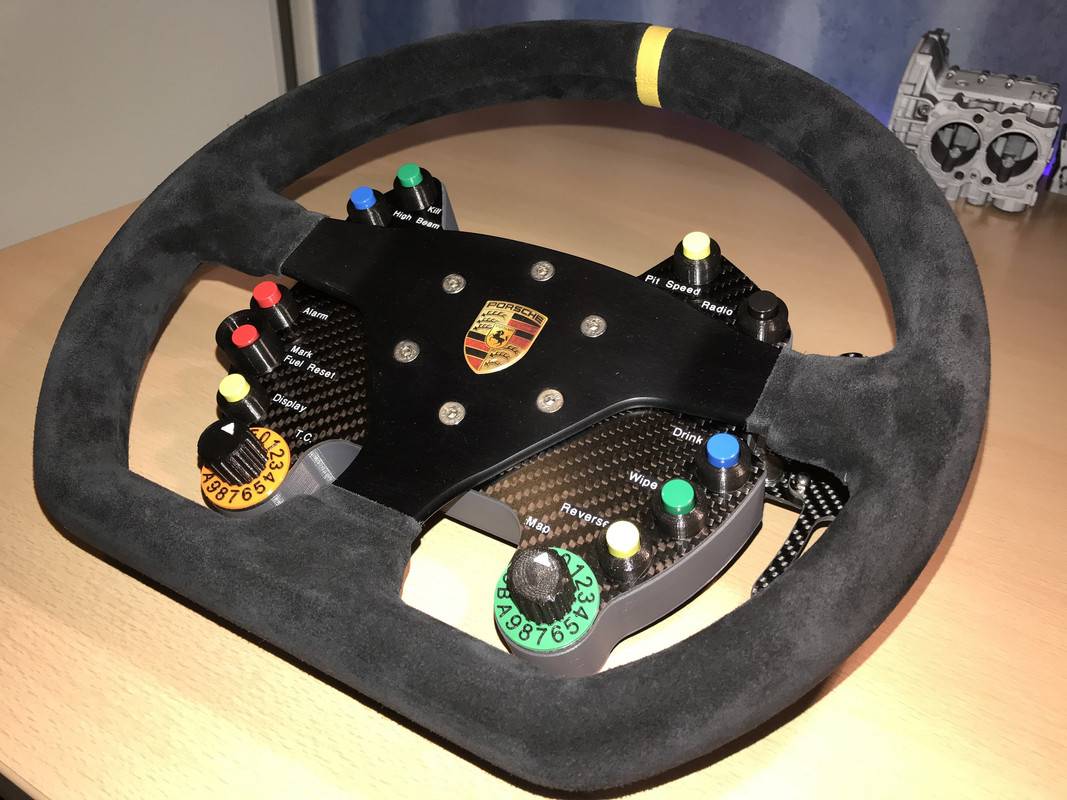
Does this work?

Porsche Taycan My Preferred Multi-Screen Cabin Layout 59-A392-CF-8-EF0-48-E5-98-C2-F6-B9-D7598-BD4


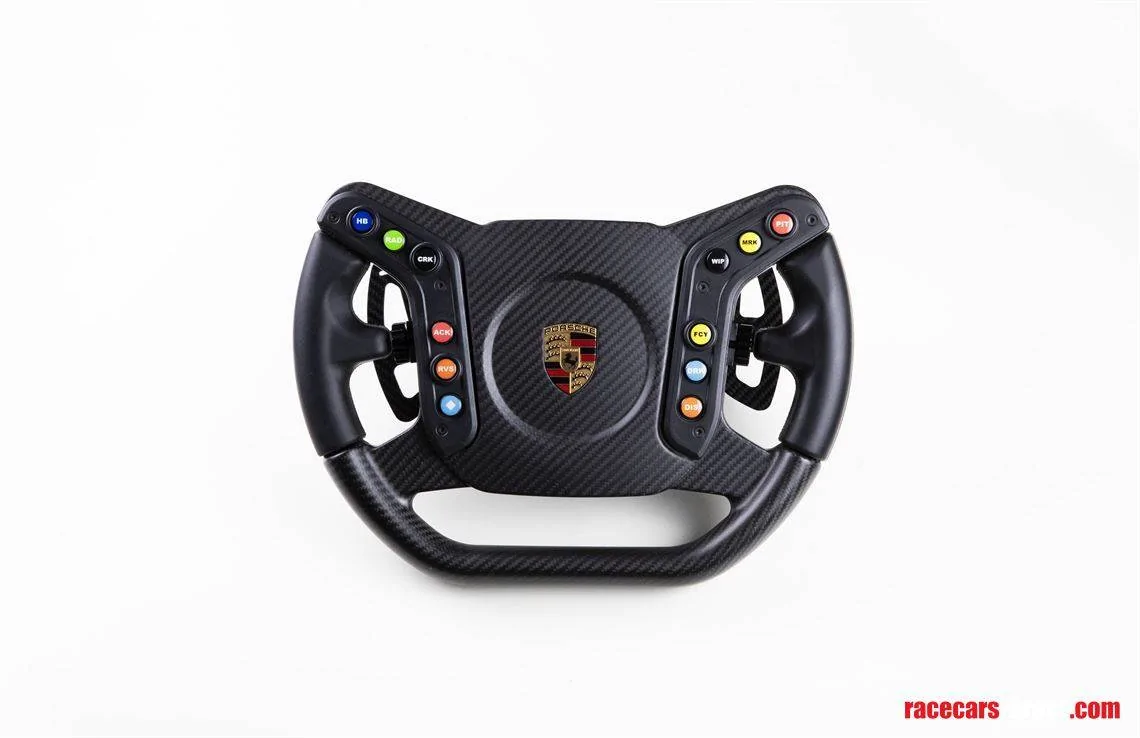
Or, if you prefer a more elegant look:
Porsche Taycan My Preferred Multi-Screen Cabin Layout 713995


(I was actually looking for the 992 GT3RS steering wheel, with those additional rotary controls.)

I kinda like the 'sport' soft button at the bottom of the console, it's pretty handy. I think 2 modes (besides 'normal') would suffice for most/my cases, and I'll try to see if the diamond button can be programmed to activate one.


satchurator

Well-Known Member
Joined
Mar 22, 2021
Threads
45
Messages
742
Reaction score
714
Location
Massachussets, USA
Vehicles
MY22 CT4
Country flag
Does this work?

59-A392-CF-8-EF0-48-E5-98-C2-F6-B9-D7598-BD4.jpg


Or, if you prefer a more elegant look:
713995.jpg


(I was actually looking for the 992 GT3RS steering wheel, with those additional rotary controls.)

I kinda like the 'sport' soft button at the bottom of the console, it's pretty handy. I think 2 modes (besides 'normal') would suffice for most/my cases, and I'll try to see if the diamond button can be programmed to activate one.
Ha! Now that is enough knobs and buttons! Driving mode, 4 garage doors, media track selection, and room to spare for the back scratcher and coffee delivery nozzle.

When I had the Sport soft button on my non-Sport-Chrono Cayenne, my wife learned that when I reached for that, something spicy was about to happen and I'd get pre-nagged on an overtake etc. That alone convinced me that Sport Chrono is worth it, just to be able to subtly and quickly flick the car into spicy mode without a lot of ceremony.
 

Tesla2Taycan

Well-Known Member
Joined
Jan 5, 2022
Threads
4
Messages
123
Reaction score
54
Location
Silicon Valley, CA
Vehicles
Tesla Model S P85 + Taycan GTS
Country flag
Yes actually had Individual Mode setup for all Sport Plus Plus :) but rarely ever use that so could revert to Sport but TBH the single toggle to Sport synced with left hand tapping Regen is now muscle memory!

@tigerbalm
My phone on wireless CarPlay but understand from prior posts re you desiring better usb connections for optimal sound in Burmeister or Bose. I rarely have the main PCM screen with Nav as TBH for the vast majority of my in city driving I just don't need it i.e. just a quick visual of bad traffic/road work in the center display is the most useful info for this driving situation.

I too generally don't use CarPlay that much although since they now have it playing better with the PCM and whatever you had last set up as audio source etc it is poss more useful. Main reason for it is having Waze on which is actually super useful.
Will I get improved audio quality with a wired usb connection (Apple cable) and not use CarPlay?
 

magnitude

Well-Known Member
First Name
Heinz
Joined
Apr 13, 2023
Threads
13
Messages
326
Reaction score
222
Location
North California
Vehicles
2021 Taycan Turbo
Country flag
Right Diamond: Sound on/off. I use the sound in parking lots to alert pedestrians then turn it off.
Isn't there a sound anyway when driving slowly? Does turning the sports sound on make it louder?

Multi-display: This had been my most used as my car has Burmester audio. The multi-display (until a couple of weeks ago) had the Bermester audio controls as a panel in the multi-display.
It did? Oh wow. I have the Burmester too, and indeed I don't see that... did they get rid of it in an update or what? What could you do with it?


magnitude

Well-Known Member
First Name
Heinz
Joined
Apr 13, 2023
Threads
13
Messages
326
Reaction score
222
Location
North California
Vehicles
2021 Taycan Turbo
Country flag
I personally have had it in my last 3 cars and find if indispensable
I agree! First car with the HUD, and I recently realized just how much I came to rely on it.

I only read the speed from there, and it also helps tremendously with the driving assistance (ACC/InnoDrive), as I can always have an eye on that without having to look at the dash.

Also, I started using navigation with the spoken instructions disabled *and* none of the other screens set to anything navigation-related. Unless the situation is very complicated, having the navigation steps on the HUD is entirely enough!
 

magnitude

Well-Known Member
First Name
Heinz
Joined
Apr 13, 2023
Threads
13
Messages
326
Reaction score
222
Location
North California
Vehicles
2021 Taycan Turbo
Country flag
To the overall topic:

I tried having "my" optimal layout, but came to realize that really, I change it all the time depending on the situation. It's easy to switch things, so I do that.

My only question mark in doing so is the left tube of the dash. When ACC/InnoDrive are on, I use it for that (though the HUD also shows most of it). When they are not on... I'm "confused", none of the other screens offer any information I particularly care about. So I sometimes just set it to PDCC, because at least it looks good then.

Curious to see people setting it to traffic signs, doesn't the car display that anyway even without that selected? I see the speed limit in the HUD and in the space between left and middle tube.
 
OP
OP
ciaranob

ciaranob

Well-Known Member
Joined
Jul 3, 2021
Threads
83
Messages
3,547
Reaction score
2,639
Location
Houston, TX
Vehicles
CT4S 2022 Mini Cooper S 2024 Electric in 2025/6
Country flag
To the overall topic:

I tried having "my" optimal layout, but came to realize that really, I change it all the time depending on the situation. It's easy to switch things, so I do that.

My only question mark in doing so is the left tube of the dash. When ACC/InnoDrive are on, I use it for that (though the HUD also shows most of it). When they are not on... I'm "confused", none of the other screens offer any information I particularly care about. So I sometimes just set it to PDCC, because at least it looks good then.

Curious to see people setting it to traffic signs, doesn't the car display that anyway even without that selected? I see the speed limit in the HUD and in the space between left and middle tube.
As in orig post my left tube shows tire pressures - for me this is a criticsl piece if info.
 

magnitude

Well-Known Member
First Name
Heinz
Joined
Apr 13, 2023
Threads
13
Messages
326
Reaction score
222
Location
North California
Vehicles
2021 Taycan Turbo
Country flag
As in orig post my left tube shows tire pressures - for me this is a criticsl piece if info.
Interesting, can you elaborate why? For me tire pressure is something that I check maybe once a year, or even less, and then I had to adjust the pressure even more rarely than that (on my Boxster, which also had 21" wheels).
 

MConte05

Well-Known Member
Joined
Nov 18, 2021
Threads
3
Messages
148
Reaction score
154
Location
Chicago
Vehicles
Taycan CT4. GTS ST inbound
Country flag
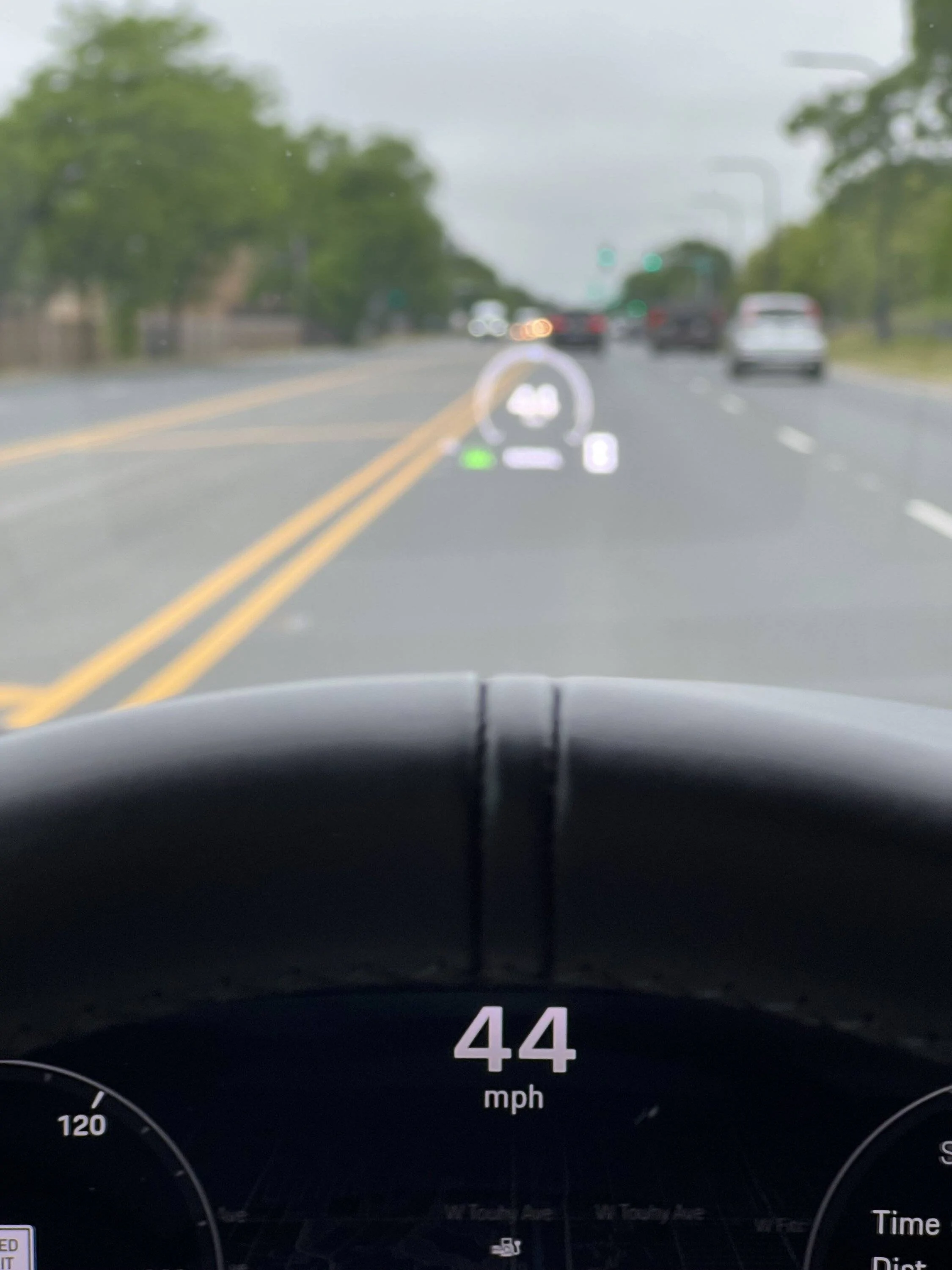
I’m still about the only one who doesn’t like HUD, particularly the way it’s implemented on the Taycan. I’ve had it on a few cars like 328i and a Mini Cooper S where things like speed was useful since it was an analog tach or the digital speed was in a little lcd screen at the bottom of the gauge cluster.

But with the way the Taycan implements it, you have two speed readouts within the same field of view, both being updated continuously, and I can’t put the HUD low enough for me that it’s not just blocking traffic in front of me.

Porsche Taycan My Preferred Multi-Screen Cabin Layout IMG_0617


Any lower and the hud just starts getting cut off.

oh well, didn’t spec it on the newest build. :)
 

TDinDC

Well-Known Member
Joined
Jun 25, 2022
Threads
21
Messages
1,066
Reaction score
1,277
Location
Washington, DC, USA
Vehicles
'22 Taycan 4S Cross Turismo, '06 Club Coupe (#48)
Country flag
I’m still about the only one who doesn’t like HUD, particularly the way it’s implemented on the Taycan. I’ve had it on a few cars like 328i and a Mini Cooper S where things like speed was useful since it was an analog tach or the digital speed was in a little lcd screen at the bottom of the gauge cluster.

But with the way the Taycan implements it, you have two speed readouts within the same field of view, both being updated continuously, and I can’t put the HUD low enough for me that it’s not just blocking traffic in front of me.

IMG_0617.jpeg


Any lower and the hud just starts getting cut off.

oh well, didn’t spec it on the newest build. :)
Each and every one of those issues can be addressed in your settings, some in the HUD settings and some in the display settings. It’s worth the time to work through it despite the crappy manual
 

MConte05

Well-Known Member
Joined
Nov 18, 2021
Threads
3
Messages
148
Reaction score
154
Location
Chicago
Vehicles
Taycan CT4. GTS ST inbound
Country flag
Each and every one of those issues can be addressed in your settings, some in the HUD settings and some in the display settings. It’s worth the time to work through it despite the crappy manual
I’ve played through all of them. At the end of the day the display system on the Taycan is so crisp and clear, and easy to see with the info needed at the top and center, along with the low seating position, just made the HUD a non-need for this particular car, but that’s just personal preference. ?‍♂
Sponsored


Top