Sponsored

Night time driving, cabin too bright!?

FredC057

Well-Known Member
First Name
Fred
Joined
Feb 7, 2021
Threads
4
Messages
178
Reaction score
185
Location
Brussels
Vehicles
Taycan Cross Turismo 4S (2022), Fiat 500Ce
Country flag
It took me a while also to find all the settings and dim everything down. After the 3 screens, it was the ambiant lightning and then I had to search for the overhead lights also in the back.
Doing all that while driving, I was happy to have innodrive and an empty highway.
They should add a function night driving and everything goes down and not deep down in a sub-option.
In other times and for shorter trips I like having those lights so everything is back up to normal but next long trip I’ll have to search again to find that setting to dim everything.
Sponsored
 

Hirschaj

Well-Known Member
First Name
Jim
Joined
Sep 5, 2021
Threads
68
Messages
2,223
Reaction score
2,617
Location
Austin TX
Vehicles
2022 Taycan CT4 - Mamba Green, 2022 Challenger
Country flag
I need to have my astigmatism severity rechecked. Thanks for the reminder!
I feel your pain. The LED lights everywhere (not just in the Taycan) really can mess with overall vision and make things look smeared.
 
OP
OP
DCYL725

DCYL725

Well-Known Member
Joined
Feb 9, 2022
Threads
28
Messages
458
Reaction score
298
Location
Asia
Vehicles
Taycan 2021
Country flag
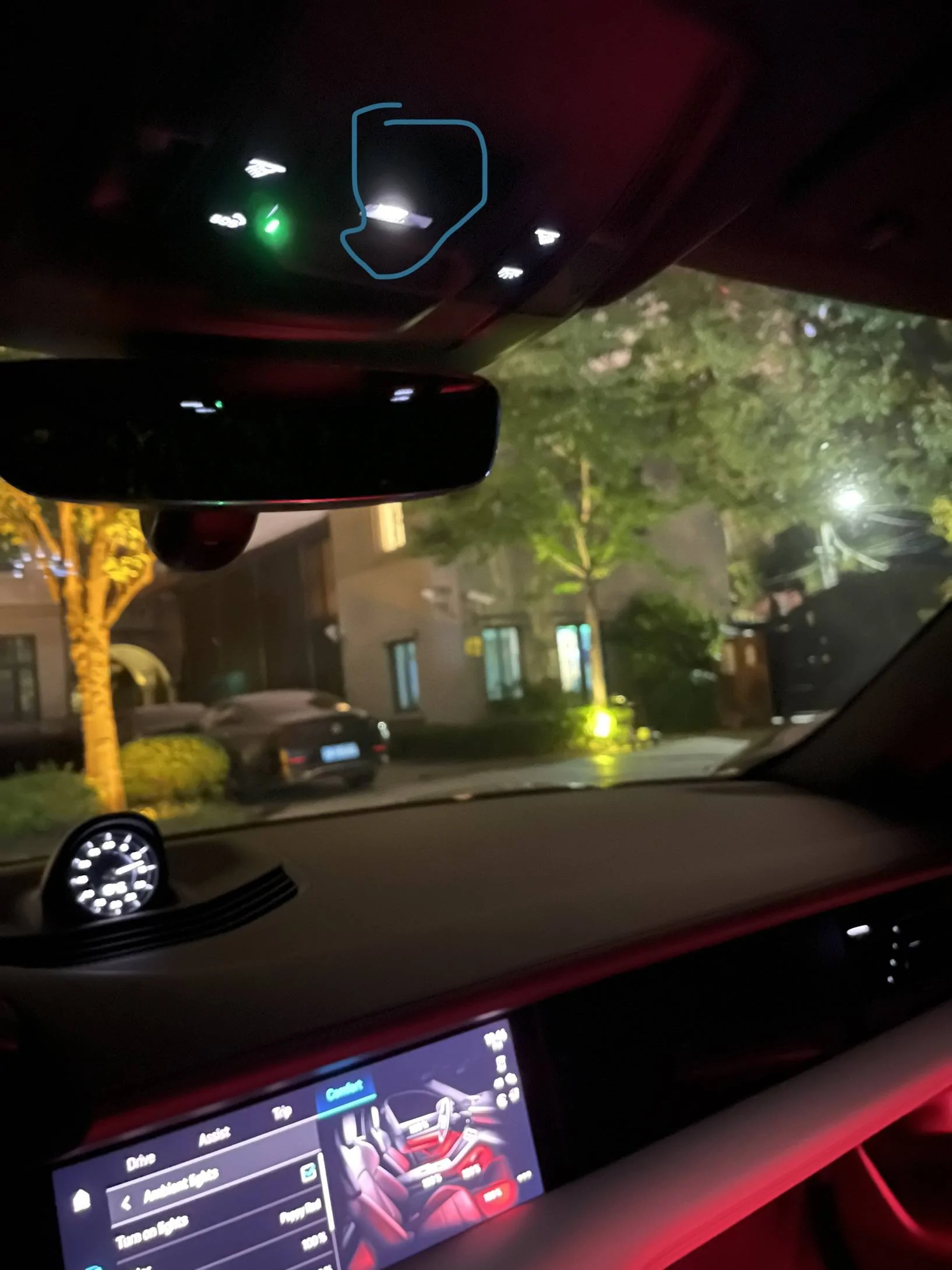
Porsche Taycan Night time driving, cabin too bright!? F79C4249-422B-419C-B67F-69885D8E57B2


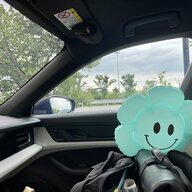
This light is getting the led blackout sticker treatment.

I have my ambient lights set to 100%.

Counterintuitive, I know, but I’ll explain in a bit.

“It’s because I like to party.” - Cal Naughton Jr., Talladega Nights


Jhenson29

Well-Known Member
First Name
Jeremy
Joined
Feb 9, 2021
Threads
37
Messages
3,014
Reaction score
4,650
Location
St. Louis, MO
Vehicles
2022 Macan S; 2021 Taycan 4S
Country flag
I go to work relatively early and it’s always dark out while I’m driving. Worse yet, they are rural roads with very little lighting. Worse yet, my DD is a Macan with black interior and very little lighting. I can hardly see anything inside of the car.

A few weeks ago, my wife needed the Macan and I took the Taycan to work for the first time. What I immediately noticed was that I could easily see everything in the interior without it being distracting. The ambient lighting (set to 100%) was the perfect amount of lighting.

I had driven the Taycan at night numerous times before, but I think because this drive was so routine, the difference stood out to me more.

So, I think the lighting is just right.
 

Oakhome

Member
Joined
Nov 2, 2021
Threads
0
Messages
18
Reaction score
6
Location
United Kingdom of Newcastle
Vehicles
'65 S-Type; '06 325; '20 Taycan; '18 991
I agree, it's way too bright.

Tried at first to use the voice command button, thinking that a company that makes sports cars might already would've figured this would be a problem. That lead nowhere (except some choice words towards the AI).

Now the solution is to never have the passenger display on, brightness turned down as far as it'll go, and the tapping needed to turn off the middle display is imprinted into my mind.


It shouldn't be so that the screens, and shoddy design choices make for a less observant driver
 
OP
OP
DCYL725

DCYL725

Well-Known Member
Joined
Feb 9, 2022
Threads
28
Messages
458
Reaction score
298
Location
Asia
Vehicles
Taycan 2021
Country flag
The voice command,
I agree, it's way too bright.

Tried at first to use the voice command button, thinking that a company that makes sports cars might already would've figured this would be a problem. That lead nowhere (except some choice words towards the AI).

Now the solution is to never have the passenger display on, brightness turned down as far as it'll go, and the tapping needed to turn off the middle display is imprinted into my mind.


It shouldn't be so that the screens, and shoddy design choices make for a less observant driver
The voice command is utterly garbage.

Curious if Porsche outsourced parts of the software features or if everything was done in-house and ground up?

anyone know?
 
Last edited:


e92er

Well-Known Member
Joined
Nov 21, 2022
Threads
9
Messages
125
Reaction score
80
Location
ATL
Vehicles
Taycan GTS ST
Country flag
Settings > Car > Light and Visibility > Interior lighting.

That's an additional interior light setting under the Settings app, besides the ambient light setting in the Car app. That setting controls all ambient lighting (including the hidden LED at the top) AND sets the baseline brightness for the displays. At 100% it makes all the displays too bright at night even if you set them to -5.

Set that setting to 5% and that cabin top light will be pretty much off, and your displays will no longer blind you at night when when set to +/-0.

Set it to 0% and the top light will be off completely @npx @DCYL725
Glad I found this thread!
Gonna try this today. I also set all my screens to -5 but this morning at 6am it was still way too bright in the car while driving down unlit rural mountain roads. I pulled over and searched ‘interior light’ and found a separate option for interior lights I didn’t see before and turned it down to 45% which helped some. I’ll try 5% and then turning the screens back to 0 and see how that looks next!
 

WasserGKuehlt

Well-Known Member
Joined
Sep 7, 2022
Threads
5
Messages
2,066
Reaction score
2,456
Location
WA
Vehicles
4CT, 996C2, MacanS
Country flag
Glad I found this thread!
Gonna try this today. I also set all my screens to -5 but this morning at 6am it was still way too bright in the car while driving down unlit rural mountain roads. I pulled over and searched ‘interior light’ and found a separate option for interior lights I didn’t see before and turned it down to 45% which helped some. I’ll try 5% and then turning the screens back to 0 and see how that looks next!
The overhead light still bugs me, but there's a simple fix for that (some tape, which TDinDC has yet to ship to me).

The center screen (in the dash, not console) can be turned off with the 'power' soft button in the console screen. It takes 2 actions (power then select what 'power' should do ?) and so far I haven't found a way to program one of the function buttons to do that.
 

BigBob

Well-Known Member
First Name
Rob
Joined
Nov 27, 2021
Threads
46
Messages
1,959
Reaction score
1,533
Location
London
Vehicles
Taycan CT 4S, Range Rover Sport
Country flag
The overhead light still bugs me, but there's a simple fix for that (some tape, which TDinDC has yet to ship to me).

The center screen (in the dash, not console) can be turned off with the 'power' soft button in the console screen. It takes 2 actions (power then select what 'power' should do ?) and so far I haven't found a way to program one of the function buttons to do that.
Sunglasses?
 

anonymouse

Well-Known Member
Joined
May 12, 2023
Threads
44
Messages
763
Reaction score
904
Location
Oxfordshire UK
Vehicles
Taycan Turbo Sport Turismo J1.2
Country flag
Not only is the default setting too bright, but the menus to turn all the screens down are way too hard to find. Quite poor design.
But what I *really* dislike when driving in unlit areas at night is Apple CarPlay which glows way more brightly than any of the Porsche screens.
 

ithinkmac

Well-Known Member
Joined
Mar 19, 2021
Threads
22
Messages
304
Reaction score
267
Location
SF Bay Area
Vehicles
'17 3, '22 4S CT, '22 MXP
Country flag
Range Rover has a stealth feature I love. it turns off the center display and dims other leds. when my kids were young, I would put it in stealth mode and in my best Christian Bale voice, "I'm Batman".
Wish Porsche does something similar. A good future OTA update feature request?

-ThinkMac-
Sponsored


Top