Shug
Well-Known Member
- First Name
- Harry
- Joined
- Oct 2, 2024
- Threads
- 5
- Messages
- 253
- Reaction score
- 89
- Location
- Manchester
- Vehicles
- Taycan 4S, Cayenne Turbo, Cayman

- Thread starter
- #1
I finally managed to get Off Peak charging at my house and delved into what I thought would be an obvious part of the system - tell the car what the off-peak times are and that would be it.
I spent hours looking for that setting and was incredulous to find that there is no such option. Instead you can only get close to this if you use many tedious steps.
There may be an easy way to achieve this with Octopus, but without their subscription and app, this is as close as I could manage.
The settings in PCM are the same as in the App, so will describe the steps I used in the app.
Step 1.
Select Vehicle Details

Step 2
Select Functions
Step 3
Select Charging then Profiles and set up a location-based profile at your house with the off-peak hours.
The minimum charge is important since the car will start charging to get you to this minimum as soon as you plug in. The lowest it will go is 25%

Surprisingly, it appears Porche ignores the last step since to get the car to stop charging at the desired time, you have to tell the car it is about to go on a journey.
Step 4 is therefore to set a timer to tell the car about your journey.
The timer menu is accessed from the same page as the Profiles.
Step 5 is also managed here.
I have 5 hours off-peak available from my supplier.
My charger provides 6.5 Kw/hr, so the most I can charge off-peak is 5hrs * 6.5 kw = 32.5 Kw.
The battery in my Taycan is the Performance Battery Plus, which offers 93.4 kWh (83.7 usable)
I can therefore charge the Taycan battery by 38%, so to get this to work only within the off-peak hours, you have to select a final charge that is less than 38% above the charge in the car at this time.
The reason the above works is that Porsche will time the charge to stop at 5:00 am in this case and it calculates back from this point to commence charging.
Many will no doubt think that all of the above is mad and I agree.
Perhaps there is a setting I have missed somewhere that would allow a simple setting to only use off-peak charging. Hopefully someone will clarify a better way.
Am off to look at Octopus to see if their app is reliable and will allow for a simple off-peak charging process.
I spent hours looking for that setting and was incredulous to find that there is no such option. Instead you can only get close to this if you use many tedious steps.
There may be an easy way to achieve this with Octopus, but without their subscription and app, this is as close as I could manage.
The settings in PCM are the same as in the App, so will describe the steps I used in the app.
Step 1.
Select Vehicle Details
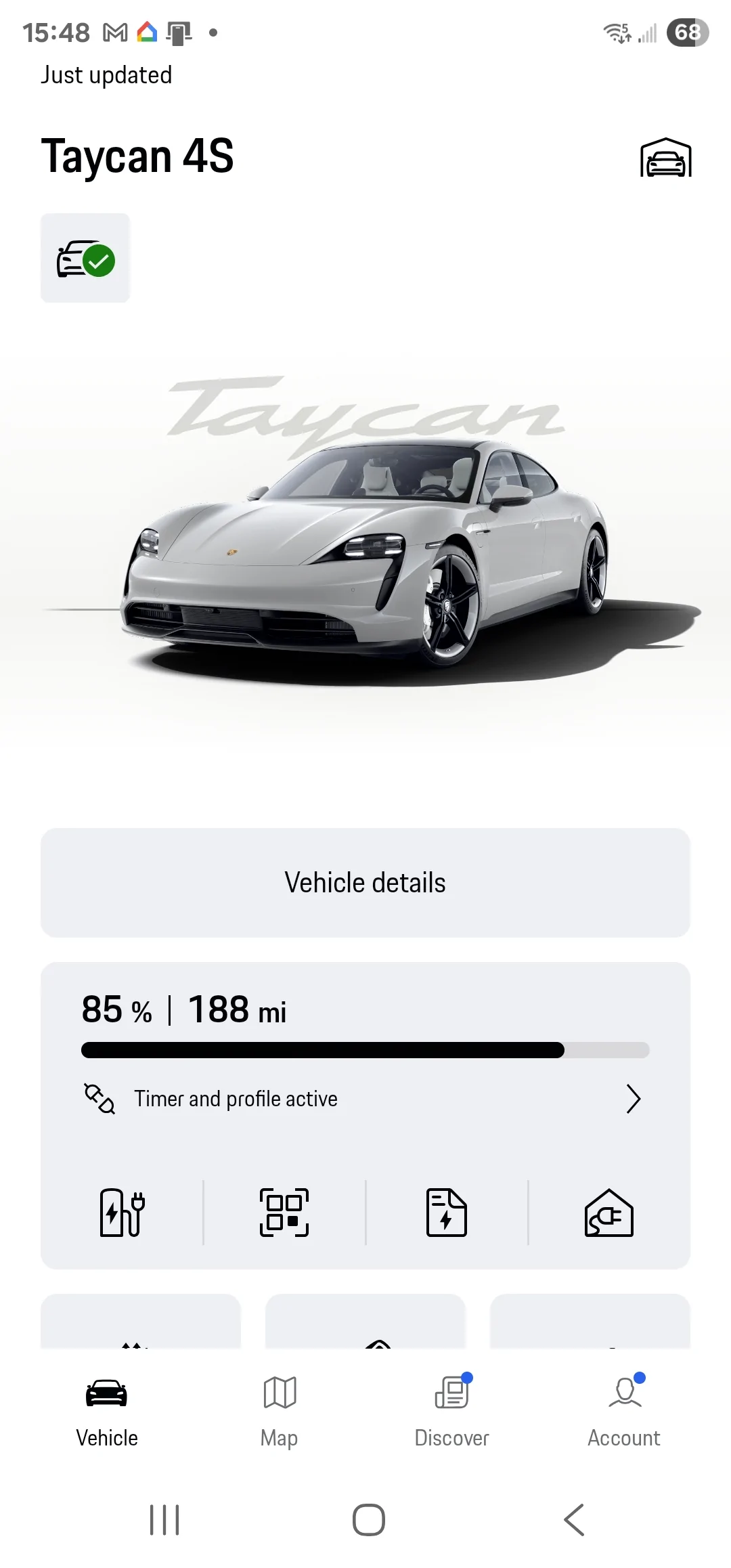
Step 2
Select Functions
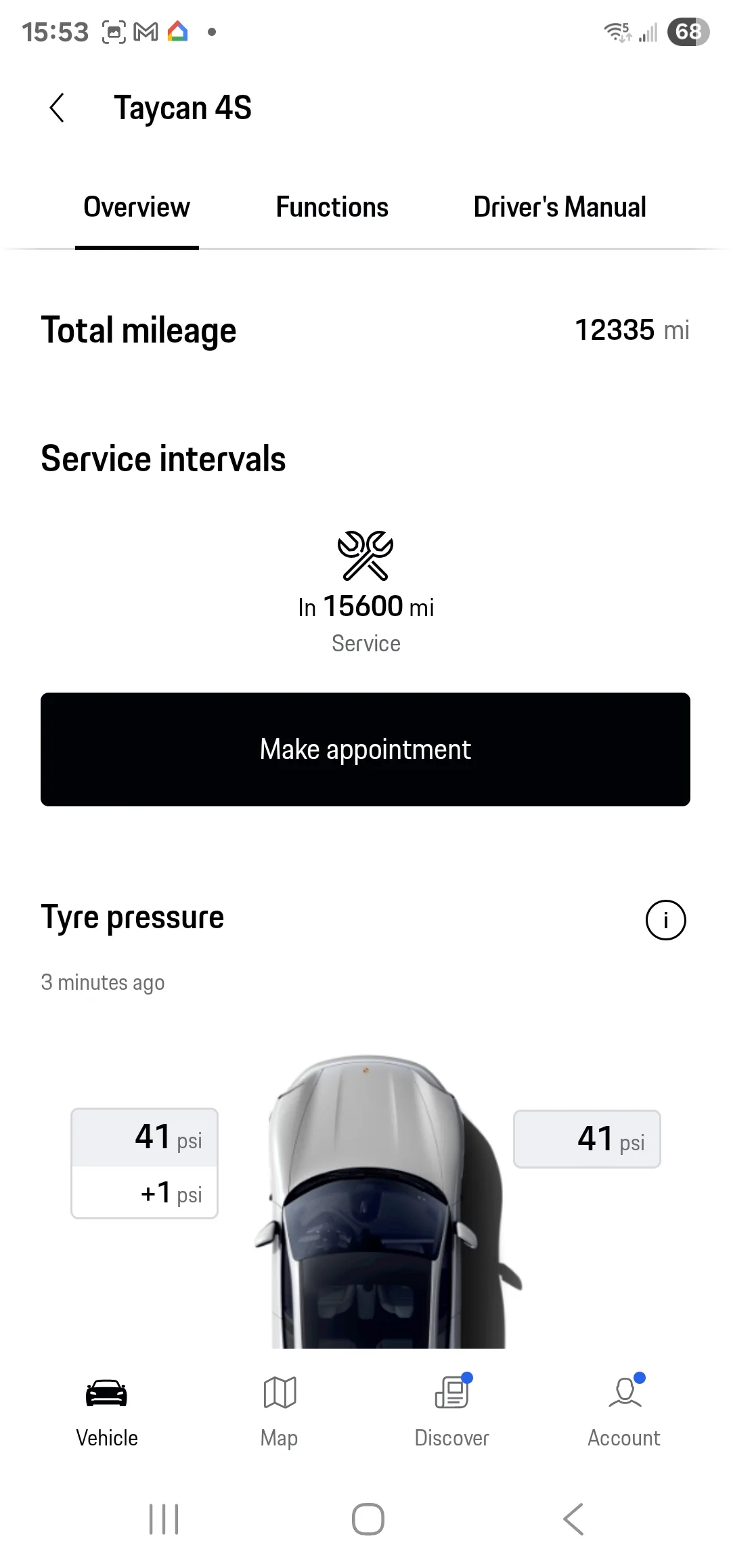
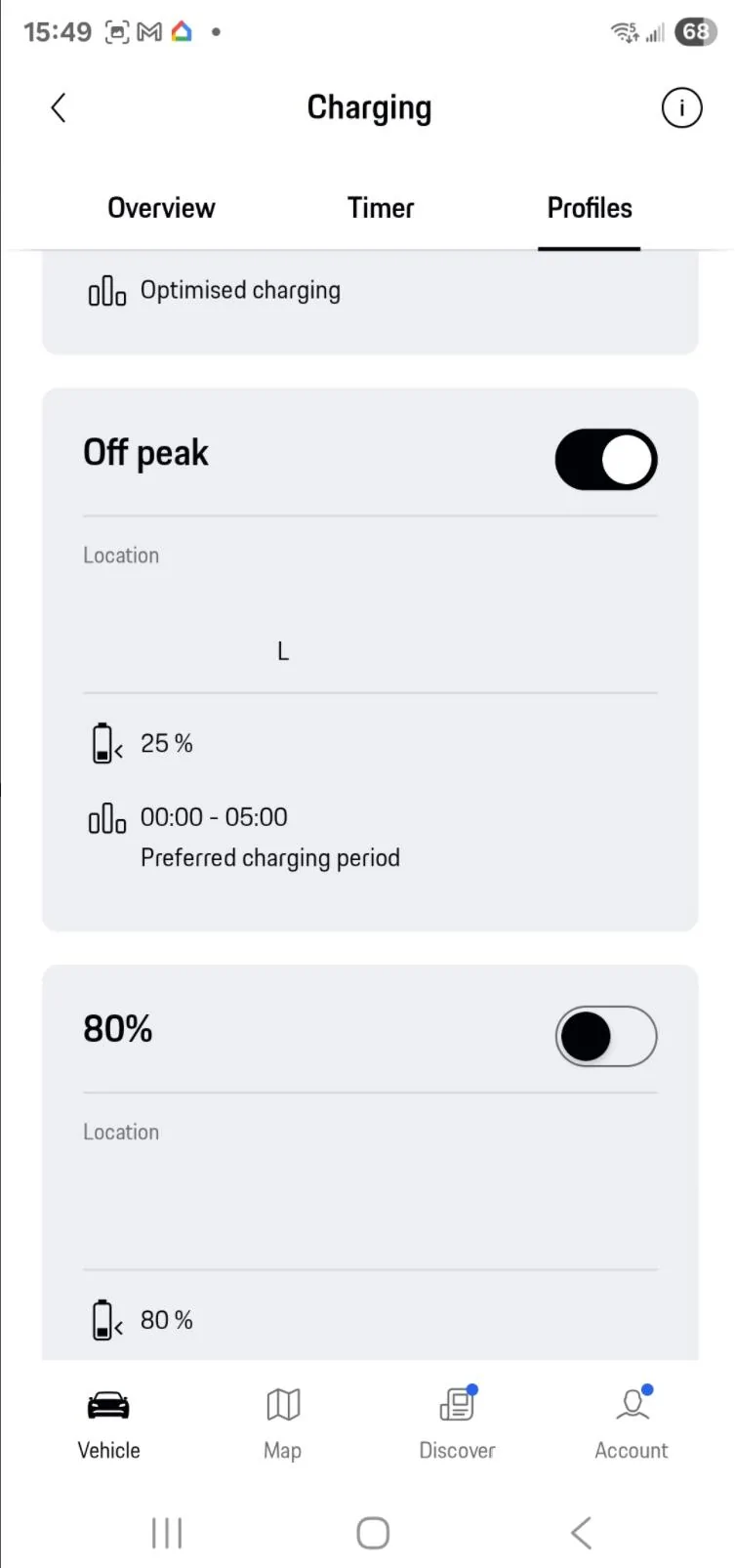
Step 3
Select Charging then Profiles and set up a location-based profile at your house with the off-peak hours.
The minimum charge is important since the car will start charging to get you to this minimum as soon as you plug in. The lowest it will go is 25%
Surprisingly, it appears Porche ignores the last step since to get the car to stop charging at the desired time, you have to tell the car it is about to go on a journey.
Step 4 is therefore to set a timer to tell the car about your journey.
The timer menu is accessed from the same page as the Profiles.
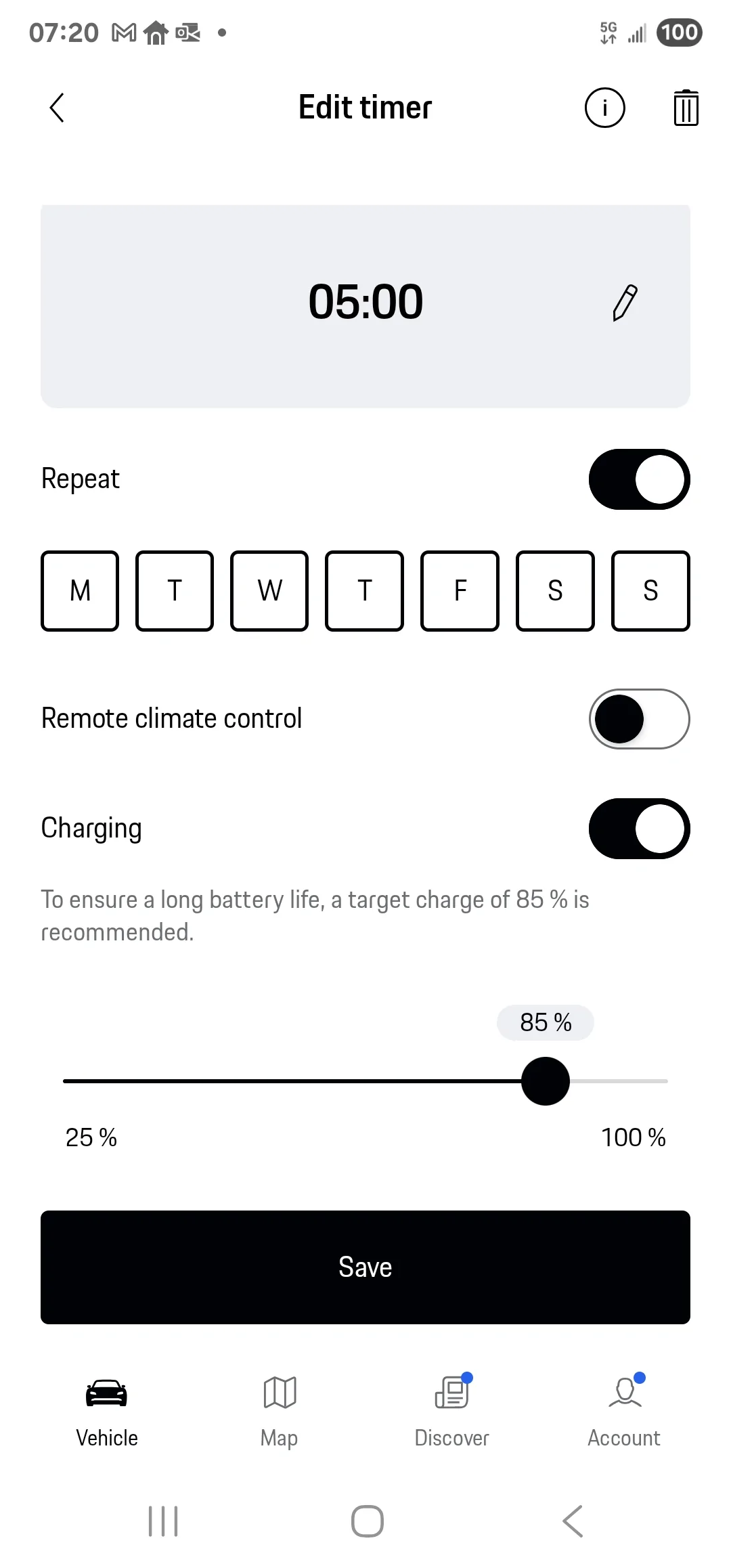
Step 5 is also managed here.
I have 5 hours off-peak available from my supplier.
My charger provides 6.5 Kw/hr, so the most I can charge off-peak is 5hrs * 6.5 kw = 32.5 Kw.
The battery in my Taycan is the Performance Battery Plus, which offers 93.4 kWh (83.7 usable)
I can therefore charge the Taycan battery by 38%, so to get this to work only within the off-peak hours, you have to select a final charge that is less than 38% above the charge in the car at this time.
The reason the above works is that Porsche will time the charge to stop at 5:00 am in this case and it calculates back from this point to commence charging.
Many will no doubt think that all of the above is mad and I agree.
Perhaps there is a setting I have missed somewhere that would allow a simple setting to only use off-peak charging. Hopefully someone will clarify a better way.
Am off to look at Octopus to see if their app is reliable and will allow for a simple off-peak charging process.
Sponsored
Last edited: